
How to Calibrate an Electronic Dart Machine Quickly
- How to Calibrate an Electronic Dart Machine Quickly
- Why fast calibration matters for your electronic dart machine
- Quick overview: what calibration actually adjusts
- Tools and preparation: what you need before you start
- Step-by-step quick calibration procedure
- Fast troubleshooting: common problems and quick fixes
- Calibration for bar and commercial use: settings that matter
- Advanced calibration: when to call a technician
- Testing protocol: how to verify calibration in 5 minutes
- Regulation distances for accurate play
- Routine maintenance to minimize calibration needs
- Why choose Dart Machines Bar Dart Machines for your venue?
- Common questions (FAQ)
- Q: How long should a quick calibration take?
- Q: Can I calibrate the machine myself or do I need a technician?
- Q: How often should I recalibrate my electronic dart machine?
- Q: What should I do if a whole segment stops registering?
- Q: Are different oche distances needed for soft-tip and steel-tip?
- Contact & See the Product
- Sources
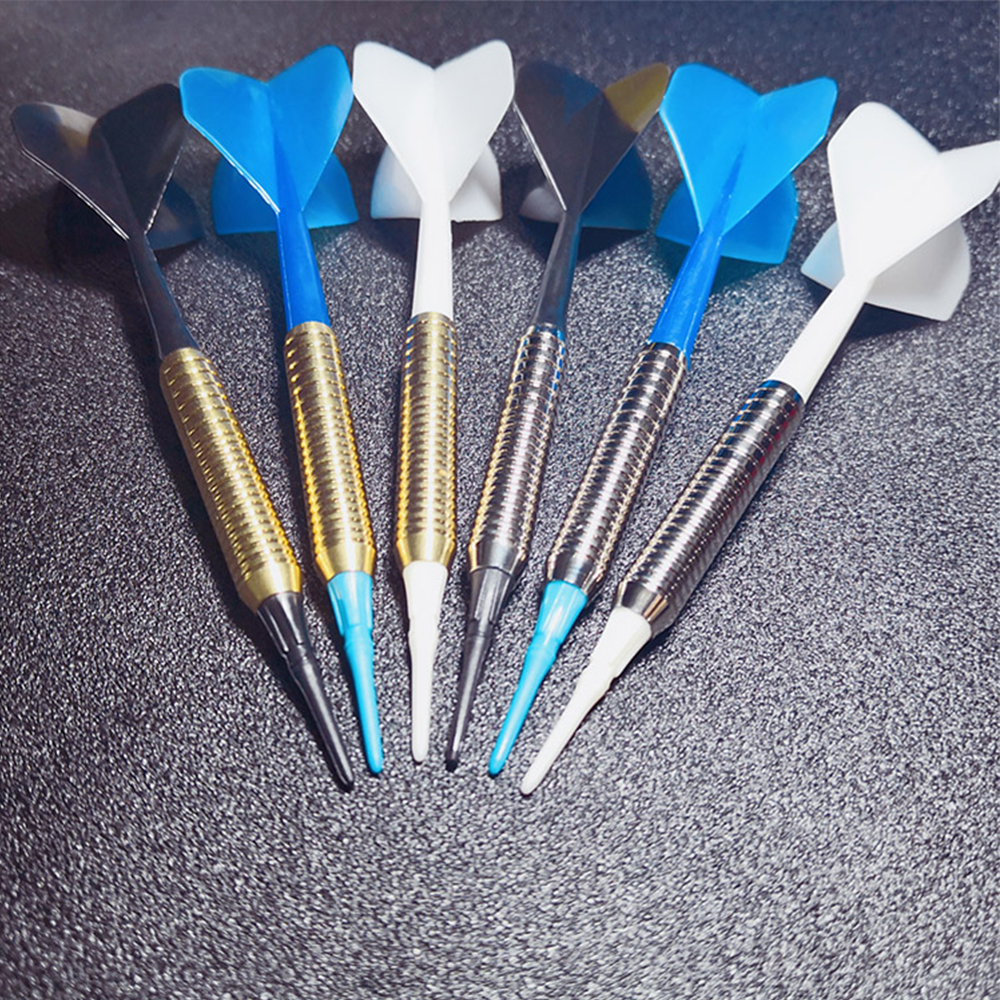
How to Calibrate an Electronic Dart Machine Quickly
Why fast calibration matters for your electronic dart machine
When you run a commercial entertainment area—bar, restaurant, KTV, or family leisure space—an electronic dart machine must register scores correctly to keep play fair and customers happy. Mis-scoring interrupts games, angers players, and can cost you revenue during tournaments or busy nights. Quick, accurate calibration reduces downtime and keeps players engaged so your venue can get the most from products like Dart Machines Bar Dart Machines by Joy Power.
Quick overview: what calibration actually adjusts
Calibration for an electronic dart machine mainly ensures the board's sensors and software map the physical segments to score values precisely. Calibration can include sensor alignment, segment threshold adjustments, firmware patching, and confirming the correct throwing distance (oche) and board height settings for the game type (soft-tip vs. steel-tip). A properly calibrated unit gives correct scores, reduces false registers, and improves overall player experience.
Tools and preparation: what you need before you start
Having the right tools on hand speeds up the process. For a fast calibration of an electronic dart machine you should prepare:
- Small Philips and flat-head screwdrivers
- Soft cloth and canned air for dust removal
- Flashlight or phone light to inspect sensors and wiring
- Official user manual or service menu access (often required to enter calibration mode)
- A few test darts (soft-tip for electronic machines; do not use steel tips on soft-tip boards)
- Measuring tape to check oche distance and board height
These simple items let you complete most calibrations in 10–20 minutes when you follow a clear plan.
Step-by-step quick calibration procedure
This fast flow is designed to get most commercial electronic dart machines back to reliable scoring quickly.
- Power cycle the machine. Turn the machine off for 30 seconds and restart. Many issues clear with a simple reboot.
- Enter calibration/test mode. Access the machine's service or calibration menu—consult the unit manual if needed. Many commercial units, including models used in bars (like Dart Machines Bar Dart Machines), provide a built-in sensor test mode.
- Run automatic sensor check. Use the machine’s auto-calibration routine if available. It identifies dead segments and sensor drift and attempts software compensation.
- Inspect and clean sensors. Use canned air and a soft cloth to remove dust from segment sensors and connectors. Dirt often causes misreads.
- Check wiring and connections. Gently reseat ribbon cables and connectors behind the board to eliminate intermittent faults.
- Manual segment test. In manual mode, press or lightly probe each segment to verify the correct on-screen response. Note any mismatch.
- Adjust thresholds if available. Some machines let you tweak sensitivity thresholds per-segment. Raise or lower until the segment reliably registers real darts but ignores bounce-outs.
- Verify game settings. Confirm the selected game type (e.g., 01, Cricket) matches tournament rules and board type (soft-tip vs. steel-tip) to ensure correct scoring rules are applied.
- Test with controlled throws. Have an experienced player throw 6–12 darts at common target areas (single 20, triple 20, bull) and compare physical hits to registered scores.
- Document and finalize. Record any recurrent problem segments and schedule part replacement if a segment fails consistently.
Following this process will resolve the majority of scoring inconsistencies quickly and safely.
Fast troubleshooting: common problems and quick fixes
When things still go wrong, knowing the most frequent causes speeds resolution. Below is a concise table that pairs symptoms with likely causes and immediate actions.
| Symptom | Possible Cause | Quick Fix |
|---|---|---|
| Random missed scores | Dirty sensors or loose connector | Clean sensors, reseat connectors, run auto-test |
| Wrong segment indicated (e.g., triple 20 shows single 5) | Segment mapping issue or damaged sensor grid | Manual segment test, adjust sensitivity, replace segment if defective |
| Entire board not responding | Power supply fault or blown fuse | Check power, fuses, and internal power connector |
| Frequent false positives from bounce-outs | Sensitivity too low/high or poor dart tips | Adjust thresholds, use recommended darts, check tip condition |
These fixes usually take under 15 minutes and restore reliable operation for most venues.
Calibration for bar and commercial use: settings that matter
In a busy environment, you want fast throughput and minimal disputes. Configure your electronic dart machine for commercial conditions:
- Enable game modes with visible confirmation of each throw (on-screen replay or segment highlight).
- Set slightly conservative sensitivity to avoid misreads from splinters or sticky tips—test with the darts your customers use.
- Lock administrative menus with a password to prevent accidental changes during service hours.
- Keep a printed calibration checklist and the machine's service menu steps near the unit so staff can perform quick checks between shifts.
These practical settings keep play moving and reduce disputes during peak hours.
Advanced calibration: when to call a technician
Not all problems are quick fixes. Schedule professional service when:
- Multiple adjacent segments fail repeatedly after cleaning and threshold adjustment.
- There is visible physical damage to the board’s sensor grid.
- The machine reports firmware errors or fails to update.
- Intermittent faults occur that you cannot reproduce in service mode.
Authorized technicians can replace sensor arrays, perform firmware re-flashes, and run factory-level diagnostics that go beyond front-line service steps.
Testing protocol: how to verify calibration in 5 minutes
After calibration, run a short, repeatable test to prove the machine’s accuracy before opening to customers:
- Set the game to a simple scoring mode (e.g., practice or straight 01) and enable a visible hit marker.
- Throw three consecutive darts at a single target (e.g., triple 20) from the expected oche distance for your machine.
- Repeat the throw group for the bull and two other common targets (single 20, single 1).
- Confirm that 90–100% of hits are registered correctly; record any mismatches and address them immediately.
This quick verification avoids customer complaints and confirms the work before the venue opens for service.
Regulation distances for accurate play
Use the standard throwing distances for correct play and calibration checks. Common official distances are:
| Board Type | Throwing Distance (from face of board) |
|---|---|
| Steel-tip (professional) | 7 ft 9 1/4 in (2.37 m) |
| Soft-tip (electronic) | 8 ft (2.44 m) |
Source: See official darts rules and setup references (listed in Sources).
Routine maintenance to minimize calibration needs
Regular upkeep reduces the frequency of recalibrations and extends board life. Recommended schedule for commercial units:
- Daily: Quick visual inspection and wipe down of the board face; verify power and display.
- Weekly: Run the machine’s diagnostic mode; test segments and reseat accessible connectors.
- Monthly: Clean internal sensor paths (power down first), update firmware if available, check for wear on segment edges.
- Quarterly: Full functional test using the 5-minute protocol and record results in a maintenance log.
Keeping a maintenance log helps spot trends and makes warranty or service claims clearer to support technicians.
Why choose Dart Machines Bar Dart Machines for your venue?
Joy Power’s Dart Machines Bar Dart Machines are designed for versatile placement: bars, restaurants, KTVs, sports shops, clubs, and family leisure spaces. For operators, the benefits include:
- Commercial-grade construction built to withstand frequent play.
- Multiple game modes and tournament features that attract both casual players and competitive groups.
- Straightforward service and calibration menus that allow staff to resolve most issues quickly.
- Compatibility with venue promotional activities—run tournaments to drive repeat visits and increase revenue.
Combined with routine maintenance and the fast calibration steps above, Dart Machines Bar Dart Machines are a reliable choice to keep guests playing and spending.
Common questions (FAQ)
Q: How long should a quick calibration take?
A: For most issues, a trained staff member can perform the quick calibration procedure and verification in 10–20 minutes. More complex electrical or sensor failures require technician intervention.
Q: Can I calibrate the machine myself or do I need a technician?
A: Basic calibration (cleaning, auto-tests, and threshold tweaks) can generally be done by staff following the machine’s manual. Replace parts and firmware re-flashes should be done by authorized technicians.
Q: How often should I recalibrate my electronic dart machine?
A: Schedule routine checks weekly and full verification monthly. Heavy-use commercial venues may verify daily during busy periods. Keep logs to determine the cadence that works best for your location.
Q: What should I do if a whole segment stops registering?
A: First clean and reseat connections, run the built-in diagnostics, and adjust sensitivity. If the segment still fails, plan for component replacement or technician service.
Q: Are different oche distances needed for soft-tip and steel-tip?
A: Yes. Standard distances are 2.37 m (7 ft 9 1/4 in) for steel-tip and 2.44 m (8 ft) for soft-tip. Confirm the distance before calibrating or running tournaments.
Contact & See the Product
If you’d like help calibrating your unit or want to see the Dart Machines Bar Dart Machines in action, contact our support team or request a demo. Our staff can provide step-by-step assistance, schedule preventive maintenance, or arrange professional servicing to keep your machine accurate and tournament-ready.
Contact: support@joypower-ent.com | Visit our product page to learn more and request a quote.
Sources
- World Darts Federation (WDF) — official rules and setup guidance: https://www.worlddarts.org/
- Professional Darts Corporation (PDC) — regulations and oche distance references: https://www.pdc.tv/
- Wikipedia — Darts (setup and oche distances): https://en.wikipedia.org/wiki/Darts
- LoveDarts — How to set up and maintain dartboards (practical service tips): https://www.lovedarts.com/
Wholesale table tennis robot for sale manufacturer and supplier in Africa
Wholesale interactive floor projection diy manufacturer and supplier
The B2B Buyer’s Guide to interactive archery range
What is virtual reality golf simulator ?
Holographic Light and Shadow Restaurant
What is the difference between holographic projection and ordinary projection?
Ordinary projection is the process of projecting a two-dimensional image onto a flat screen, where the viewer sees a flat image. Holographic projection can present real three-dimensional images, allowing viewers to observe different faces of objects from different angles, with a strong sense of three dimensionality and realism. In addition, ordinary projection usually only requires simple equipment such as projectors and screens, while holographic projection requires more complex optical systems and technologies to achieve.
Interactive Rollerball
How to attract customers when operating the program in shopping malls?
Create a cool venue decoration style and incorporate trendy elements, such as fluorescent light strips and anime-themed murals. o Launch diversified marketing models such as parent-child packages and couple packages, combined with time-limited promotional activities, such as half-price experience in the first three days of opening, to attract different groups of people such as families and couples to stop by and participate.
Products
How often does moving target archery equipment require maintenance?
Under daily use, for equipment that is used less frequently, 1-3 times per week, simple cosmetic cleaning and functional checks can be performed after each use. A more comprehensive maintenance should be carried out every 2-4 weeks, including disassembling some parts for cleaning and checking the accuracy of the aiming system.
Golf Simulator
How to attract customers when operating the program in shopping malls?
Create a cool venue decoration style, incorporating trendy elements, such as fluorescent light strips and anime-themed murals. o Launch diversified marketing models such as parent-child packages and couple packages, combined with time-limited promotional activities, such as half-price experience in the first three days of opening, to attract families, couples and other groups to stop and participate in the program. o How to reduce operating costs?
FAQ
What problems does the Digital Sports Center solve?
The Digital Sports Trendy Pavilion provides people with an innovative experience place that combines technology and sports, solving some problems existing in traditional sports activities and amusement facilities, while also meeting modern people's needs for digital technology and dynamic experience.
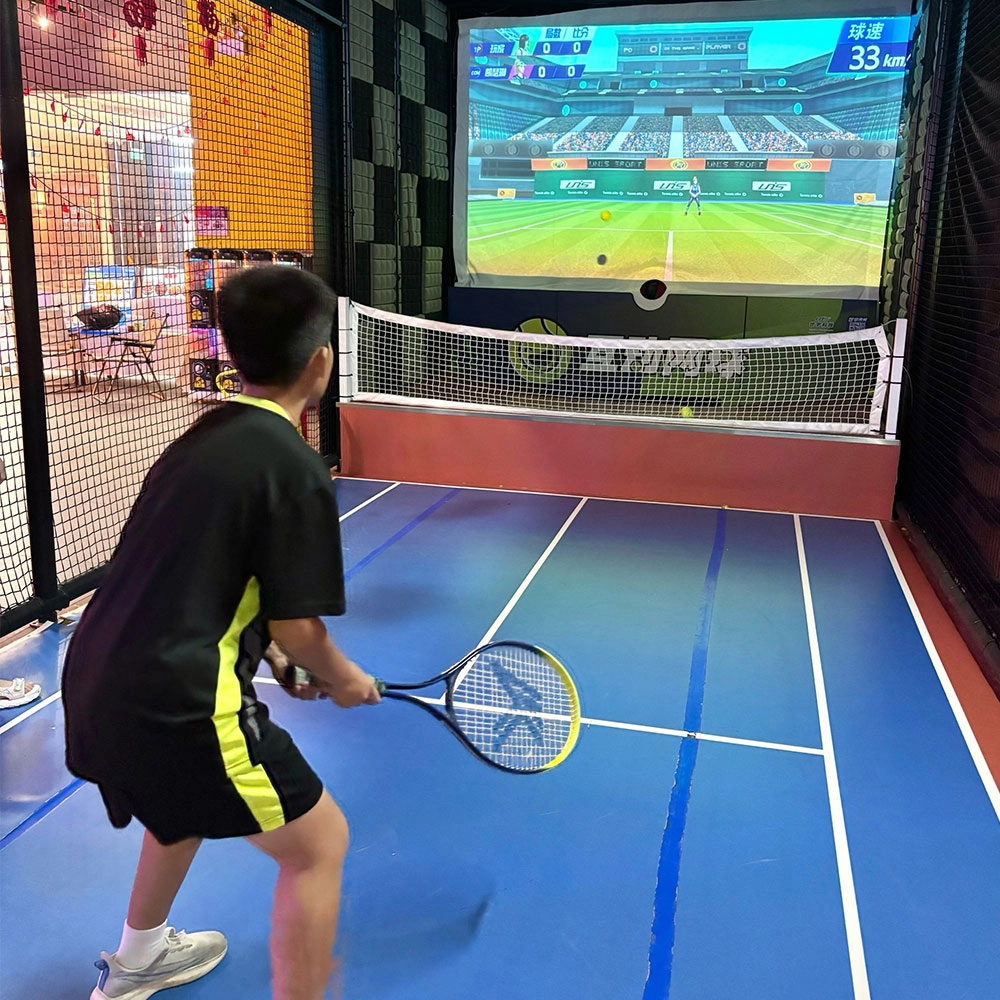
Indoor Tide Play Simulation Tennis Equipment
FUNTECH is full of fun and exciting playgrounds! With high-definition scene projection, force feedback racket, and intelligent scoring system, the simulated tennis equipment in the indoor arcade realizes immersive sports experiences and diversified interactive play, combining the advantages of safety and ease of use with high operational efficiency.
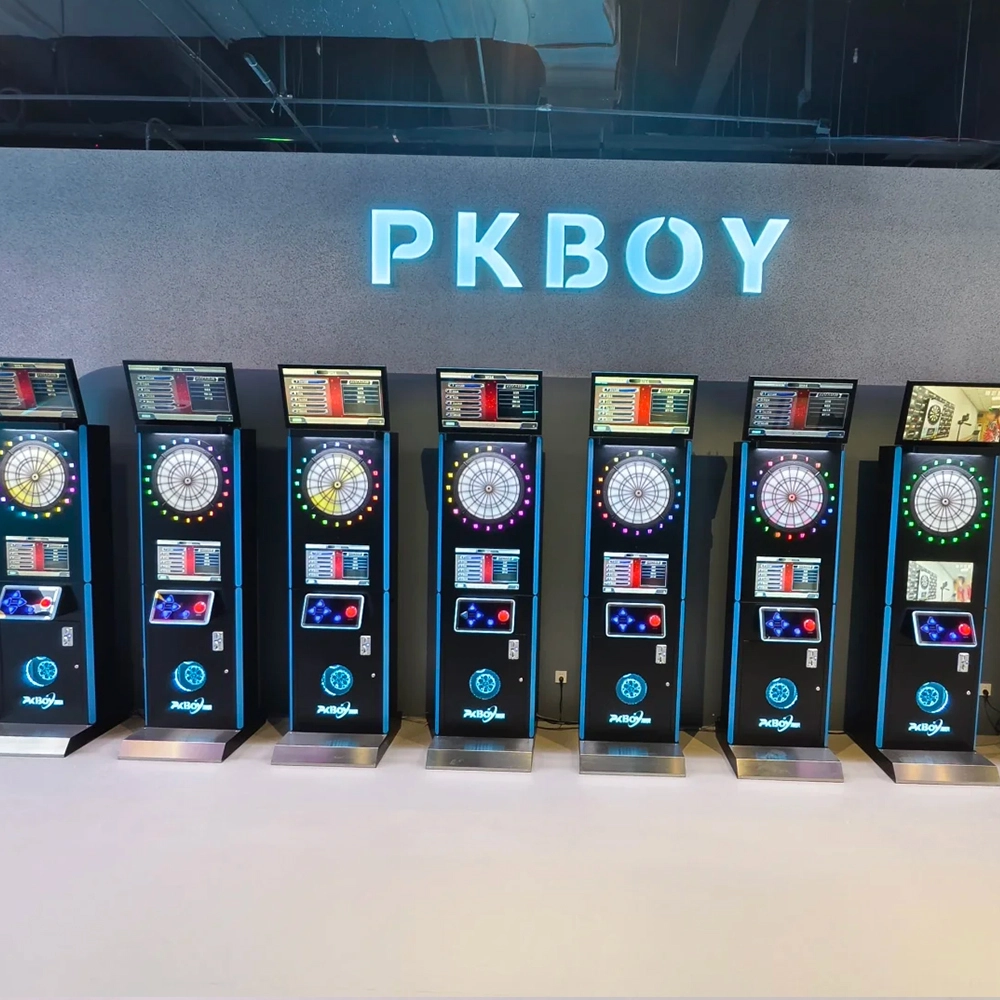
Dart Machines Bar Dart Machines
Joy Power is full of fun and excitement in the playground! The dart machine is suitable for all kinds of places, whether it is a bar, restaurant, KTV, or other entertainment venue, or a sports shop, club, or family leisure space, and can be perfectly adapted. In commercial venues, holding individual and team darts tournaments from time to time can attract more customers and increase the popularity and revenue of the venue, supplemented by various preferential activities, which can directly promote consumption and form a cycle of consumption of all the goods in the shop.
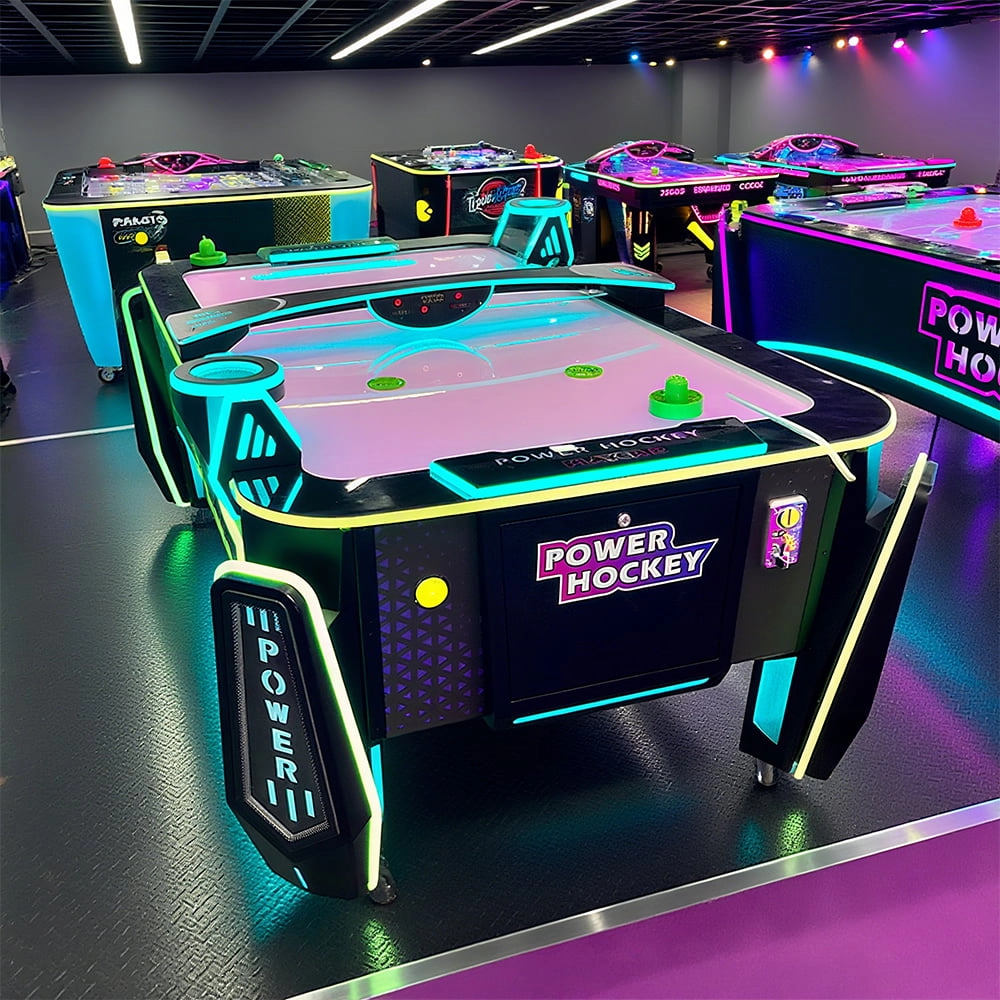
Arcade Hockey
FUNTECH is full of fun and exciting playgrounds! Air hockey, also known as air hockey, is a two-player competitive arcade game comprising a smooth, perforated playing surface, lightweight hockey sticks, a plastic puck, and an electronic scoreboard.
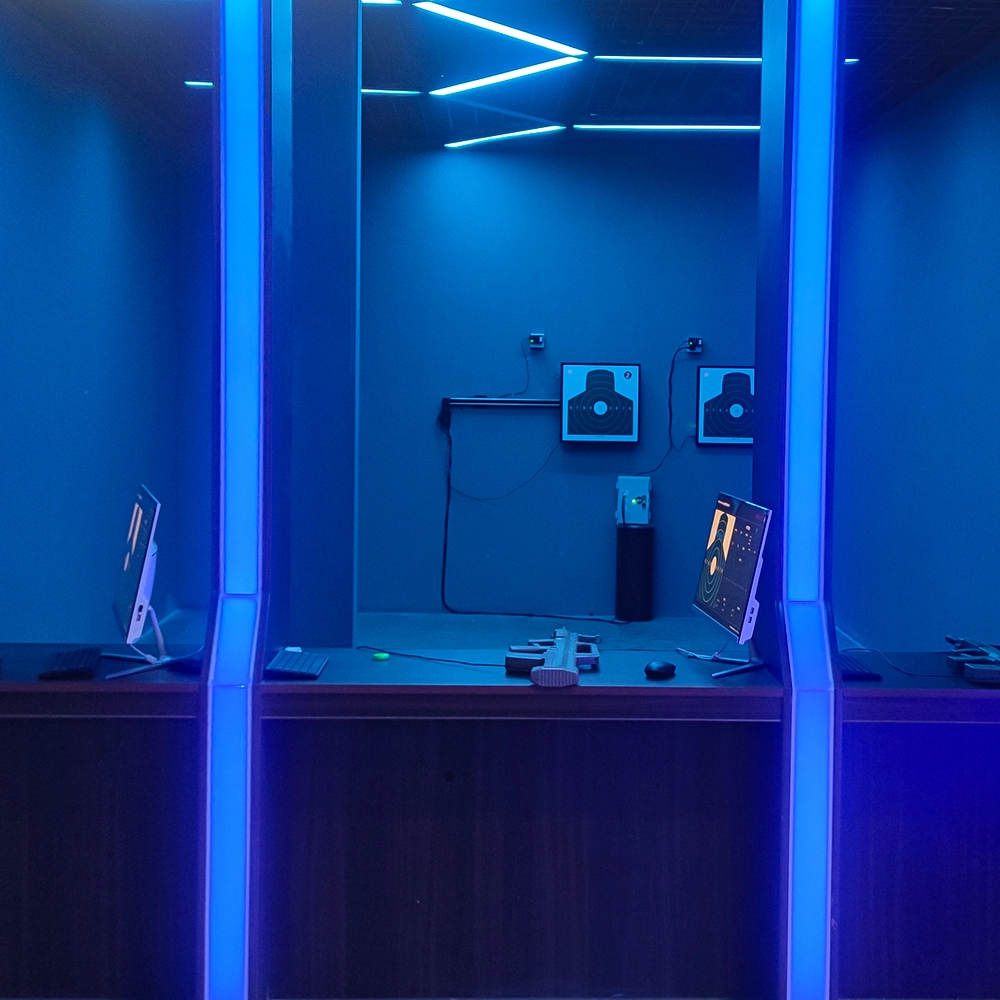
Infrared Shooting
Highly simulated simulation training analysis equipment, with advanced design concepts, fast system development, ease of operation and use, stable technical performance, less consumption of training, site dependence on a small group training is highly interesting, safe, and reliable, and other outstanding features. Product design to solve the basic skills of light weapons precision shooting as a starting point, to improve the safety of shooting training and training efficiency as the fundamental purpose, highlighting the simulation, information technology, and combat training requirements, can be in small indoor and outdoor venues and does not use live ammunition to complete the basic shooting training.
© 2025 FUNTECH ALL RIGHTS RESERVED

Weixia Lei
Fun_Tech-s
fun_tech20