
Golf Simulator Maintenance and Calibration Tips 2026
- Golf Simulator Maintenance and Calibration Tips 2026
- 1. Regular Calibration for Accurate Performance
- 2. Maintain Optimal Environmental Conditions
- 3. Regularly Update Software and Firmware
- 4. Inspect and Maintain Hardware Components
- 5. Use High-Quality Golf Balls and Clubs
- 6. Implement Safety Measures
- 7. Establish a Maintenance Schedule
- 8. Seek Professional Assistance When Necessary
- 9. Stay Informed About Technological Advancements
- 10. Document Maintenance Activities
- Conclusion
- Frequently Asked Questions (FAQ)
Golf Simulator Maintenance and Calibration Tips 2026
As golf simulators continue to evolve, maintaining and calibrating your equipment is crucial for an optimal golfing experience. In 2026, staying updated with the latest practices ensures your simulator remains in top condition. This guide provides comprehensive tips to help you achieve the best performance from your golf simulator.
1. Regular Calibration for Accurate Performance
Calibration is vital to ensure your simulator provides accurate data. Regular calibration involves checking and adjusting sensors and cameras to maintain precise measurements. Many professional facilities establish specific calibration protocols that staff members perform at the start of each day, ensuring consistent accuracy for all users.
2. Maintain Optimal Environmental Conditions
The environment where your simulator operates significantly affects its performance. Control the space around your simulator by maintaining consistent lighting and temperature. For camera-based systems, ensure stable, appropriate lighting, avoiding direct sunlight on the unit or hitting area. Use spotlights or diffused overhead lighting as recommended. Eliminate shadows in the hitting zone.
3. Regularly Update Software and Firmware
Keeping your simulator's software and firmware up to date is essential for optimal performance. Manufacturers frequently release updates that improve functionality, add new features, and address any bugs or issues. Regular updates help maintain system stability and ensure compatibility with other devices.
4. Inspect and Maintain Hardware Components
Regular inspection of hardware components, including sensors, cameras, and projectors, is crucial. Clean these components to prevent dust accumulation, which can affect performance. Ensure all cables and connections are secure and free from damage. Lubricate moving parts as recommended by the manufacturer to prevent wear and ensure smooth operation.
5. Use High-Quality Golf Balls and Clubs
The quality of your golf balls and clubs directly impacts the accuracy of your simulator. Use new, unmarked golf balls to prevent scuffs and abrasions that can damage the impact screen. Regularly inspect your clubs for wear and tear, ensuring grips are intact and club faces are free from damage.
6. Implement Safety Measures
Safety should always be a priority. Regularly inspect your simulator setup to identify potential hazards. Ensure that all equipment is securely mounted and that the area around the simulator is clear of obstacles. Use protective gear as recommended and follow all safety guidelines provided by the manufacturer.
7. Establish a Maintenance Schedule
Creating a regular maintenance schedule helps in systematically checking and maintaining your simulator. This includes daily, weekly, and monthly tasks such as calibration, cleaning, and hardware inspections. A consistent schedule ensures that all aspects of your simulator are functioning correctly and helps in identifying issues before they become significant problems.
8. Seek Professional Assistance When Necessary
If you encounter issues beyond routine maintenance, consider seeking professional assistance. Certified technicians can provide in-depth diagnostics and repairs, ensuring your simulator remains in optimal condition. Always consult the manufacturer's guidelines for authorized service providers.
9. Stay Informed About Technological Advancements
The field of golf simulation technology is continually advancing. Stay informed about the latest developments, software updates, and best practices. Engaging with online communities, attending industry events, and subscribing to relevant publications can provide valuable insights and keep you updated on new features and improvements.
10. Document Maintenance Activities
Keeping detailed records of all maintenance activities helps track the health of your simulator over time. Documenting calibration dates, software updates, hardware replacements, and any issues encountered provides a reference for future maintenance and can assist in troubleshooting.
Conclusion
Maintaining and calibrating your golf simulator in 2026 requires attention to detail and a proactive approach. By following these tips, you can ensure that your simulator remains a valuable tool for improving your game. Regular maintenance not only extends the lifespan of your equipment but also enhances your overall golfing experience.
Frequently Asked Questions (FAQ)
Q1: How often should I calibrate my golf simulator?
Calibration frequency depends on usage. For regular use, calibrate your simulator at least once a week to maintain accuracy.
Q2: What environmental factors affect simulator performance?
Lighting and temperature are critical. Ensure consistent, appropriate lighting and maintain a stable room temperature to optimize performance.
Q3: Can I perform maintenance tasks myself?
Many maintenance tasks, such as cleaning and software updates, can be performed by users. However, for complex issues, it's advisable to consult professionals.
Q4: How do I know if my simulator needs professional servicing?
If you notice persistent issues despite regular maintenance, such as inaccurate readings or hardware malfunctions, seek professional assistance.
Q5: Are there any specific maintenance tips for the impact screen?
Use new, unmarked golf balls to prevent damage, and clean the screen regularly to maintain its condition.
Q6: How can I stay updated on the latest simulator technologies?
Engage with online communities, attend industry events, and subscribe to relevant publications to stay informed about technological advancements.
Q7: Is it necessary to document maintenance activities?
Yes, keeping detailed records helps track the health of your simulator and assists in troubleshooting future issues.
Q8: What safety precautions should I take during maintenance?
Always follow the manufacturer's safety guidelines, ensure equipment is powered off during maintenance, and keep the area clear of obstacles.
Q9: How can I improve the accuracy of my simulator?
Regular calibration, maintaining optimal environmental conditions, and using high-quality equipment can enhance accuracy.
Q10: What should I do if my simulator is underperforming?
Review your maintenance schedule, check for software updates, and consult professionals if issues persist.
For personalized assistance or to explore our range of digital sports equipment, please contact us or visit our website at (https://www.funtechgame.com/). Our team is ready to help you enhance your golfing experience with the best golf simulator solutions.
What is children's indoor rock climbing ?
OEM/ODM robot table tennis Manufacturers and Suppliers
Dart Board Machine Maintenance: Cleaning, Calibration, and Repairs
Integrating Bar Dart Machines with POS and Loyalty Systems
Products
How to judge the quality of live firing equipment good or bad?
Check the firearm itself and the supporting targeting system, the reliability of the equipment in use such as continuous shooting, adaptability to the bad environment, the equipment's material technology and operating comfort, etc.
Dart Machines Bar Dart Machines
What is the difference between purchasing equipment for commercial operations and personal training?
Commercial operations should consider the durability, ease of operation, and attractiveness of the equipment, and it is preferable to choose cool-looking equipment that can withstand high-frequency use.
What are the after-sales services after purchasing the equipment?
Generally, a 1-year warranty is provided. During the warranty period, parts damaged due to quality problems, such as motor failure, display problems, etc., will be repaired or replaced free of charge. There will also be technical support, including equipment installation and debugging guidance, operation training, to ensure the smooth use of the user, after-sales response time is usually within 24 - 48 hours.
Infrared Shooting
What are the after-sales services after purchasing the equipment?
Generally, a 1-year warranty is provided. During the warranty period, parts damaged due to quality problems, such as motor failure, display problems, etc., will be repaired or replaced free of charge. There will also be technical support, including equipment installation and debugging guidance, operation training, to ensure the smooth use of the user, after-sales response time is usually within 24 - 48 hours.
Golf Simulator
How to attract customers when operating the program in shopping malls?
Create a cool venue decoration style, incorporating trendy elements, such as fluorescent light strips and anime-themed murals. o Launch diversified marketing models such as parent-child packages and couple packages, combined with time-limited promotional activities, such as half-price experience in the first three days of opening, to attract families, couples and other groups to stop and participate in the program. o How to reduce operating costs?
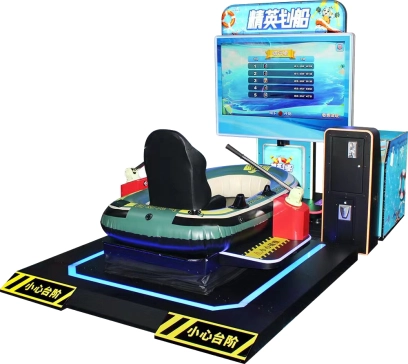
FUNTECH Interactive Indoor Rowing Simulator - Commercial Digital Sports Machine with AI Competition
A brand-new rowing simulation competitive game, operating on a single machine station, supports player interaction and competition with 3 AI opponents. The station is equipped with the latest rowing equipment, enabling players to experience realistic rowing operation. The competition process is relaxed and fun, while also providing fitness exercise benefits.
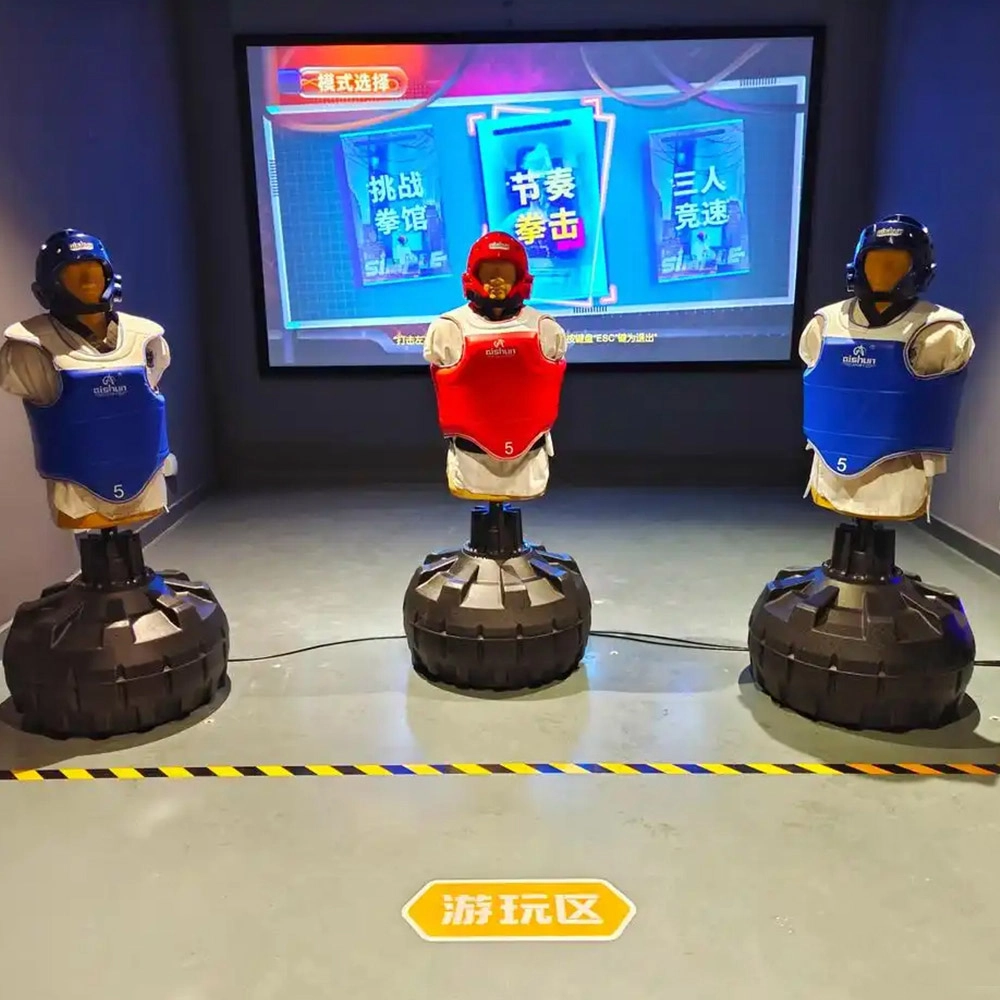
Indoor Boxing Equipment
FUNTECH is full of fun and exciting playgrounds! The indoor boxing simulation equipment combines pressure-sensitive boxing gloves with dynamic projection scenes, combining sports and fitness with entertainment and competitive attributes, supporting single-player training and two-player sparring modes, and accurately recording hitting data and generating sports reports, making it suitable for all-age experiences and safe and low-loss.
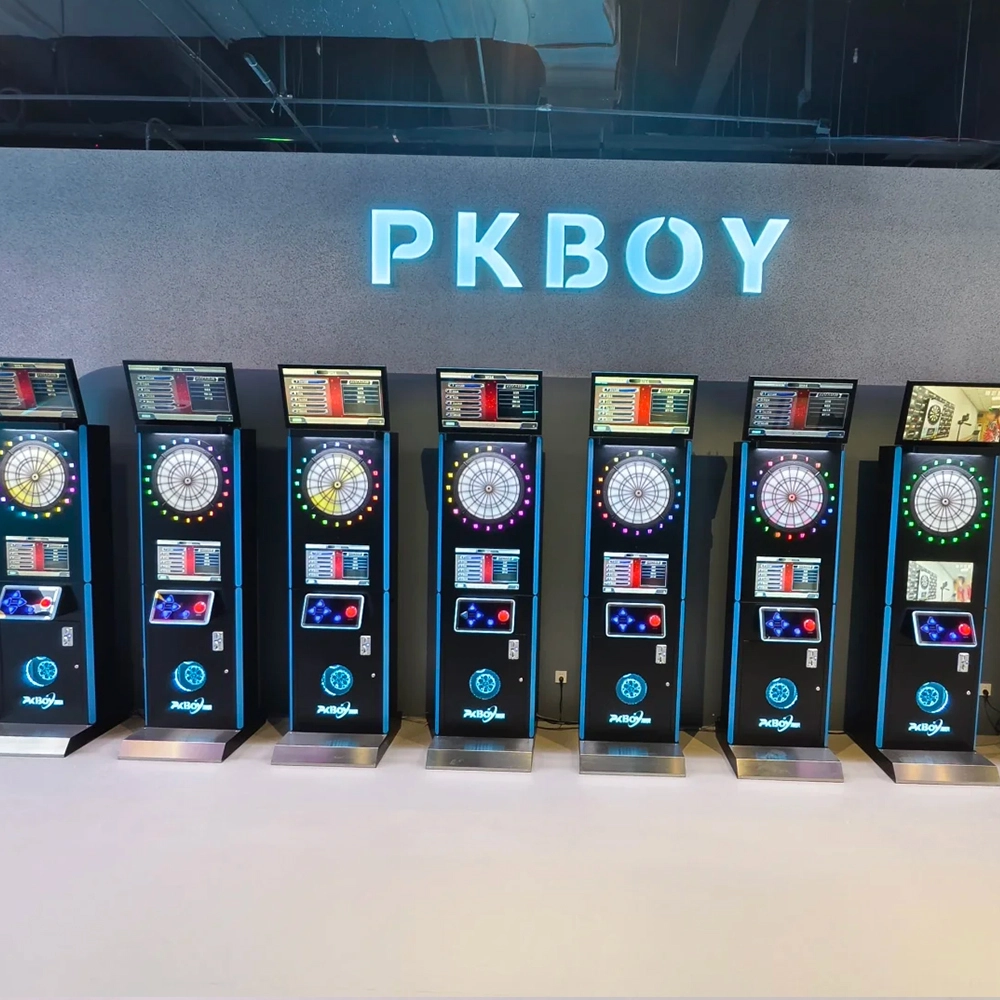
Dart Machines Bar Dart Machines
Joy Power is full of fun and excitement in the playground! The dart machine is suitable for all kinds of places, whether it is a bar, restaurant, KTV, or other entertainment venue, or a sports shop, club, or family leisure space, and can be perfectly adapted. In commercial venues, holding individual and team darts tournaments from time to time can attract more customers and increase the popularity and revenue of the venue, supplemented by various preferential activities, which can directly promote consumption and form a cycle of consumption of all the goods in the shop.
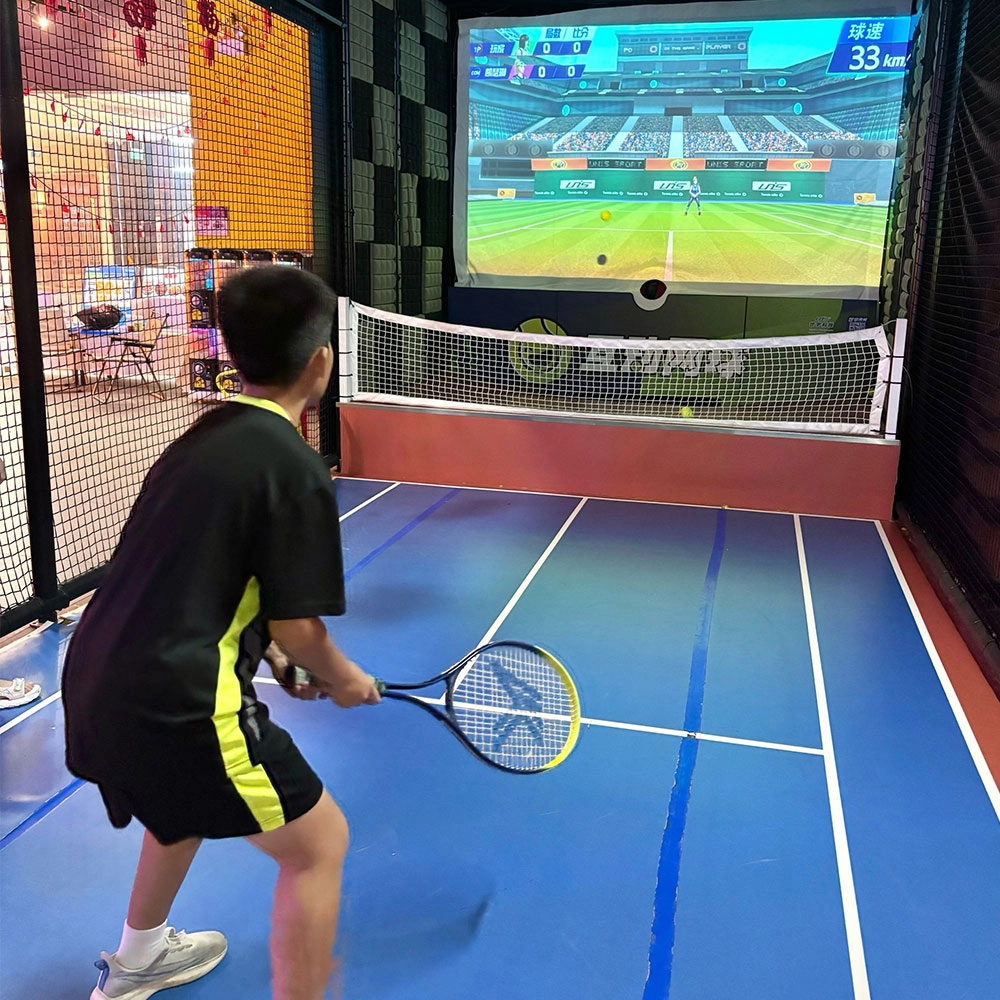
Indoor Tide Play Simulation Tennis Equipment
FUNTECH is full of fun and exciting playgrounds! With high-definition scene projection, force feedback racket, and intelligent scoring system, the simulated tennis equipment in the indoor arcade realizes immersive sports experiences and diversified interactive play, combining the advantages of safety and ease of use with high operational efficiency.
© 2025 FUNTECH ALL RIGHTS RESERVED

Weixia Lei
Fun_Tech-s
fun_tech20