
Maintenance Guide for Multi-Player Interactive Shooting Machines
- Routine Maintenance Checklist for Reliable Operation
- Daily and Pre-Opening Checks
- Weekly Cleaning and Functional Tests
- Monthly Mechanical and Electrical Inspections
- Advanced Troubleshooting and Repairs
- Sensor Miscounts and Calibration
- Display, Sound, and Control System Failures
- Mechanical Jams and Wear-and-Tear Repairs
- Preventive Care, Firmware Management, and Inventory Planning
- Scheduled Preventive Maintenance Intervals
- Firmware Updates, Security, and Data Integrity
- Spare Parts Inventory and Cost Management
- Safety, Compliance, and Best Practices
- Operator and Technician Safety
- Accessibility, User Experience, and Fair Play
- Environmental and Facility Considerations
- FAQ — Common Questions About Maintaining Shooting Arcade Machines
- How often should I replace game balls?
- What should I do if the machine loses network connectivity?
- Can I perform repairs myself or should I use a certified technician?
- How do I calibrate scoring sensors?
- What spare parts should I keep on hand?
- Are there industry resources for best practices?
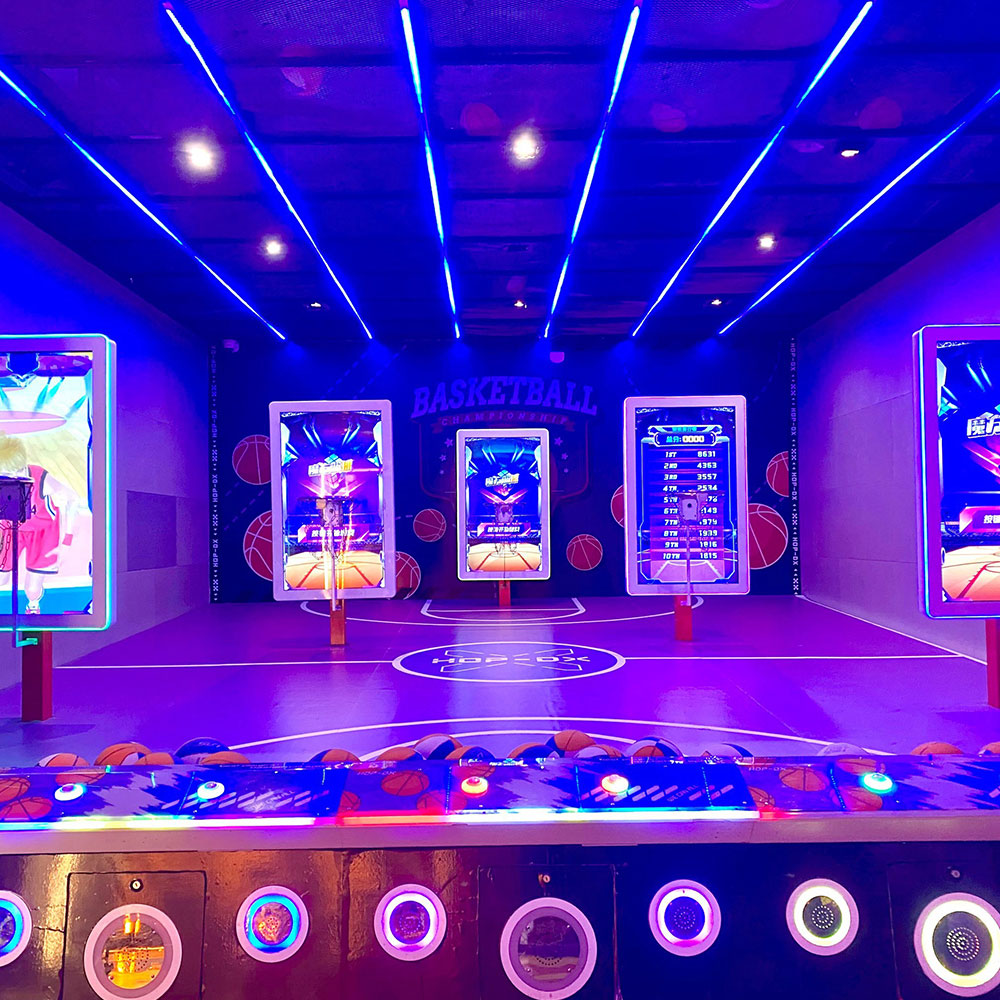
Well-maintained Multi-Player Interactive Shooting Machines are essential to delivering reliable, safe, and engaging experiences in arcades, family entertainment centers, and amusement parks. This guide consolidates best practices—covering routine cleaning, sensor calibration, electrical checks, firmware updates, and parts replacement—so operators can reduce downtime, extend equipment life, and comply with recognized safety standards. The recommendations here are aligned with industry guidance and maintenance principles such as preventive maintenance and machinery safety frameworks.
Product Overview — Multi-Player Interactive Shooting Machine:
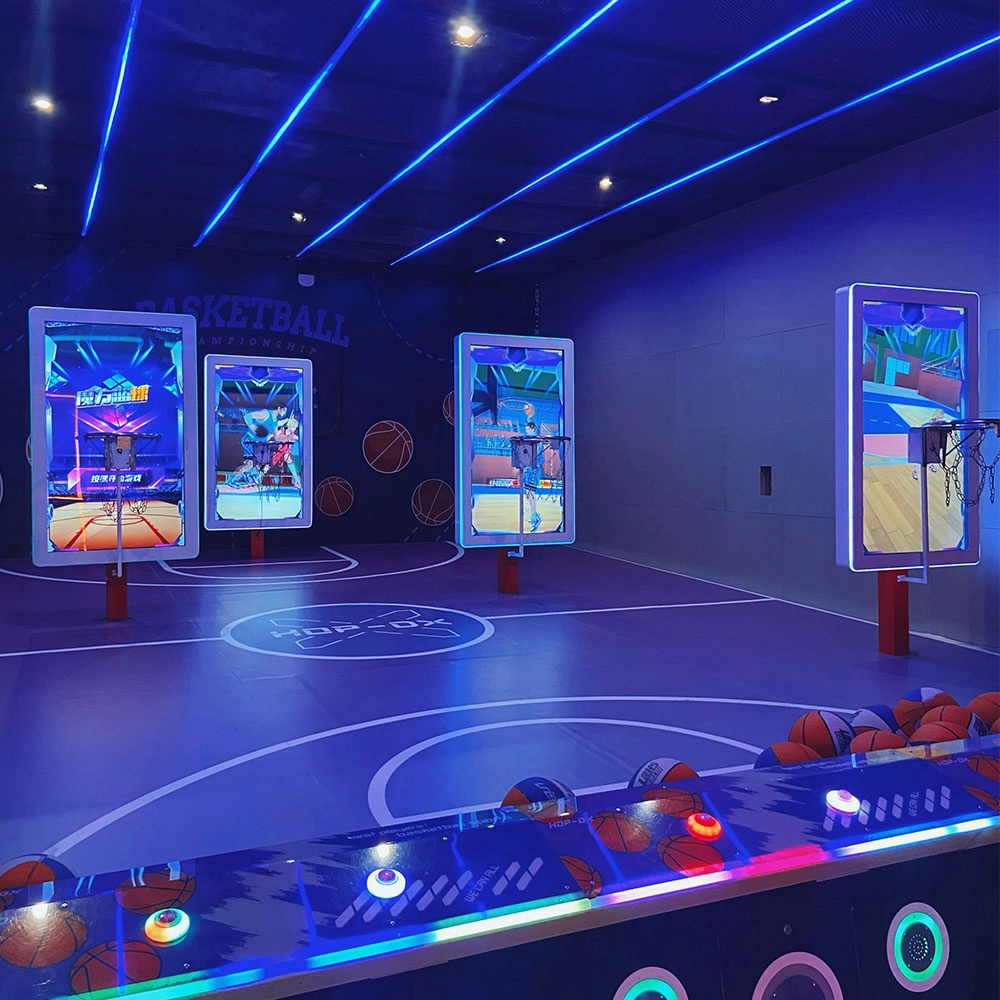
Joy Power is full of fun and exciting playgrounds! The basketball shooting machine is a classic amusement device integrating competition, entertainment, and interactivity. Based on the traditional basketball shooting sport, it integrates electronic scoring, sound and light effects, and challenge mechanisms to bring players an immersive game experience. The main body of the equipment is usually built with a metal frame, equipped with a standard-sized basket and a sturdy rim, with multiple sets of sensors to accurately capture the trajectory of the shot; when the player shoots the ball, the machine's built-in sensors count the score in real time and present the score, remaining time, and challenge goals through the LED display or LCD screen, with exciting sound effects and colorful lights to create a tense and exciting gaming atmosphere.
Routine Maintenance Checklist for Reliable Operation
Daily and Pre-Opening Checks
Daily checks keep your shooting arcade machine operational and reduce interruptions. Before opening, verify: power connections are secure, LED/LCD displays and speakers function, scoring sensors register test shots, baskets and backboards show no damage, and safety guards (if present) are intact. Clean player touchpoints (ball return, rims) with approved, non-abrasive cleaners to maintain hygiene and reduce grime-related sensor issues.
Weekly Cleaning and Functional Tests
Weekly tasks should include vacuuming the interior to remove dust, wiping down control panels and displays, checking tension and alignment of ball return conveyors or rollers, testing coin/bill acceptors and ticket dispensers, and running a full gameplay test to validate scoring accuracy for the Multi-Player Interactive Shooting Machine. Log any anomalies in a maintenance record to identify recurring patterns.
Monthly Mechanical and Electrical Inspections
Monthly inspections dig deeper: tighten fasteners on frames and rims, inspect wiring harnesses for wear or chafing, check connectors for corrosion, examine motor brushes (if applicable), test LED/LCD backlight and refresh rates, and ensure network modules and IoT gateways (if used) are online and updated. Replace worn balls to avoid sensor misreads caused by surface damage.
Advanced Troubleshooting and Repairs
Sensor Miscounts and Calibration
Sensors are central to a shooting arcade machine's scoring integrity. If the machine overcounts or undercounts shots, first perform a calibration routine per the manufacturer's service manual. Clean sensor lenses with appropriate solvents and inspect for physical damage. For optical sensors, ensure ambient lighting and LED effects are not causing false triggers. If calibration does not resolve the issue, swap sensors with known-good modules (if available) or consult the manufacturer's diagnostic logs.
Display, Sound, and Control System Failures
Intermittent display flicker or audio dropouts are often caused by loose connectors, failing power supplies, or degraded capacitors on driver boards. Before replacing components, back up configuration files and firmware. Use a multimeter to check voltage rails and run manufacturer-provided diagnostics. If the machine uses a PC or single-board computer for game logic, ensure the operating system and game firmware are current; corrupted system files can cause unexpected crashes.
Mechanical Jams and Wear-and-Tear Repairs
Ball return jams, rim deformation, and motor stalls are mechanical faults that require prompt attention. Always power down and lock out the machine before accessing moving parts. Inspect belt/chain tension, sprockets, and bearing conditions. Replace soft parts (belts, rubber rollers) on a preventive schedule rather than waiting for failure. Keep an inventory of critical spares—belts, motors, sensors, power supplies, fuses, and a spare LED segment board—to reduce mean time to repair (MTTR).
Preventive Care, Firmware Management, and Inventory Planning
Scheduled Preventive Maintenance Intervals
Define a preventive maintenance (PM) schedule that fits throughput and operating hours. High-traffic locations require more frequent checks. Use a tiered PM plan: daily quick checks, weekly clean & function tests, monthly inspections, quarterly component replacements (rollers, belts), and annual comprehensive overhauls including full electronics diagnostics and firmware firmware refresh. Track service history to predict failures using a simple CMMS (Computerized Maintenance Management System).
Firmware Updates, Security, and Data Integrity
Firmware is often overlooked. Keep firmware and game software up to date to patch bugs, improve scoring algorithms, and maintain security. When updating firmware, follow a rollback-ready process: back up settings, perform updates during low-traffic hours, and verify post-update behavior. If your Multi-Player Interactive Shooting Machine is networked, ensure firewalls and segmentation protect machine control interfaces. Refer to best practices from industry groups such as the International Association of Amusement Parks and Attractions (IAAPA) for guidance on operational security and guest safety.
Spare Parts Inventory and Cost Management
Maintain a parts list and reorder thresholds. A recommended starter kit for a shooting arcade machine includes: 2 spare optical sensors, 1 spare power supply, spare LED module, belts and rollers, replacement fuses, and fasteners. Forecast spare-part needs by analyzing historical failures and vendor lead times to keep downtime minimal and costs predictable.
Safety, Compliance, and Best Practices
Operator and Technician Safety
Follow lockout/tagout procedures and disconnect main power before servicing electrical or moving parts. Use insulated tools and PPE when working on live circuits that must remain powered for testing. Adhere to local electrical codes and the safety principles found in standards such as ISO 12100 for machinery safety risk assessment. Document safety checks and keep them accessible as part of your E-E-A-T quality processes.
Accessibility, User Experience, and Fair Play
Regular maintenance preserves the fairness and responsiveness of multiplayer games. Ensure scoring fairness by synchronizing sensors and timekeeping across machine modules. For networked cabinets, verify latency and synchronization so players in different lanes experience identical game states. Keep control panels and interfaces unobstructed, and periodically test accessibility features for players of varying heights and abilities.
Environmental and Facility Considerations
Placement affects longevity. Avoid direct sunlight that can fade graphics and degrade displays. Minimize exposure to high humidity and dust; consider HVAC improvements in enclosed arcades. Use surge protection and uninterruptible power supplies (UPS) to protect electronics from mains fluctuations and to allow controlled shutdowns during outages.
| Task | Frequency | Estimated Time | Priority |
|---|---|---|---|
| Power and Display Quick Check | Daily | 5–10 minutes | High |
| Sensor Cleaning & Gameplay Test | Weekly | 20–30 minutes | High |
| Full Mechanical Inspection | Monthly | 1–2 hours | Medium |
| Firmware Update & Backup | Quarterly | 30–60 minutes | Medium |
| Comprehensive Overhaul | Annually | 4–8 hours | High |
FAQ — Common Questions About Maintaining Shooting Arcade Machines
How often should I replace game balls?
Replace balls at least quarterly in high-traffic locations, or sooner if you notice surface cuts, soft spots, or sensor misreads. Regular replacement prevents wear on return mechanisms and reduces sensor errors.
What should I do if the machine loses network connectivity?
Check the local network hardware (router, switch) and physical connections first. Reboot network modules and verify DHCP/static IP settings. If the device uses a cloud backend, check vendor status pages. Log the incident and perform a firmware health check to rule out software causes.
Can I perform repairs myself or should I use a certified technician?
Basic cleaning, fuse replacement, and connector checks can be handled by trained in-house staff. For power electronics, complex repairs, or warranty-covered items, use certified technicians or the manufacturer’s service partners to maintain compliance and avoid voiding warranties.
How do I calibrate scoring sensors?
Use the machine’s built-in calibration utility when available. Place test shots at known trajectories to confirm sensor timing and thresholds. Refer to the manufacturer’s calibration steps in the service manual. If unsure, record logs and contact support for guided calibration steps.
What spare parts should I keep on hand?
Essential spares: power supplies, optical sensors, LED/LCD modules, belts/rollers, fuses, and spare network/IO modules. Keep documentation and part numbers for quick ordering.
Are there industry resources for best practices?
Yes. Industry organizations like IAAPA provide operator guidance. For safety frameworks and risk assessment, consult ISO resources. For preventive maintenance theory, see general references such as the Preventive maintenance overview.
If you need replacement parts, service plans, or certified technicians for your Multi-Player Interactive Shooting Machine, contact our support team or view the product page. For sales and service inquiries: support@joypower.com. View product details and specs: Multi-Player Interactive Shooting Machine.
Dart Machine Accessories and Mods to Boost Play 2026
Tips for buy shooting simulator price
Why choose FUNTECH as your baseball simulator batting cage supplier
Selecting the Right Screen, Controls, and Sound for Shooting Arcades
Products
What is the most reasonable pricing for a mobile target archery program in a commercial setting?
If it is in shopping malls, scenic spots, and other places with high traffic flow, you can refer to the prices of similar entertainment programs in the surrounding area and combine them with your own costs, charging from $30 - $80 for a single session for a single person. If it is in a professional sports arena, for members or long-term training customers, packages can be introduced, such as monthly card 300 - 500 yuan, seasonal card 800 - 1200 yuan, according to different length and service content reasonable pricing.
Infrared Shooting
How often does the equipment require maintenance?
For daily use, simple monthly maintenance, such as simple cosmetic cleaning and function checking after use, is sufficient. A more comprehensive quarterly maintenance is sufficient.
FAQ
What is to be considered for setting up a digital sports & amusement hall?
The design requirements of digital sports & amusement hall are different from other entertainment venues, and they need to focus on innovation, interactivity and experience.
Interactive Rollerball
How often does the equipment require maintenance?
For daily use, simple monthly maintenance, such as simple cosmetic cleaning and function checking after use, is sufficient. A more comprehensive quarterly maintenance is sufficient.
Holographic Light and Shadow Restaurant
What is holographic projection?
Holographic projection is a technique that utilizes the principles of interference and diffraction to record and reproduce the true three-dimensional image of an object. It records the light information of an object on a hologram, and then uses a specific light source to illuminate the hologram, so that the three-dimensional image of the object can be presented in the air, and the audience can see the realistic stereoscopic image without wearing special glasses.
Dart Machines Bar Dart Machines
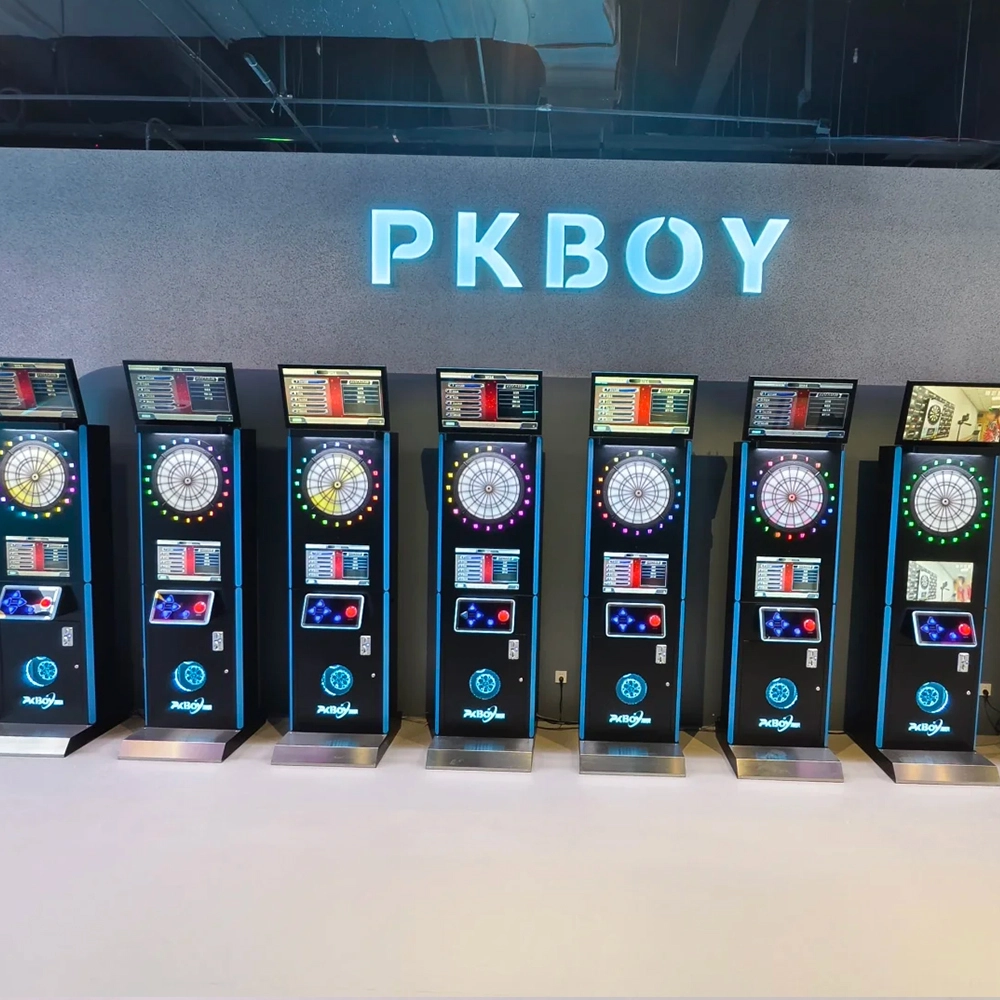
Joy Power is full of fun and excitement in the playground! The dart machine is suitable for all kinds of places, whether it is a bar, restaurant, KTV, or other entertainment venue, or a sports shop, club, or family leisure space, and can be perfectly adapted. In commercial venues, holding individual and team darts tournaments from time to time can attract more customers and increase the popularity and revenue of the venue, supplemented by various preferential activities, which can directly promote consumption and form a cycle of consumption of all the goods in the shop.
Infrared Shooting
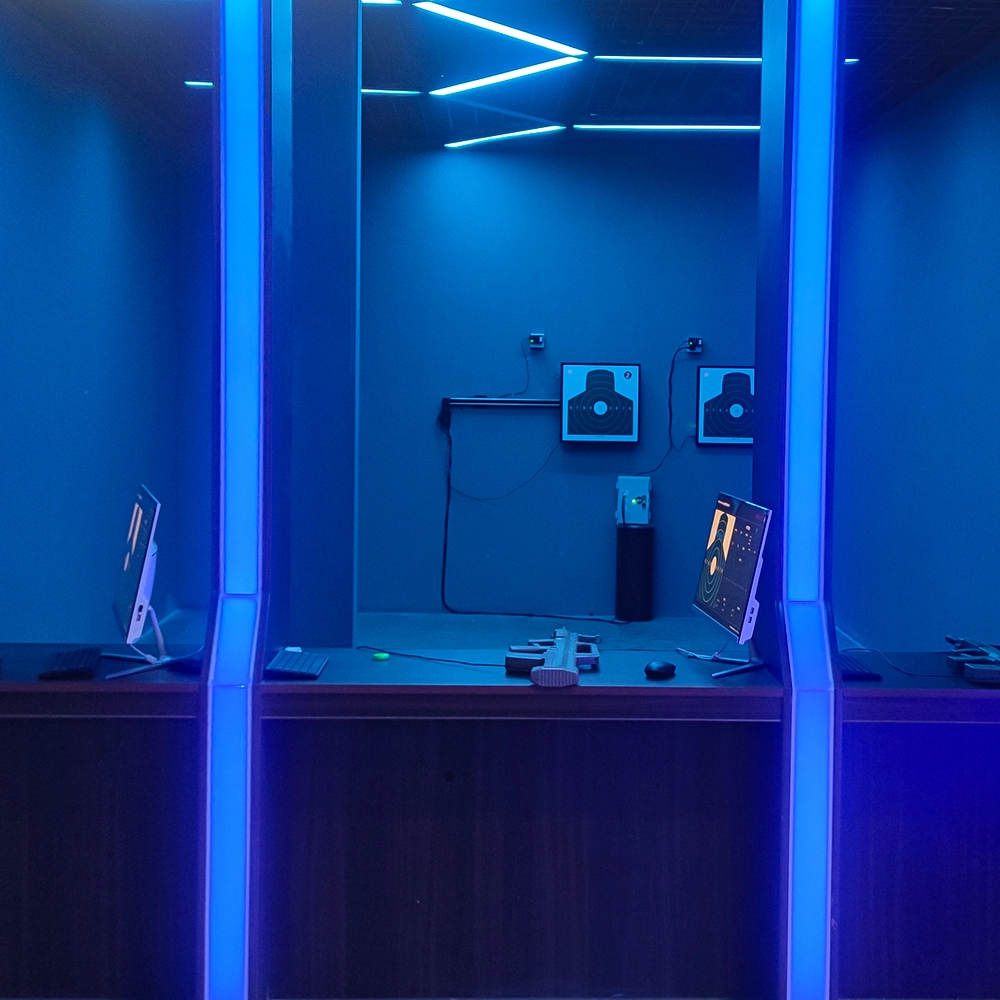
Highly simulated simulation training analysis equipment, with advanced design concepts, fast system development, ease of operation and use, stable technical performance, less consumption of training, site dependence on a small group training is highly interesting, safe, and reliable, and other outstanding features. Product design to solve the basic skills of light weapons precision shooting as a starting point, to improve the safety of shooting training and training efficiency as the fundamental purpose, highlighting the simulation, information technology, and combat training requirements, can be in small indoor and outdoor venues and does not use live ammunition to complete the basic shooting training.
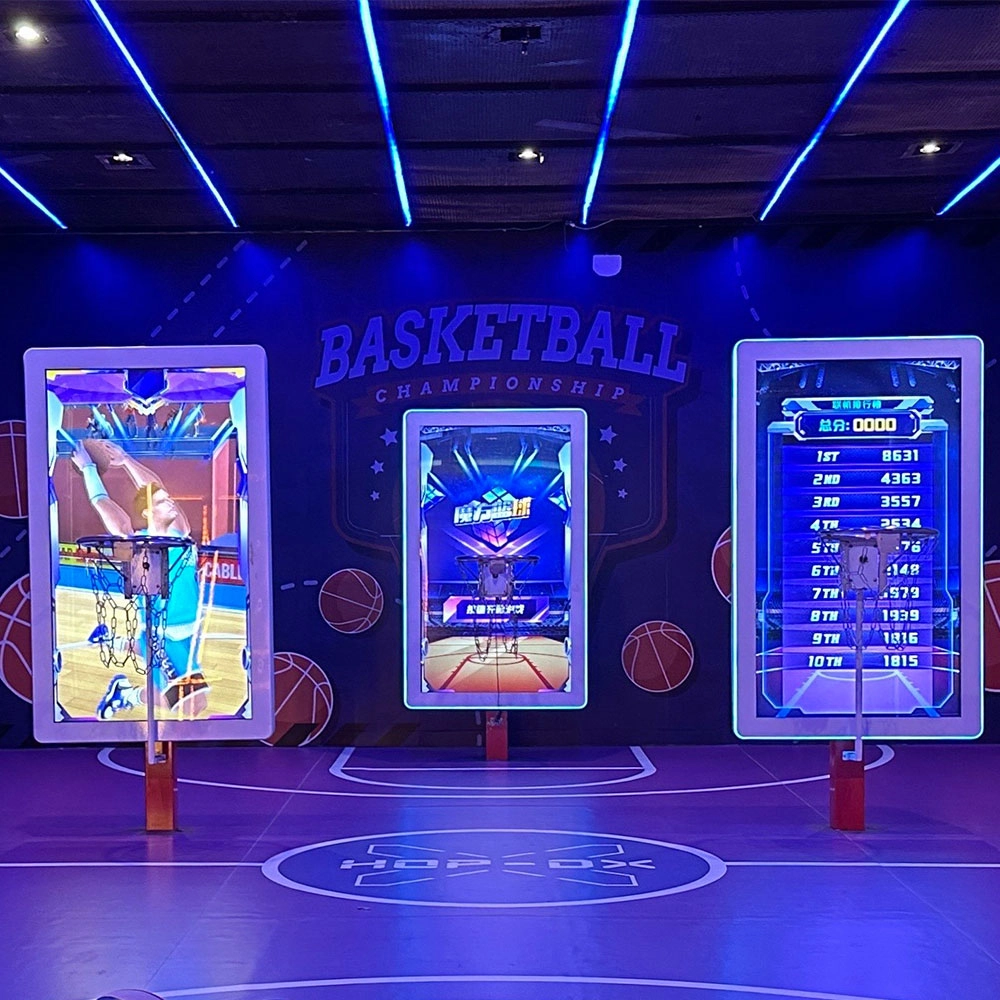
Multi-Player Interactive Shooting Machine
Joy Power is full of fun and exciting playgrounds! The basketball shooting machine is a classic amusement device integrating competition, entertainment, and interactivity. Based on the traditional basketball shooting sport, it integrates electronic scoring, sound and light effects, and challenge mechanisms to bring players an immersive game experience. The main body of the equipment is usually built with a metal frame, equipped with a standard-sized basket and a sturdy rim, with multiple sets of sensors to accurately capture the trajectory of the shot; when the player shoots the ball, the machine's built-in sensors count the score in real time and present the score, remaining time, and challenge goals through the LED display or LCD screen, with exciting sound effects and colorful lights to create a tense and exciting gaming atmosphere.
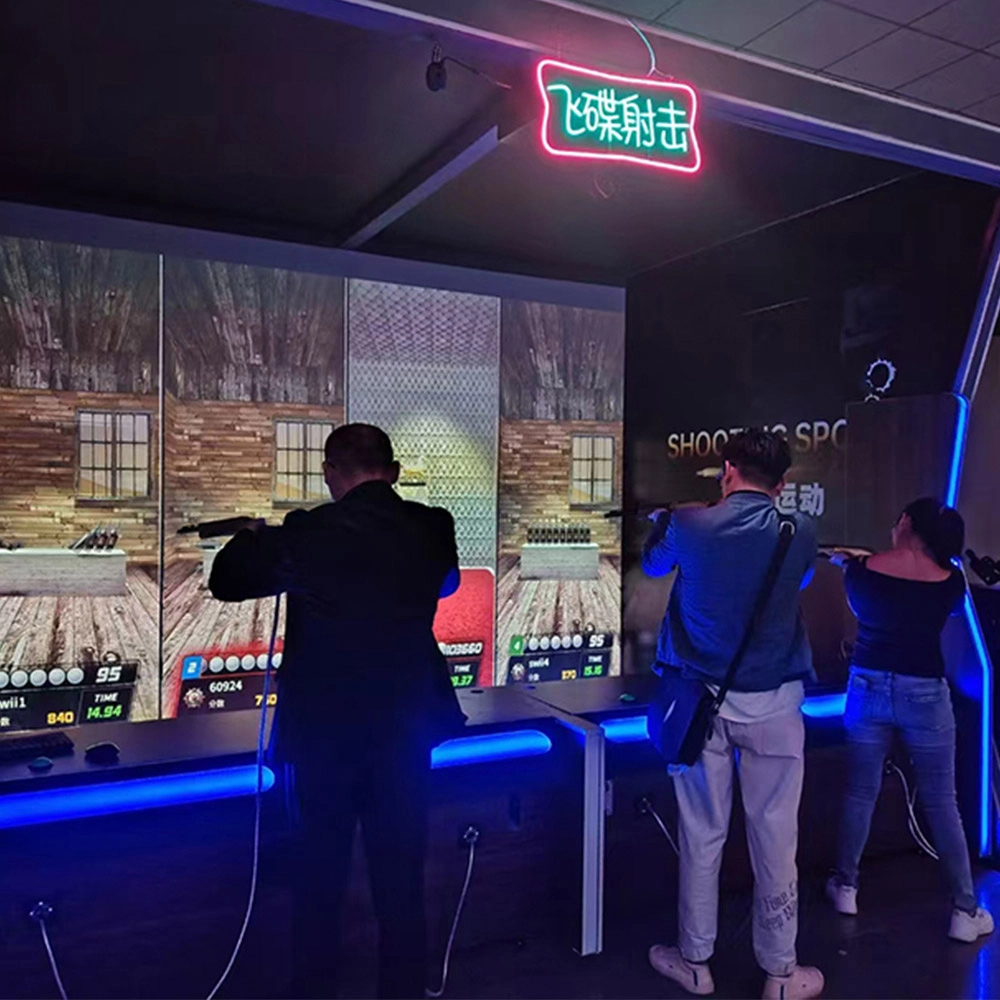
Indoor Wave Play Disc Shooting Equipment
Joy Power is full of fun and exciting playgrounds! The saucer shooting equipment in the indoor hip play hall is an immersive entertainment device integrating high-definition projection scenes, simulated air rifles, and multi-mode interactive gameplay, which allows players to experience the excitement of virtual shooting and the fun of social competition through laser-sensing scoring and multi-sensory feedback.
© 2025 FUNTECH ALL RIGHTS RESERVED

Weixia Lei
Fun_Tech-s
fun_tech20