
Space Planning Tips for Installing Indoor Golf Simulators in Venues
- Space Planning Tips for Installing the Best Indoor Golf Simulator in Venues
- Why space planning matters when choosing the best indoor golf simulator
- Assessing your venue: site survey and requirements for the best indoor golf simulator
- Recommended room dimensions and ceiling height for the best indoor golf simulator
- Screen, projector, and strike net placement for optimal simulation
- Turf, flooring, and impact surfaces for realistic play and durability
- Lighting, glare control, and projector optimization for the best indoor golf simulator visuals
- Acoustics, crowd control, and experience design for venue success
- Power, networking, and data considerations for modern simulators
- HVAC, ventilation, and temperature control for player comfort and equipment longevity
- Accessibility, safety, and regulatory compliance when installing the best indoor golf simulator
- Multi-bay layouts, modular design, and scalability
- Cost planning and ROI factors for venues investing in the best indoor golf simulator
- Comparison table: typical space and equipment specifications
- Installation checklist for a smooth rollout of the best indoor golf simulator
- Why choose Recreational Sports Products Indoor Simulated Golf for your venue
- Maintenance, warranties, and lifecycle considerations
- FAQ: Common questions about installing the best indoor golf simulator in venues
- How much space do I need for a full-swing setup?
- Can I use the Recreational Sports Products Indoor Simulated Golf screen with any projector?
- What are the key safety considerations?
- How do I control ambient light for optimal image quality?
- Is HVAC important in a simulator bay?
- Contact and product viewing CTA
- Authoritative references and further reading
- References
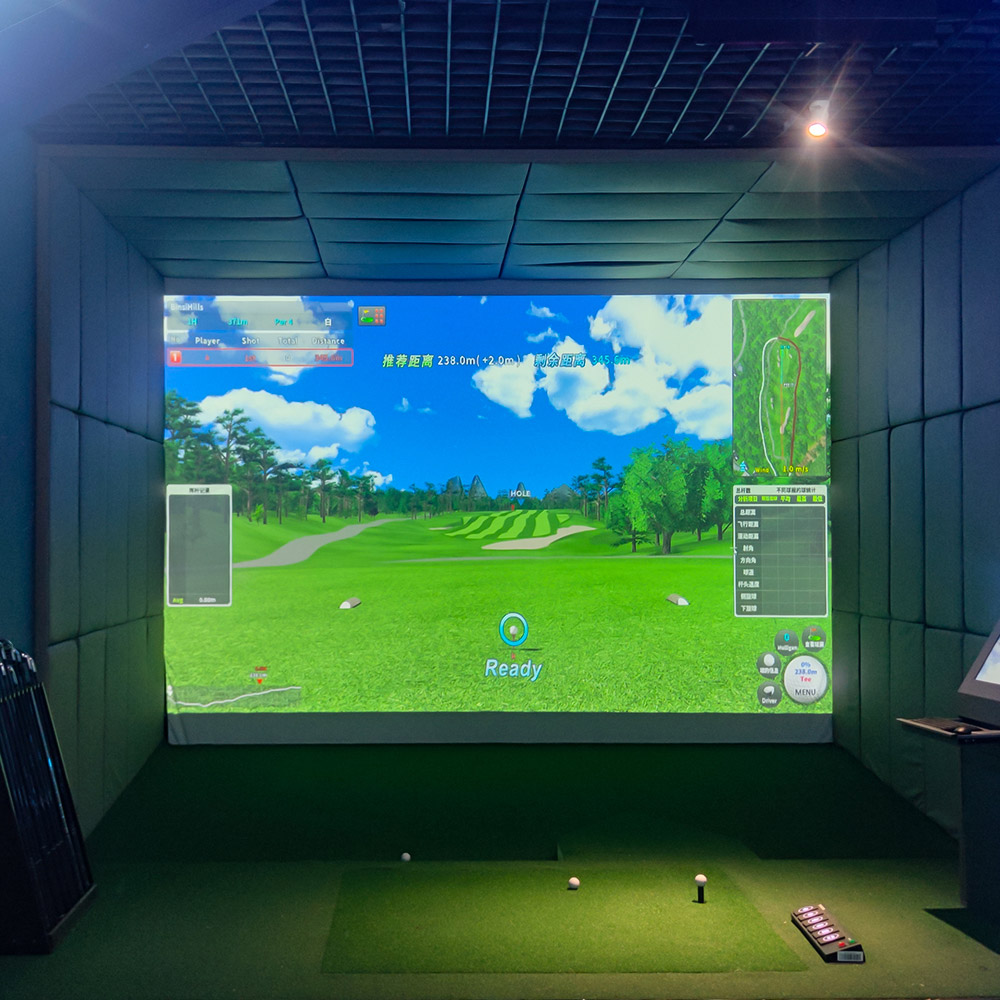
Space Planning Tips for Installing the Best Indoor Golf Simulator in Venues
Why space planning matters when choosing the best indoor golf simulator
Installing the best indoor golf simulator in a venue is more than picking hardware and a projector. Thoughtful space planning ensures players get accurate ball flight, comfortable swings, and an enjoyable spectator experience while protecting the venue and optimizing return on investment. Poor planning leads to safety risks, repeated renovations, and suboptimal simulation accuracy. After reviewing the best indoor golf simulator options for commercial buyers, decision-makers typically move on to a structured procurement checklist for recreational sports products golf simulators.
Assessing your venue: site survey and requirements for the best indoor golf simulator
Begin with a detailed site survey. Measure the available room length, width, and ceiling height. Note fixed features such as columns, doors, HVAC vents, stairs, and emergency exits. Record the power supply locations, Wi‑Fi strength, and nearby noise sources. During this phase, consult with your simulator vendor and installers to verify the compatibility of the Recreational Sports Products Indoor Simulated Golf system and the intended projector and tracking hardware.
Recommended room dimensions and ceiling height for the best indoor golf simulator
To accommodate full swings comfortably, most venues should target these minimum clearances for the best indoor golf simulator experience:
- Room depth (tee to screen): 12–16 ft (3.7–4.9 m) for recreational play; 16–20 ft (4.9–6.1 m) for advanced launch monitors and high ball speeds.
- Room width: 10–15 ft (3–4.6 m) for single-bay installations; 20–40+ ft (6–12 m) for multi-bay setups.
- Ceiling height: minimum 9–10 ft (2.7–3 m) for short irons; 10–12+ ft (3–3.7+ m) to comfortably swing drivers and for tall players.
These are starting guidelines. If you aim to offer the absolute best indoor golf simulator experience, increase depth and ceiling height where possible to prevent contact with structures and to allow full ball flight tracking for high-speed launch monitors.
Screen, projector, and strike net placement for optimal simulation
Screen placement and projector choice directly influence image clarity, tracking accuracy, and safety. The Recreational Sports Products Indoor Simulated Golf screen features a smooth texture that offers superior image clarity and is compatible with any HD projector, making it a flexible choice that works well in many room sizes.
Key placement tips:
- Projection distance: follow projector throw ratio guidelines so the image fills the screen without keystone distortion. Where possible, mount the projector so it projects perpendicular to the screen to maximize image geometry.
- Strike protection: install impact-rated backing or a dedicated strike net behind the screen for any missed shots. The screen should be tensioned across a rigid frame to prevent ball rebound into the room.
- Tracking sensors: coordinate sensor positions (side-mounted, ceiling-mounted, or camera arrays) with screen location to ensure unobstructed sightlines and consistent data capture.
Turf, flooring, and impact surfaces for realistic play and durability
Flooring affects play feedback, safety, and equipment longevity. Choose commercial-grade synthetic turf designed for golf use with a stable base layer to minimize movement and wear.
Recommendations:
- Use turf built for golfing, not generic artificial grass. Golf turf has specific pile heights and infill that simulate fairway and tee feel.
- Install underlayment for shock absorption at contact points where a stray club might strike the floor.
- For multi-use venues, consider modular turf systems or removable mats to reconfigure bays quickly.
Lighting, glare control, and projector optimization for the best indoor golf simulator visuals
Proper lighting ensures the projector and tracking systems operate reliably and that images appear crisp. The Recreational Sports Products Indoor Simulated Golf screen provides crystal-clear visuals that bring the fairway into venues, but ambient light must be managed.
Best practices:
- Control ambient daylight with blackout blinds or curtains to prevent washout of the projected image.
- Install recessed or dimmable LED lighting to maintain visibility without creating screen hotspots or interfering with sensors.
- Avoid direct overhead lights aimed at the screen; indirect, diffused lighting is preferable.
Acoustics, crowd control, and experience design for venue success
Venues that host simulations for entertainment, hospitality, or corporate events must consider acoustics and crowd flow. Sound-absorbing panels reduce echo and create a High Quality feel. Plan seating and standing zones so guests and players don’t obstruct sensors or swing zones.
Design touches that improve experience and revenue:
- Create dedicated viewing areas with seating and beverage service lines separate from the swing bay.
- Use acoustic baffles or curtains to isolate noise between adjacent bays in multi-bay facilities.
- Signage and floor markings improve safety by keeping bystanders out of the swing path.
Power, networking, and data considerations for modern simulators
The best indoor golf simulator relies on stable power and strong networking for software updates, cloud-based video analysis, leaderboards, and online play. Map power circuits and include surge protection and UPS backup for the simulator computer and projector. Ensure ethernet connectivity or strong Wi‑Fi where latency-sensitive multiplayer features are used.
HVAC, ventilation, and temperature control for player comfort and equipment longevity
Simulators and projectors generate heat and venues with high occupancy need balanced HVAC. Keep temperatures in an optimal range for electronics (typically 18–24°C) and provide adequate ventilation to prevent projector overheating and to maintain player comfort during active play.
Accessibility, safety, and regulatory compliance when installing the best indoor golf simulator
Comply with local building codes for egress, fire suppression, ADA access, and occupancy limits. Ensure ramps or level entry to bays where required and provide emergency lighting and clear exit paths. If mounting heavy equipment, use licensed electricians and certified installers to meet structural and safety regulations.
Multi-bay layouts, modular design, and scalability
For operators planning growth, design bays with modular partitions and standardized dimensions so new bays can be added with minimal disruption. Multi-bay facilities benefit from centralized networking and shared amenities like pro-shop displays, waiting areas, and food service. Standardizing bay size around the optimal dimensions for the best indoor golf simulator simplifies procurement and installation.
Cost planning and ROI factors for venues investing in the best indoor golf simulator
Estimate costs across equipment, construction, AV, flooring, and ongoing maintenance. Revenue streams include hourly play, memberships, lessons, events, and F&B service. Track metrics like utilization rate, average revenue per player hour, and ancillary sales to calculate payback periods. Investing in the Recreational Sports Products Indoor Simulated Golf system, with its compatibility with any HD projector and superior screen clarity, can reduce initial equipment complexity and lower integration costs.
Comparison table: typical space and equipment specifications
| Use Case | Min. Room Depth | Min. Ceiling | Recommended Screen | Notes |
|---|---|---|---|---|
| Recreational/Home | 12 ft (3.7 m) | 9–10 ft (2.7–3 m) | Recreational Sports Products Indoor Simulated Golf | Works with most HD projectors; good for casual play |
| Commercial/Bar/Entertainment | 16 ft (4.9 m) | 10–12 ft (3–3.7 m) | Impact-rated screen + backing | Durable finish, spectator-friendly layout |
| Performance/Training | 18–20 ft (5.5–6.1 m) | 11–13 ft (3.4–4 m) | High-contrast projection surface | Maximize launch monitor accuracy and ball flight tracking |
Installation checklist for a smooth rollout of the best indoor golf simulator
Before opening to customers, walk through this checklist:
- Completed site survey and permits obtained.
- Electrical and networking installed and tested, with UPS on critical devices.
- Screen and projector aligned and calibrated with the simulator software.
- Flooring and turf secured; impact protection installed.
- Acoustic treatments installed and tested during full-occupancy sound checks.
- Staff trained on safety, equipment operation, and basic troubleshooting.
- Signage and safety markings in place.
- Marketing and booking systems integrated and tested.
Why choose Recreational Sports Products Indoor Simulated Golf for your venue
The Recreational Sports Products Indoor Simulated Golf solution is designed for operators seeking a balance of image quality, durability, and installation flexibility. The product description reads:
<p>FUNTECH in a playground full of fun and excitement! The screen’s smooth texture offers superior image clarity, compatible with any HD projector for a lifelike golf simulation. Enjoy crystal-clear visuals that bring the fairway right into your home.</p>
Advantages for venues:
- Screen compatibility with any HD projector reduces vendor lock-in and simplifies replacement/upgrade paths.
- Superior image clarity improves player engagement and perceived value per booking.
- Designed for recreational and hospitality environments, balancing performance and cost.
- Modular design options make it suitable for single bays or scalable multi-bay venues.
Maintenance, warranties, and lifecycle considerations
Plan routine maintenance: clean projector filters, inspect screen tension and frame, refresh turf at scheduled intervals, and perform software updates. Ask about manufacturer warranties and service contracts for both the Recreational Sports Products Indoor Simulated Golf screen and the projector/tracking hardware. A proactive maintenance plan reduces downtime and extends equipment life.
FAQ: Common questions about installing the best indoor golf simulator in venues
How much space do I need for a full-swing setup?
For comfortable full-swing play with driver shots, aim for at least 16 ft (4.9 m) depth and 10–12 ft (3–3.7 m) ceiling height. Increasing depth and ceiling height improves safety and tracking reliability for more advanced launch monitors.
Can I use the Recreational Sports Products Indoor Simulated Golf screen with any projector?
Yes. The screen’s smooth texture is compatible with any HD projector, which allows flexibility in selecting projectors based on brightness, throw ratio, and budget.
What are the key safety considerations?
Ensure adequate swing clearance, install impact-rated backing and strike nets, mark no-go zones, and follow local building and fire codes. Use licensed contractors for electrical and structural work.
How do I control ambient light for optimal image quality?
Use blackout shades or curtains to block daylight, install dimmable LED lighting, and avoid lights that point directly at the screen. The Recreational Sports Products Indoor Simulated Golf screen provides excellent image clarity, but ambient light control is still essential.
Is HVAC important in a simulator bay?
Yes. Proper ventilation and temperature control protect electronics and keep players comfortable. Maintain temperatures in the recommended range for your projector/electronics and provide adequate air exchange for occupied spaces.
Contact and product viewing CTA
Ready to design your venue around the best indoor golf simulator? Contact our installation specialists to get a free site assessment, layout plan, and a quote tailored to your venue size and business goals. To view product specifications and request a demo of Recreational Sports Products Indoor Simulated Golf, please contact our team or schedule an on-site consultation. Our experts will help you pick the right projector, tracking hardware, and room layout to deliver a High Quality player experience.
Authoritative references and further reading
For best practices and industry context, consult these authoritative sources:
- Golf Digest — Best Golf Simulator Systems: https://www.golfdigest.com/gallery/best-golf-simulator-systems
- Wikipedia — Golf video game (context on simulation and history): https://en.wikipedia.org/wiki/Golf_video_game
- United States Golf Association (USGA): https://www.usga.org
- Sports & Fitness Industry Association: https://www.sfia.org
References
Sources used to prepare this guide:
- Golf Digest: Best Golf Simulator Systems. https://www.golfdigest.com/gallery/best-golf-simulator-systems
- Wikipedia: Golf video game. https://en.wikipedia.org/wiki/Golf_video_game
- United States Golf Association (USGA). https://www.usga.org
- Sports & Fitness Industry Association (SFIA). https://www.sfia.org
What is virtual reality golf simulator ?
Top 5 the real tennis simulator Company List and Products Compared
Everything You Need to Know About golf simulator room layout
Top 5 minimum ceiling height for golf simulator Company List and Products Compared
Golf Simulator
What are the after-sales services after purchasing the equipment?
Generally, a 1-year warranty is provided. During the warranty period, parts damaged due to quality problems, such as motor failure, display problems, etc., will be repaired or replaced free of charge. There will also be technical support, including equipment installation and debugging guidance, operation training, to ensure the smooth use of the user, after-sales response time is usually within 24 - 48 hours.
Holographic Light and Shadow Restaurant
What are the application scenarios of holographic projection?
Holographic projection has a wide range of applications in multiple fields. In the commercial field, it can be used for product display, advertising promotion, stage performances, etc., such as three-dimensional product display in shopping malls and virtual singer performances at concerts. In the field of education, it can be used for teaching demonstrations to help students understand complex scientific knowledge more intuitively. In the field of exhibition display, it can create an immersive exhibition experience and attract the attention of the audience.
Interactive Rollerball
Why are sports arcades a hot spot for investment?
The traditional entertainment market (e.g., arcade, KTV) has become less attractive to generations, while digital hip playgrounds integrating technology, sports, and socialization are more in line with young people's needs, and the market size has exceeded 50 billion in 2023, with an annual growth rate of more than 30%.
How to attract customers when operating the program in shopping malls?
Create a cool venue decoration style and incorporate trendy elements, such as fluorescent light strips and anime-themed murals. o Launch diversified marketing models such as parent-child packages and couple packages, combined with time-limited promotional activities, such as half-price experience in the first three days of opening, to attract different groups of people such as families and couples to stop by and participate.
Infrared Shooting
Why are sports arcades a hot spot for investment?
The traditional entertainment market (e.g., arcade, KTV) has become less attractive to generations, while digital hip playgrounds integrating technology, sports, and socialization are more in line with young people's needs, and the market size has exceeded 50 billion in 2023, with an annual growth rate of more than 30%.
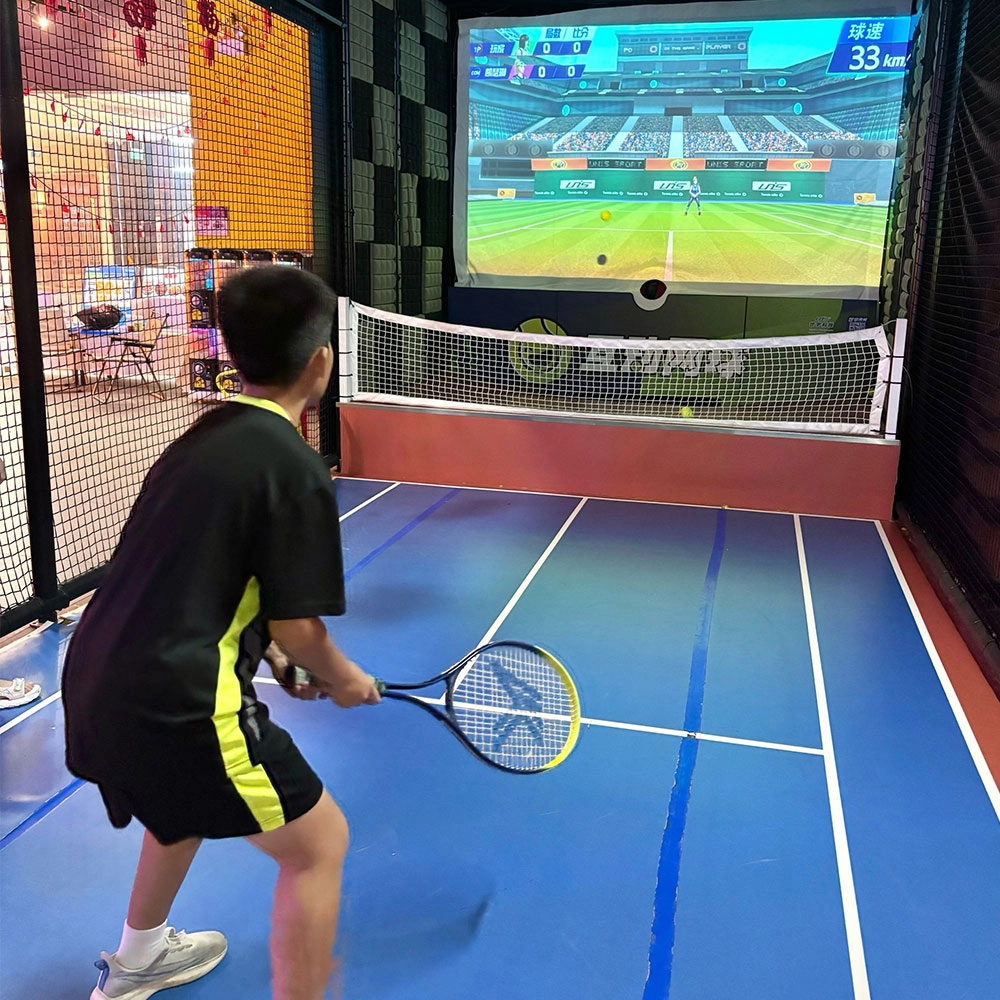
Indoor Tide Play Simulation Tennis Equipment
FUNTECH is full of fun and exciting playgrounds! With high-definition scene projection, force feedback racket, and intelligent scoring system, the simulated tennis equipment in the indoor arcade realizes immersive sports experiences and diversified interactive play, combining the advantages of safety and ease of use with high operational efficiency.
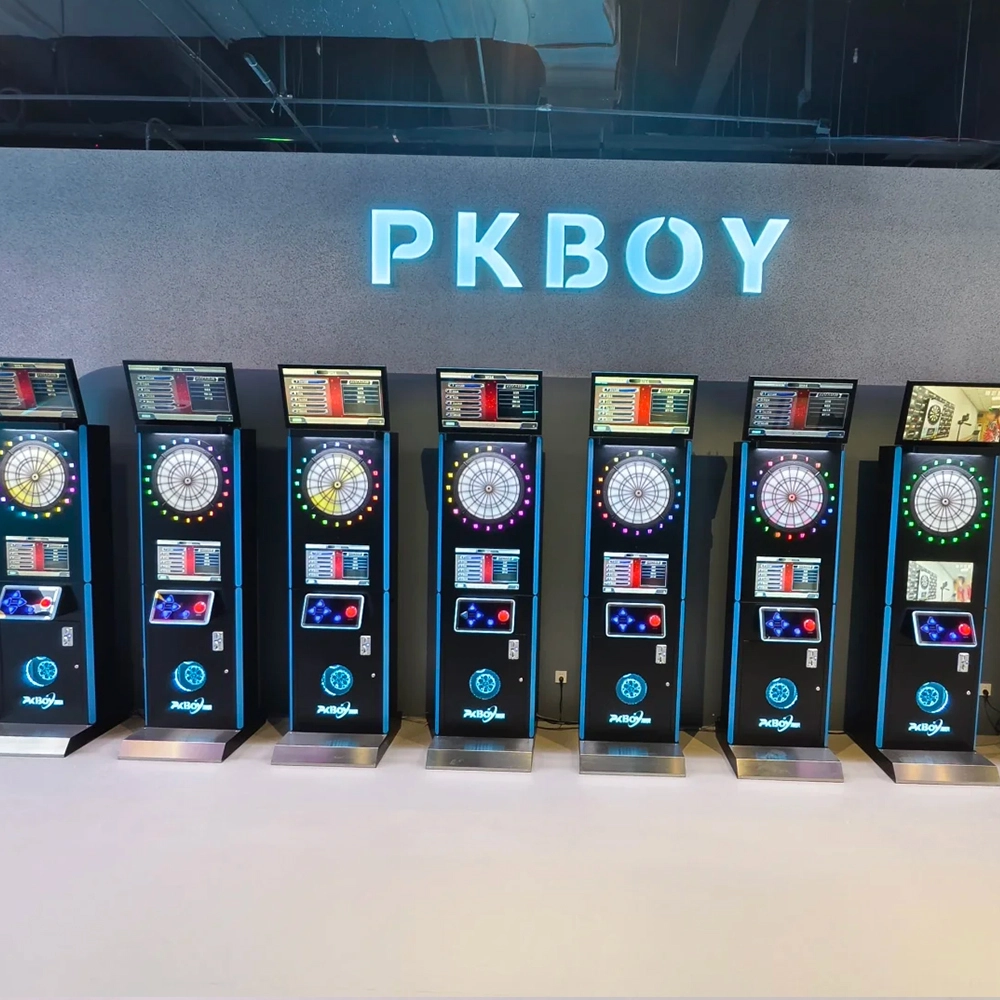
Dart Machines Bar Dart Machines
Joy Power is full of fun and excitement in the playground! The dart machine is suitable for all kinds of places, whether it is a bar, restaurant, KTV, or other entertainment venue, or a sports shop, club, or family leisure space, and can be perfectly adapted. In commercial venues, holding individual and team darts tournaments from time to time can attract more customers and increase the popularity and revenue of the venue, supplemented by various preferential activities, which can directly promote consumption and form a cycle of consumption of all the goods in the shop.
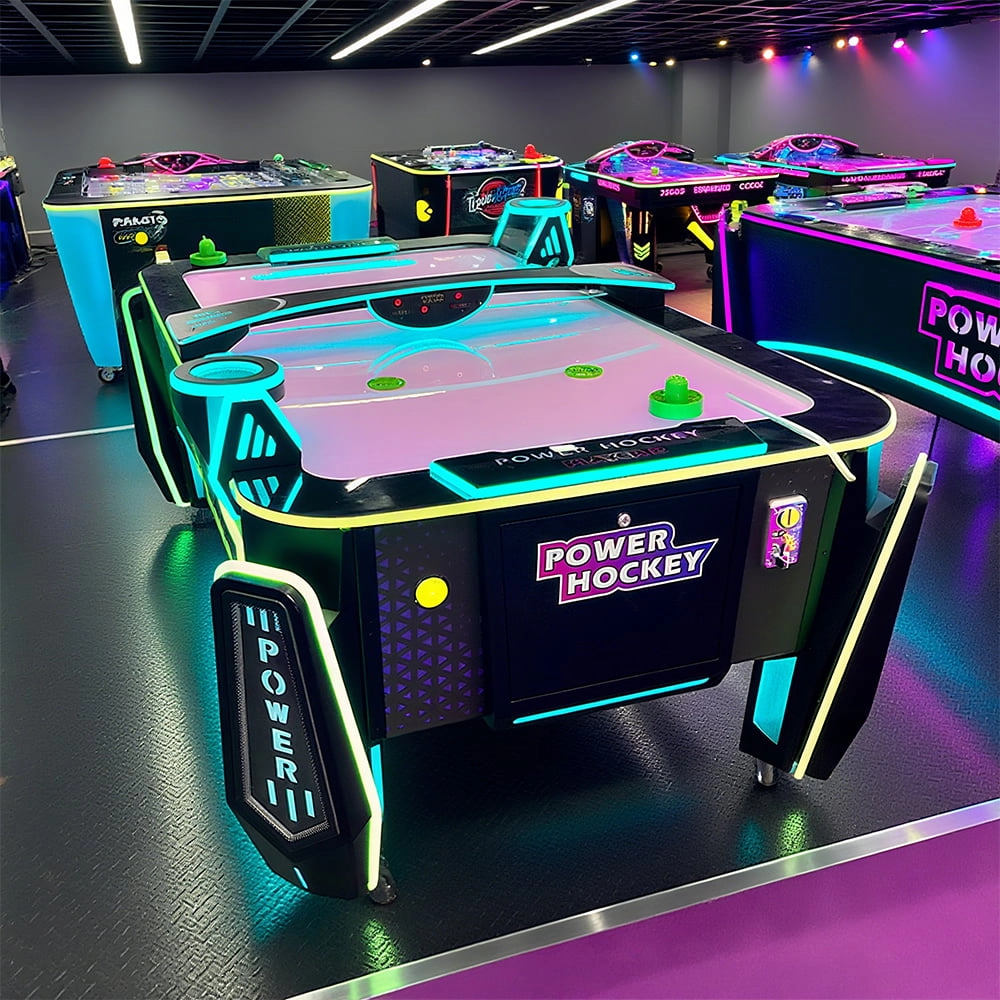
Arcade Hockey
FUNTECH is full of fun and exciting playgrounds! Air hockey, also known as air hockey, is a two-player competitive arcade game comprising a smooth, perforated playing surface, lightweight hockey sticks, a plastic puck, and an electronic scoreboard.
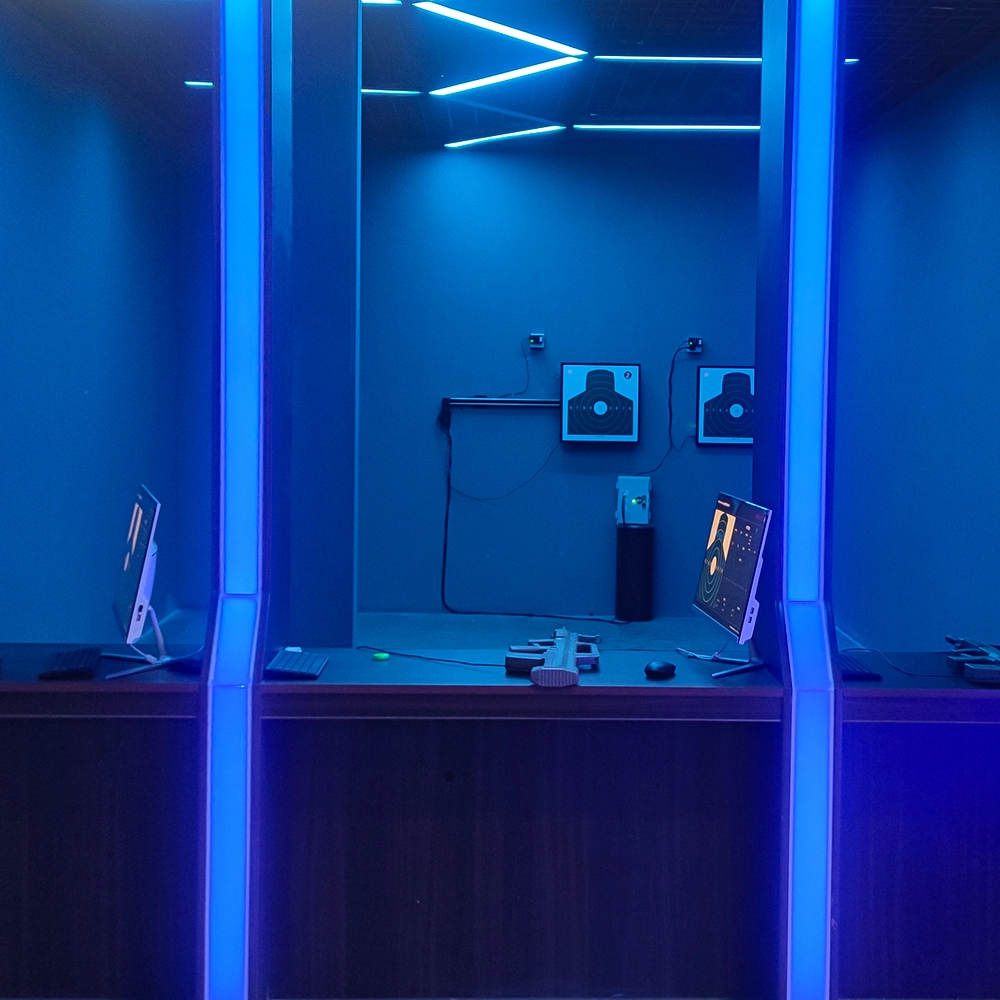
Infrared Shooting
Highly simulated simulation training analysis equipment, with advanced design concepts, fast system development, ease of operation and use, stable technical performance, less consumption of training, site dependence on a small group training is highly interesting, safe, and reliable, and other outstanding features. Product design to solve the basic skills of light weapons precision shooting as a starting point, to improve the safety of shooting training and training efficiency as the fundamental purpose, highlighting the simulation, information technology, and combat training requirements, can be in small indoor and outdoor venues and does not use live ammunition to complete the basic shooting training.
© 2025 FUNTECH ALL RIGHTS RESERVED

Weixia Lei
Fun_Tech-s
fun_tech20