
Procurement Checklist for Recreational Sports Products Golf Simulator
- Procurement Checklist for Recreational Sports Products Golf Simulator
- Why selecting the best indoor golf simulator matters
- Product snapshot: Recreational Sports Products Indoor Simulated Golf
- Checklist section 1: Define use case and for the best indoor golf simulator
- Checklist section 2: Space and installation requirements for the best indoor golf simulator
- Checklist section 3: Screen and projector quality — a core for the best indoor golf simulator
- Checklist section 4: Tracking technology — choose what fits your needs
- Checklist section 5: Software, course library, and multiplayer — user experience matters
- Checklist section 6: Safety, impact protection, and durability for commercial-grade use
- Checklist section 7: Maintenance, serviceability, and warranty — protect your investment
- Checklist section 8: Budgeting, financing, and ROI for selecting the best indoor golf simulator
- Checklist section 9: Vendor selection, references, and proof of performance
- Checklist section 10: Procurement steps and documentation checklist
- Combining brand advantages: Why choose Recreational Sports Products Indoor Simulated Golf
- Implementation checklist: from procurement to opening day
- FAQ — Procurement and operation related to Recreational Sports Products and the best indoor golf simulator
- Contact and view product CTA
- Authoritative references and further reading
- Final notes
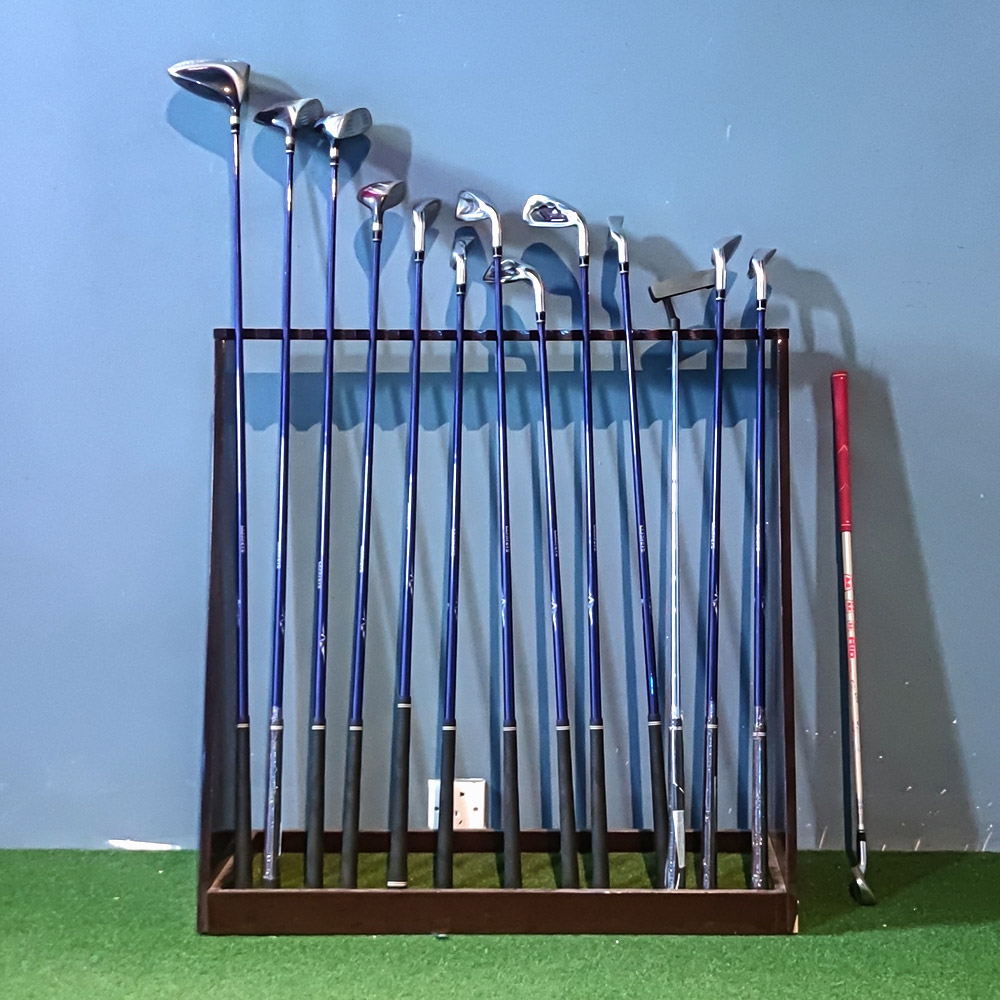
Procurement Checklist for Recreational Sports Products Golf Simulator
Why selecting the best indoor golf simulator matters
Choosing the best indoor golf simulator is more than buying hardware. It impacts user experience, safety, longevity, and return on investment for homes, training centers, and commercial entertainment venues. This checklist focuses on practical procurement steps to ensure you purchase a system that delivers realism, reliability, and value. It also highlights Recreational Sports Products Indoor Simulated Golf as a competitive option for venues wanting a high-quality simulation experience.
Product snapshot: Recreational Sports Products Indoor Simulated Golf
FUNTECH in a playground full of fun and excitement! The screen’s smooth texture offers superior image clarity, compatible with any HD projector for a lifelike golf simulation. Enjoy crystal-clear visuals that bring the fairway right into your home.
Checklist section 1: Define use case and for the best indoor golf simulator
Start procurement by identifying the primary use case. Will the simulator be used for private home practice, coaching and club fitting, performance analytics, or entertainment in a commercial venue? Each intent changes the required features. For example, coaching and club fitting demand high-accuracy launch monitors and ball/club data, while entertainment venues prioritize durability, quick session turnover, and multiplayer software.
Checklist section 2: Space and installation requirements for the best indoor golf simulator
Measure the available space and plan installation before selecting components. Insufficient space is the most common procurement mistake. Consider ceiling height, width, depth, flooring, ventilation, and access for service and delivery.
Use the following quick reference table to match room size to recommended simulator setup and projector type.
| Room Minimum | Recommended Setup | Projector / Screen Notes |
|---|---|---|
| 10 ft x 12 ft, 8 ft ceiling | Compact net-based system, short-throw projector | Short-throw projector to avoid shadows; compact impact screen recommended |
| 12 ft x 16 ft, 9 ft ceiling | Full-impact screen, mid-range launch monitor or camera system | Standard throw projector; screen width 10-12 ft ideal |
| 16 ft x 20 ft, 10 ft+ ceiling | Commercial-grade enclosure, high-end launch monitor, multiplayer | High-lumen projector for bright visuals; robust impact screen and surround |
Checklist section 3: Screen and projector quality — a core for the best indoor golf simulator
Visual clarity drives realism. The Recreational Sports Products Indoor Simulated Golf screen emphasizes smooth texture and image clarity compatible with HD projectors, making projector selection critical. Key procurement checks:
- Screen material: impact-rated, durable, with consistent reflectivity
- Projector brightness: at least 3000 lumens for home rooms with ambient light; 4000+ lumens for commercial spaces
- Resolution: 1080p minimum; 4K recommended for High Quality experiences
- Short-throw vs standard: short-throw reduces shadows in smaller rooms
Checklist section 4: Tracking technology — choose what fits your needs
Tracking systems measure ball speed, launch angle, spin, and club data. The main types are camera-based, radar-based, hybrid, and impact-based sensors. Procurement considerations:
- Accuracy: For coaching and club fitting, choose systems with certified accuracy for ball speed, carry, and spin
- Latency: Low-latency systems provide real-time feedback essential for training
- Environmental sensitivity: Radar systems can be affected by indoor clutter; cameras require stable lighting
- Integration: Ensure the tracking system integrates with your chosen simulation software
Comparison at a glance:
| Type | Strengths | Limitations |
|---|---|---|
| Camera-based | High accuracy for launch angle and ball flight; good indoor performance | Requires consistent lighting and calibration |
| Radar-based | Excellent at ball speed and spin; long-range capability | Sensitive to metallic objects and room clutter indoors |
| Impact sensors | Durable, good for impact feedback and budget solutions | Limited ball flight analytics compared to camera/radar |
| Hybrid | Combines strengths, better overall data | Higher cost and more complex setup |
Checklist section 5: Software, course library, and multiplayer — user experience matters
Simulation software defines the user experience. Verify:
- Compatibility: Works with chosen launch monitor and OS (Windows, Mac)
- Course library: Variety of courses and practice ranges
- Multiplayer and network options: For commercial venues, look for easy session management and multiplayer modes
- Updates and support: Active software updates and a clear licensing model
Checklist section 6: Safety, impact protection, and durability for commercial-grade use
Safety is non-negotiable. Commercial installations require robust enclosures, reinforced impact screens, and protective netting. Check materials for wear resistance and flame-retardant ratings if applicable. Also confirm ease of replacement for high-wear components like the impact screen and turf mats.
Checklist section 7: Maintenance, serviceability, and warranty — protect your investment
Procurement should include total cost of ownership. Evaluate warranty terms, availability of spare parts, and local service options. For a venue, rapid service response minimizes downtime. Ask suppliers about service level agreements, remote diagnostics, and training for in-house technicians.
Checklist section 8: Budgeting, financing, and ROI for selecting the best indoor golf simulator
Budget not only the initial capital cost but also installation, software licensing, replacement parts, and ongoing service. For commercial buyers, estimate revenue per bay, utilization rate, and payback period. A simple ROI model helps justify procurement:
- Estimate sessions per day, average per-session revenue, and operating days per year
- Subtract ongoing expenses like software subscriptions, maintenance, and utilities
- Calculate payback period and net present value for multi-year investments
Checklist section 9: Vendor selection, references, and proof of performance
Choose vendors with established track records. Procurement steps include requesting references, visiting live installations, reviewing case studies, and asking for on-site demonstrations. Confirm compatibility between hardware components if buying from multiple vendors.
Checklist section 10: Procurement steps and documentation checklist
Follow a documented procurement workflow to reduce risk. Essential documents include:
- Detailed specification sheet for the entire system
- Statement of Work for installation and testing
- Warranty and service contracts
- Training and user manuals
- Acceptance testing checklist and performance benchmarks
Combining brand advantages: Why choose Recreational Sports Products Indoor Simulated Golf
When evaluating suppliers, consider the advantages of Recreational Sports Products Indoor Simulated Golf for both home and commercial buyers. Key strengths:
- Visual fidelity: The product emphasizes a smooth impact screen and compatibility with HD projectors, delivering realistic visuals suitable for entertainment and practice
- Flexibility: Works with a range of projectors and common launch monitors, simplifying integration
- Durability: Designed for repeated impacts and frequent use in recreational settings
- Cost-effectiveness: Competitive balance of quality and price, reducing upfront barriers for many buyers
Implementation checklist: from procurement to opening day
- Confirm site measurements and electrical/AV readiness
- Select screen, projector, tracking tech, and software per checklist
- Obtain formal quote and warranty details from supplier
- Schedule professional installation and calibration
- Perform acceptance testing and staff training
- Launch with a soft opening and collect user feedback for adjustments
FAQ — Procurement and operation related to Recreational Sports Products and the best indoor golf simulator
Q1: What room dimensions do I need for a high-quality indoor golf simulator?
A1: Minimum recommended is about 12 ft by 16 ft with a 9 ft ceiling for a satisfying experience. Smaller rooms can work with specialized short-throw projectors and compact screens, but data accuracy and full swing comfort improve with larger spaces.
Q2: Is the Recreational Sports Products Indoor Simulated Golf compatible with major launch monitors?
A2: Yes. The system is designed for wide compatibility with common launch monitors and camera systems, though you should confirm integration with your chosen software before purchase.
Q3: How much maintenance does a simulator bay require?
A3: Routine maintenance includes cleaning the screen, checking turf wear, inspecting projector alignment, and updating software. Commercial venues should plan for periodic replacement of high-wear items like impact screens every few years, depending on use.
Q4: What is the expected payback period for a commercial simulator bay?
A4: Payback varies by location, pricing, and utilization. Many venues see payback in 18 to 36 months when usage and pricing are optimized. Model your revenue using realistic utilization rates to estimate ROI.
Q5: Can I test the simulator before purchasing?
A5: Reputable vendors offer demos, on-site trials, or showroom experiences. Schedule a hands-on test to evaluate realism, software responsiveness, and installation requirements.
Contact and view product CTA
Once procurement criteria are defined, successful projects depend on effective execution, starting with space planning tips for installing indoor golf simulators in venues.Ready to evaluate or purchase the best indoor golf simulator for your space? Contact our sales team to schedule a demo or request a quote. View product details and request a consultation at the following product page path:
/product/recreational-sports-products-indoor-simulated-golf
Authoritative references and further reading
For procurement validation and technical background, consult these authoritative resources:
- Wikipedia page on Golf simulation: https://en.wikipedia.org/wiki/Golf_simulator
- PGA of America resources and standards: https://www.pga.com
- Sports & Fitness Industry Association: https://www.sfia.org
- General golf equipment and technology reviews: https://www.golfdigest.com
Final notes
This procurement checklist is designed to help buyers choose the best indoor golf simulator that meets their performance, budget, and user experience goals. Use the steps above to reduce risk, ensure compatibility, and optimize ROI. When combined with products like Recreational Sports Products Indoor Simulated Golf, a careful procurement process results in a reliable, realistic, and rewarding golf simulation experience for players and operators alike.
Where to Buy coin operated dart machine for sale in Asia
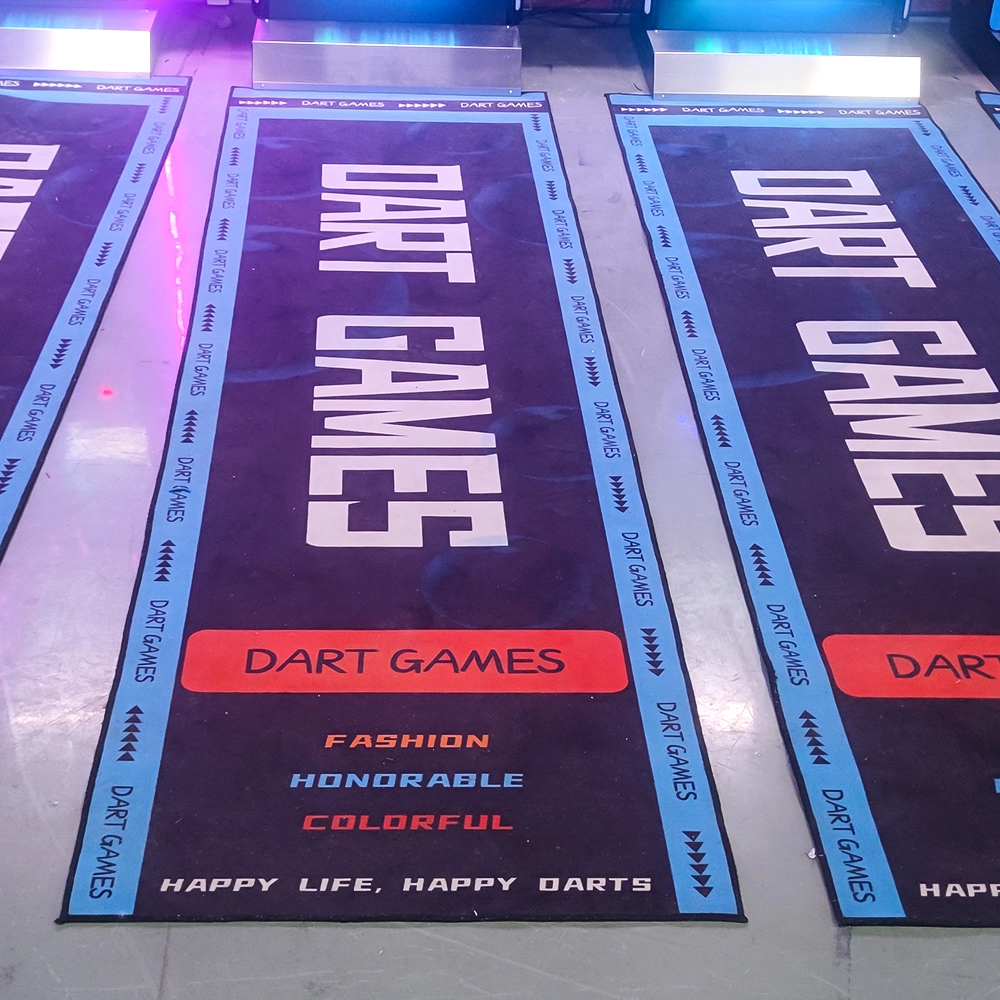
Electronic Dart Machine Accessories Every Bar Needs
Top long distance shooting simulator Manufacturers and Suppliers in Africa
Custom bowling alley equipment Manufacturers and Suppliers
Football Simulator
Are there a lot of game modes in soccer simulation?
Very rich! There is a league mode which is exciting and can compete with players from all over the world, and there is also a leisure and fun game which is suitable for parents and children to share fun time, so as to satisfy the needs of different players.
Infrared Shooting
What are the after-sales services after purchasing the equipment?
Generally, a 1-year warranty is provided. During the warranty period, parts damaged due to quality problems, such as motor failure, display problems, etc., will be repaired or replaced free of charge. There will also be technical support, including equipment installation and debugging guidance, operation training, to ensure the smooth use of the user, after-sales response time is usually within 24 - 48 hours.
How to reduce operating costs?
Starting with equipment procurement, choose cost-effective, durable and easy-to-maintain products, which can save money for subsequent maintenance. Reasonable arrangement of staff, reduce the number of staff on duty during off-peak hours, train staff to have multi-skills, such as being able to operate the equipment and guide customers part-time, so as to improve the efficiency of manpower and reduce the cost of manpower.
FAQ
What requirements should a store manager of a digital sports hall have?
The store manager of a digital sports and entertainment center needs to have good management and communication skills, be familiar with the application of digital technology, and have an innovative spirit and a sense of teamwork
Golf Simulator
What is the difference between purchasing equipment for commercial operations and personal training?
Commercial operations should consider the durability, ease of operation, and attractiveness of the equipment, and it is preferable to choose cool-looking equipment that can withstand high-frequency use.
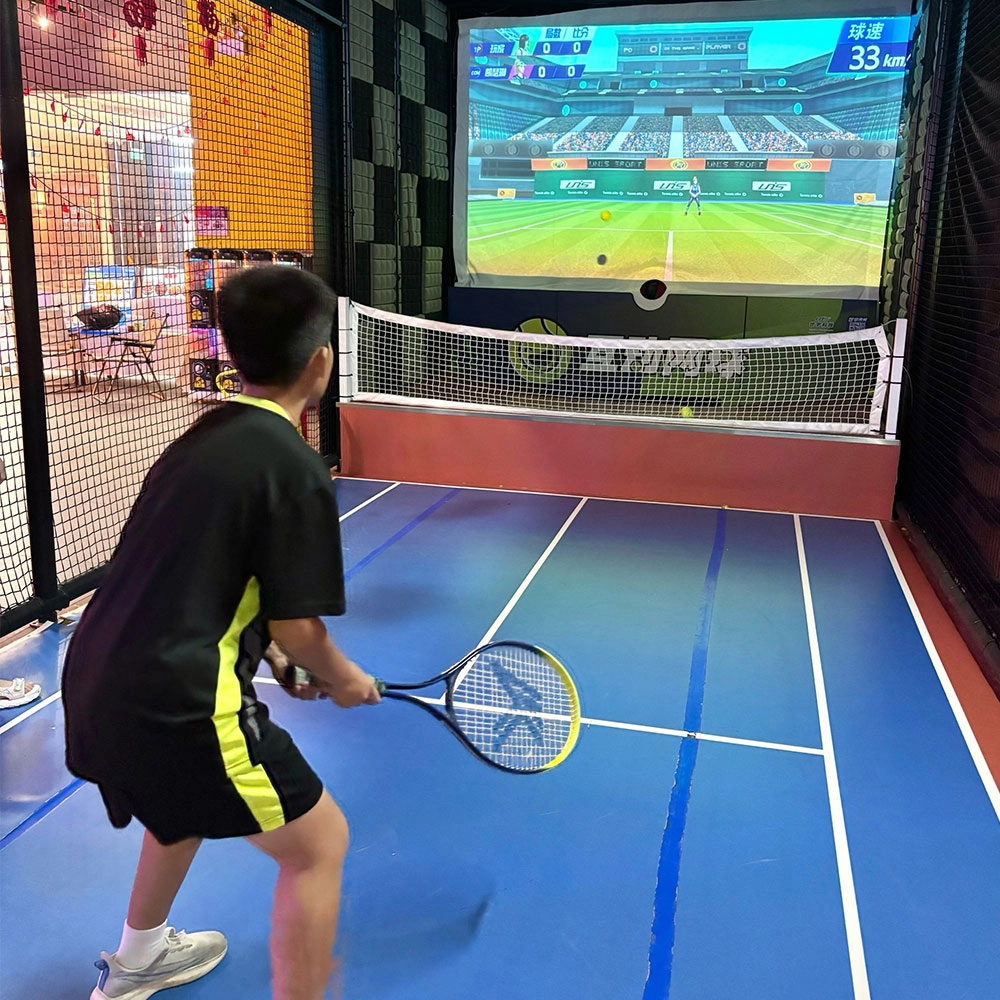
Indoor Tide Play Simulation Tennis Equipment
FUNTECH is full of fun and exciting playgrounds! With high-definition scene projection, force feedback racket, and intelligent scoring system, the simulated tennis equipment in the indoor arcade realizes immersive sports experiences and diversified interactive play, combining the advantages of safety and ease of use with high operational efficiency.
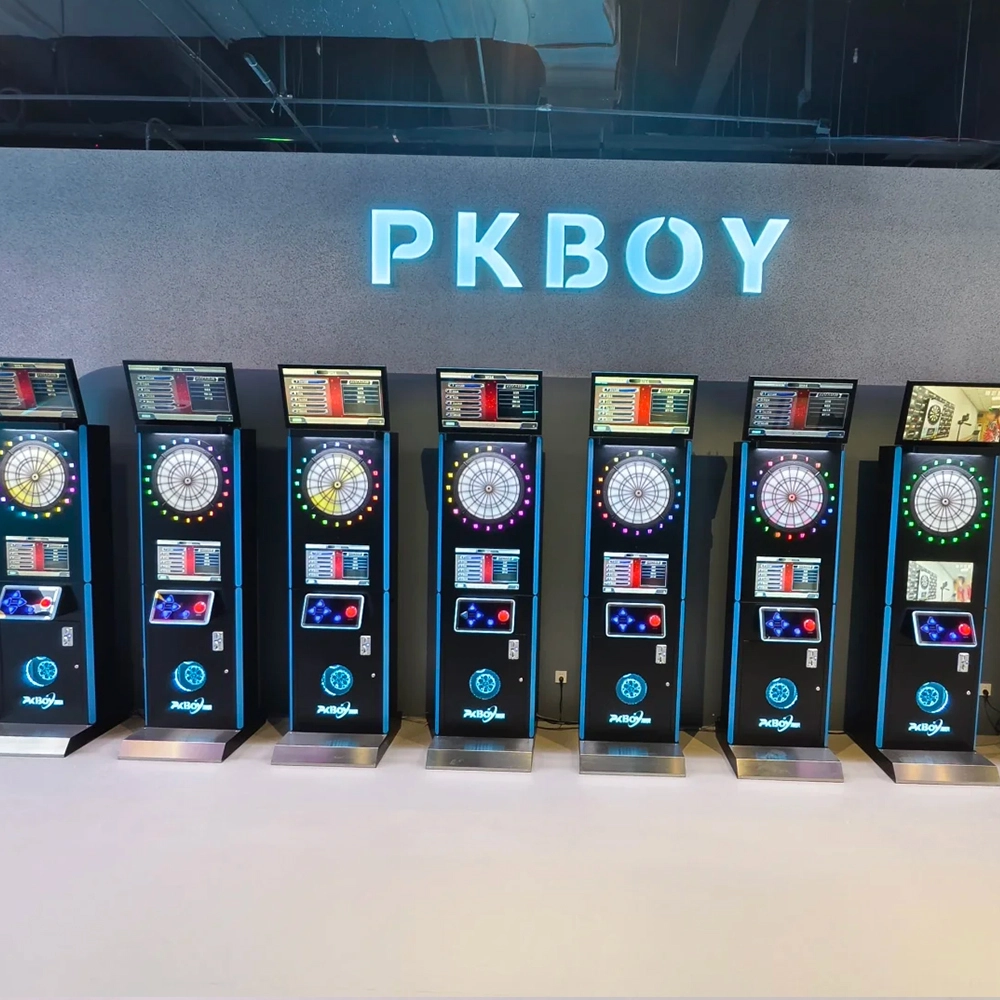
Dart Machines Bar Dart Machines
Joy Power is full of fun and excitement in the playground! The dart machine is suitable for all kinds of places, whether it is a bar, restaurant, KTV, or other entertainment venue, or a sports shop, club, or family leisure space, and can be perfectly adapted. In commercial venues, holding individual and team darts tournaments from time to time can attract more customers and increase the popularity and revenue of the venue, supplemented by various preferential activities, which can directly promote consumption and form a cycle of consumption of all the goods in the shop.
Arcade Hockey
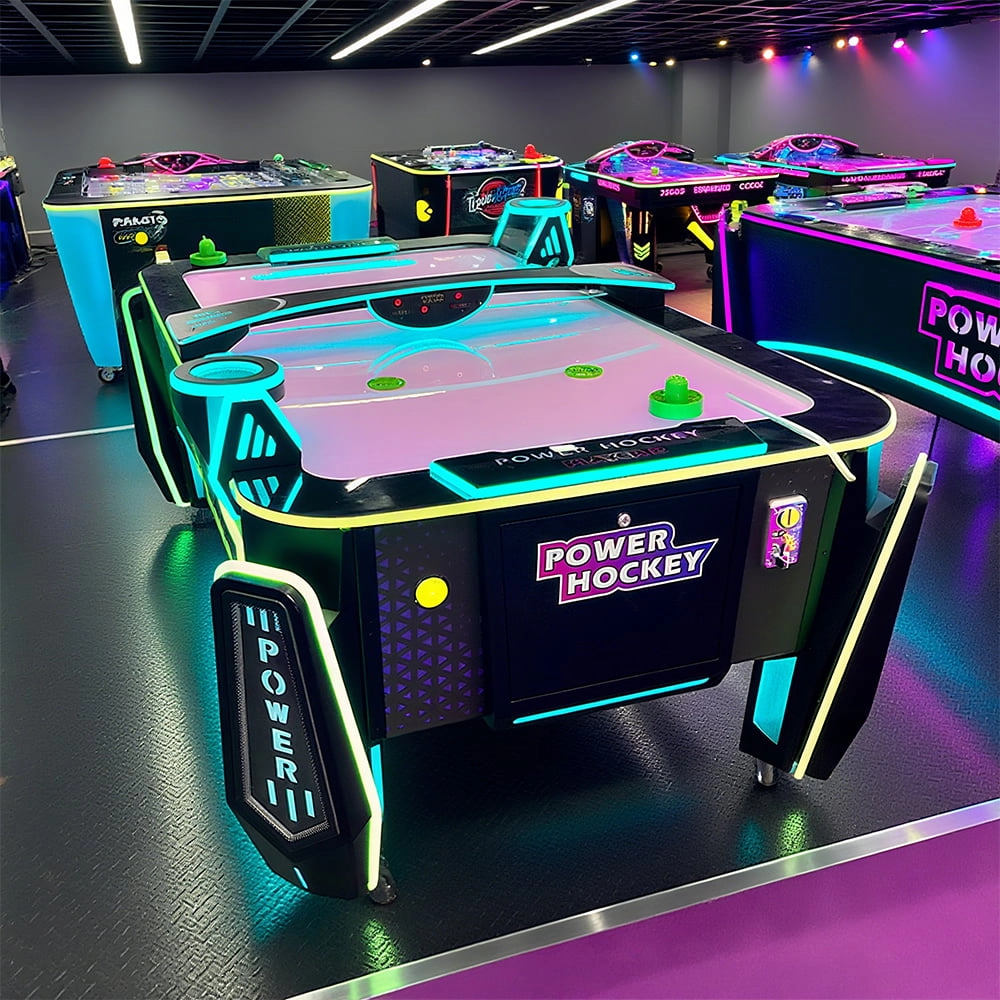
FUNTECH is full of fun and exciting playgrounds! Air hockey, also known as air hockey, is a two-player competitive arcade game comprising a smooth, perforated playing surface, lightweight hockey sticks, a plastic puck, and an electronic scoreboard.
Infrared Shooting
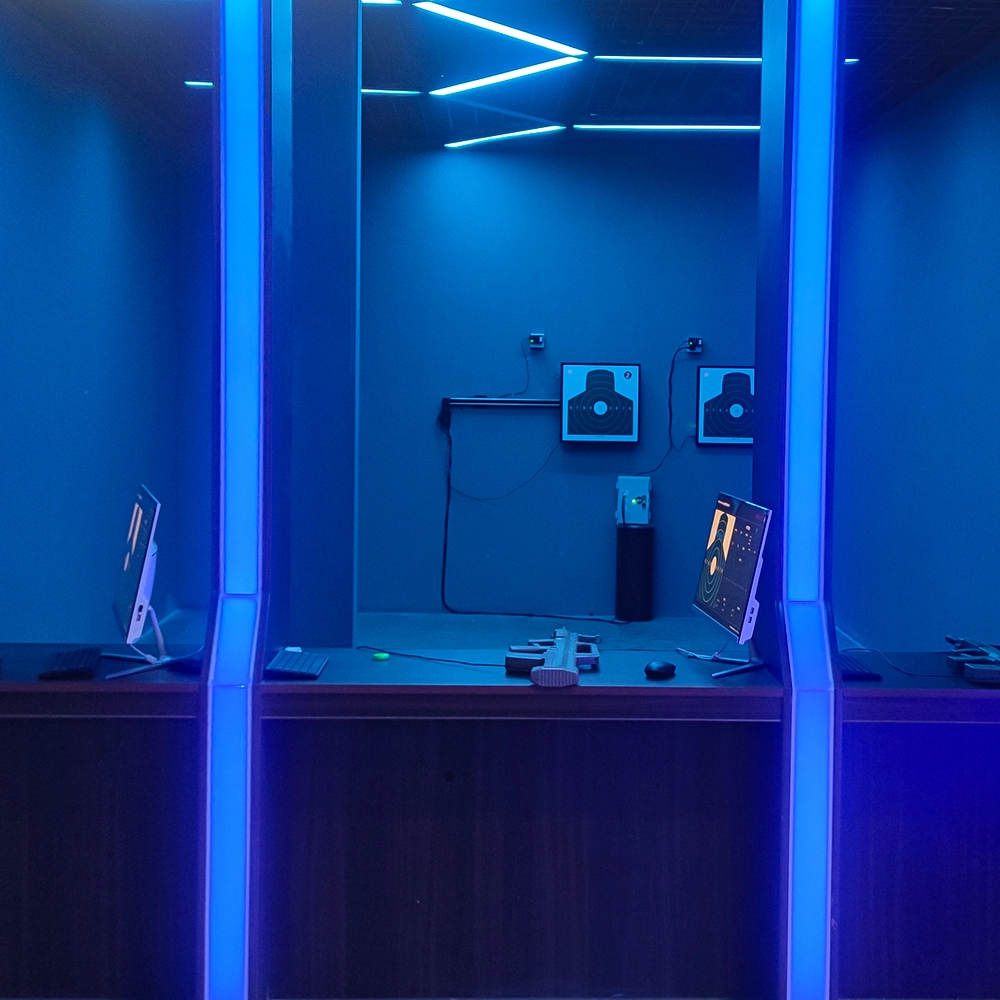
Highly simulated simulation training analysis equipment, with advanced design concepts, fast system development, ease of operation and use, stable technical performance, less consumption of training, site dependence on a small group training is highly interesting, safe, and reliable, and other outstanding features. Product design to solve the basic skills of light weapons precision shooting as a starting point, to improve the safety of shooting training and training efficiency as the fundamental purpose, highlighting the simulation, information technology, and combat training requirements, can be in small indoor and outdoor venues and does not use live ammunition to complete the basic shooting training.
© 2025 FUNTECH ALL RIGHTS RESERVED

Weixia Lei
Fun_Tech-s
fun_tech20