
Top Golf Simulators for Skill Training: Accuracy and Data Metrics
- Top Golf Simulators for Skill Training: Accuracy and Data Metrics
- Why accuracy and data metrics matter when choosing top golf simulators
- Types of simulators and how they affect measurement accuracy
- Essential data metrics every serious trainee should track (and why)
- Comparing leading systems: accuracy, metrics, and training value
- Where Recreational Sports Products Indoor Simulated Golf fits among top golf simulators
- How to choose the right top golf simulator for your specific training goals
- Practical setup tips to maximize accuracy and meaningful data
- Interpreting data: smart drills and how to use metrics to improve
- Budgeting: what to expect at different price points for top golf simulators
- Brand and product strengths: why choose Recreational Sports Products
- FAQ — Top Golf Simulators for Skill Training
- Q: Are simulators accurate enough to replace range practice?
- Q: Which metrics are the most trustworthy across systems?
- Q: Can I use the Recreational Sports Products screen for training or is it only for entertainment?
- Q: How much space do I need?
- Q: Do I need special balls?
- Q: How should I interpret conflicting data between club and ball metrics?
- Contact & Next Steps
- References
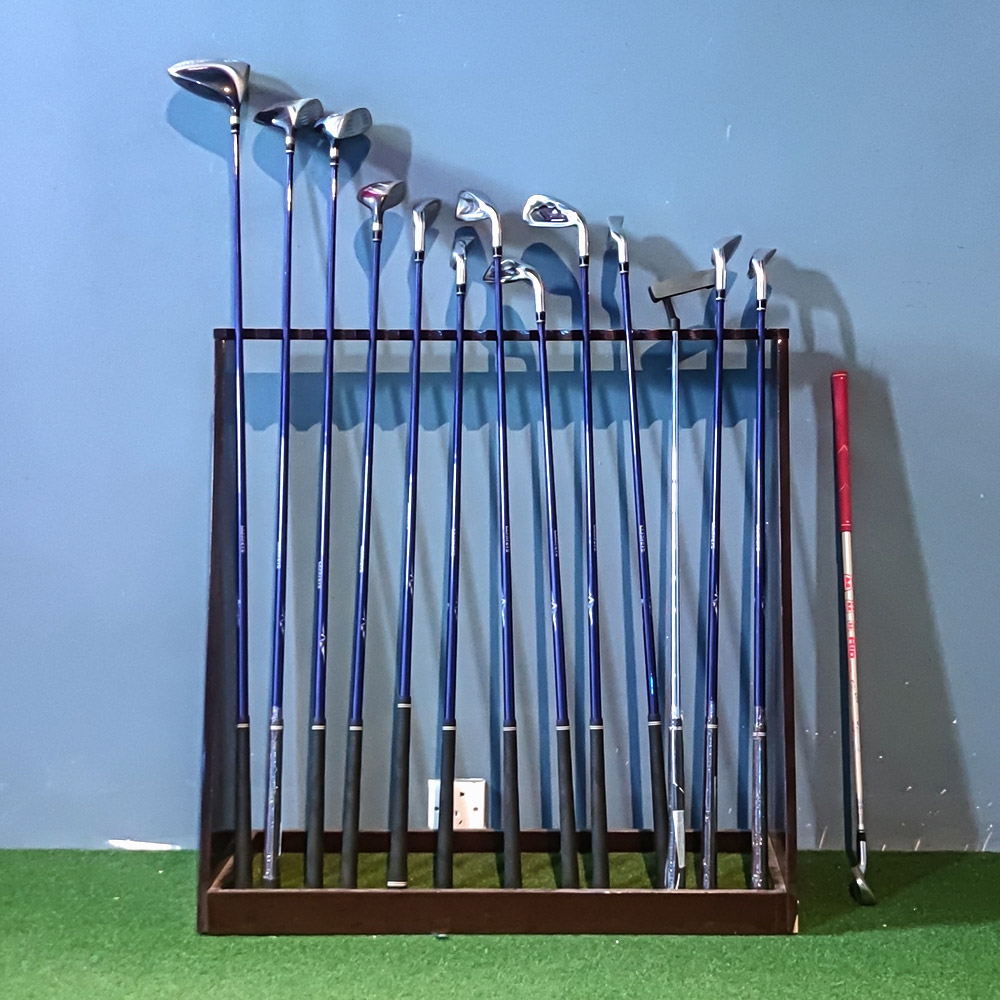
Top Golf Simulators for Skill Training: Accuracy and Data Metrics
Why accuracy and data metrics matter when choosing top golf simulators
Golf practice used to mean hitting buckets on a driving range and hoping the next round reflects that work. Today’s top golf simulators convert each swing into measurable, repeatable data — ball speed, launch angle, spin, smash factor, club path and face angle — allowing targeted, efficient training. Accurate metrics let players track progress, identify mechanical faults, and practice with drills that translate to on-course performance.
Types of simulators and how they affect measurement accuracy
Not all simulators gather data the same way. Hardware and software determine what metrics are available and how accurate they are:
- Radar-based systems (e.g., TrackMan): use Doppler radar to measure ball and club flight in real time. They tend to excel at ball-flight metrics (carry, total distance) and provide robust data for outdoor & indoor setups.
- Camera/photometric systems (e.g., Foresight GCQuad, SkyTrak with cameras): use high-speed cameras or photometric sensors to measure ball and club parameters from impact. They often provide very precise spin and launch data in controlled indoor environments.
- Hybrid systems: combine sensors to increase reliability across environments.
Understanding the technology behind a simulator helps you interpret its outputs and decide which system fits your training goals and budget.
Essential data metrics every serious trainee should track (and why)
When comparing top golf simulators, look for these core metrics — they’re the most actionable for improving performance:
- Ball Speed: Primary driver of distance. Reliable ball-speed readings help optimize swing efficiency and equipment choices.
- Launch Angle: Determines trajectory and carry. Combined with ball speed, it identifies the optimal launch for each club.
- Spin Rate (backspin/sidespin): Affects stopping power on greens and curvature of shots. High-precision spin data is essential for short-game and wedge work.
- Smash Factor: Ball speed divided by clubhead speed; a measure of contact quality.
- Clubhead Speed, Attack Angle, Club Path, Face Angle: Critical club metrics for diagnosing swing faults and shaping shots.
Top golf simulators expose these metrics in real time and record sessions so you can compare ranges, clubs, and swing changes over time.
Comparing leading systems: accuracy, metrics, and training value
Below is a concise comparison of prominent systems many coaches and players consider among the top golf simulators for training. It focuses on typical strengths and metric availability rather than absolute numeric precision (which varies by setup and calibration).
| System | Primary tech | Key metrics | Best for | Typical budget range |
|---|---|---|---|---|
| TrackMan | Radar (Doppler) | Ball speed, carry, total, spin, club data (with add-ons) | Pro fitting, coaches, players needing outdoor/indoor versatility | High-end (pro-level) |
| Foresight (GCQuad/GC3) | Photometric cameras | Spin, launch, ball speed, club data (GCQuad) | Indoor fitting and teaching, accurate spin measurement | High-end to High Quality |
| SkyTrak | Photometric | Ball speed, launch, backspin, carry (with software) | Serious amateurs, home setups on a budget | Mid-range |
| Uneekor | High-speed cameras | Club & ball metrics, detailed video | In-depth club/ball interaction analysis | Mid to high |
| Recreational Sports Products Indoor Simulated Golf (FUNTECH screen) | Visual simulation screen + compatible projector | Display-focused—depends on paired sensor/software | Home recreation, family entertainment, entry-level practice | Budget-friendly for screen & enclosure; sensors sold separately |
Sources: manufacturer product pages and independent reviews (see references at end).
Where Recreational Sports Products Indoor Simulated Golf fits among top golf simulators
The Recreational Sports Products Indoor Simulated Golf package emphasizes the play and display environment. Its product description highlights visual quality:
FUNTECH in a playground full of fun and excitement! The screen’s smooth texture offers superior image clarity, compatible with any HD projector for a lifelike golf simulation. Enjoy crystal-clear visuals that bring the fairway right into your home.
That focus makes it an ideal center-piece for a home simulator setup. Combined with a separate launch monitor (radar or photometric), the Recreational Sports Products screen becomes part of a complete training solution. In short: the RSP solution covers the immersion/display side excellently; for training-grade data you pair it with a reliable sensor such as SkyTrak, Foresight, or TrackMan depending on budget and needs.
How to choose the right top golf simulator for your specific training goals
Match the simulator’s strengths to your training priorities:
- Distance and ball-flight practice (drivers, long irons): prioritize systems with reliable ball-speed and carry data (radar systems or high-quality photometric units).
- Spin and short-game practice: choose photometric systems that measure spin precisely (Foresight GCQuad, Uneekor).
- Budget home training: SkyTrak plus a quality impact screen (like RSP’s FUNTECH) offers strong value; add coaching software subscriptions as needed.
- Professional coaching or club fitting: invest in top-tier systems (TrackMan or GCQuad) for their precision and ecosystem support.
Practical setup tips to maximize accuracy and meaningful data
Even the best top golf simulators deliver poorer results if the setup is suboptimal. Follow these steps:
- Calibrate the simulator per manufacturer instructions and perform routine checks with a calibration ball if provided.
- Control lighting in the bay — photometric systems are sensitive to ambient light; dim room lights for consistent readings.
- Use the recommended ball type. Some systems require specific, unmarked balls for accurate spin and launch measurements.
- Secure proper distances and clearances: most systems publish minimum ceiling height and stall depth requirements.
- Combine video capture with numeric metrics: seeing your swing while reviewing the numbers accelerates learning.
Interpreting data: smart drills and how to use metrics to improve
Once metrics are reliable, use them in structured practice rather than random hitting. Examples:
- Work on smash factor: hit 20 balls with a 7-iron, track club speed and ball speed. Identify whether poor smash is due to clubhead speed or inconsistent contact.
- Launch/spin window drills: adjust ball position and tee height and monitor launch angle and spin to find the optimal setup for each club.
- Shot-shaping practice: deliberately change club path and face angle to produce draws/fades, measure resulting curvature and dispersion.
Save session data and compare over weeks. The most effective systems let you export CSV or PDF reports to track trends.
Budgeting: what to expect at different price points for top golf simulators
Costs vary widely. Consider three tiers:
- Entry (under $5k): Basic launch monitors (some photometric models), impact screen (RSP FUNTECH), basic software — good for casual practice and family entertainment.
- Mid-range ($5k–$20k): Advanced consumer devices (SkyTrak with subscriptions, Uneekor models), high-quality screens and enclosures — strong training value for serious amateurs.
- Pro ($20k+): TrackMan, GCQuad setups with professional software and fittings — used by coaches, club fitters, and elite players.
Brand and product strengths: why choose Recreational Sports Products
Recreational Sports Products’ Indoor Simulated Golf screen (FUNTECH) is built for clarity and durability. It addresses the visual and safety elements that are often overlooked when buying simulators. Key advantages:
- Superior screen texture for projector compatibility and image clarity.
- Designed for home use and family entertainment — robust enough for repeated hits and safe impact.
- Flexible: works with a wide range of projectors and third-party launch monitors and software, making it a versatile component of any training-focused setup.
Pairing a quality impact screen like RSP’s with an appropriate sensor gives you a cost-effective path to a high-performance training bay.
FAQ — Top Golf Simulators for Skill Training
Q: Are simulators accurate enough to replace range practice?
A: For most golfers, high-quality simulators provide sufficiently accurate metrics to replace many range sessions, especially for swing diagnostics and targeted drills. Pro-level fitting and nuanced short-game practice may still benefit from on-course or live-range work. Use simulator data to accelerate improvement, then validate changes on the course.
Q: Which metrics are the most trustworthy across systems?
A: Ball speed and clubhead speed are generally reliable across modern systems. Carry and spin are accurate on high-end systems (GCQuad, TrackMan) and are improving rapidly on mid-range units. Always validate readings with a known standard when possible.
Q: Can I use the Recreational Sports Products screen for training or is it only for entertainment?
A: The RSP FUNTECH screen is primarily a high-quality impact/display surface. It is excellent for visual realism and home use. For training-grade data, pair it with a launch monitor (SkyTrak, GCQuad, TrackMan, etc.). The combined system supports serious skill development and family-friendly play.
Q: How much space do I need?
A: Minimum recommended dimensions vary by system; commonly you need at least 10–12 ft depth, 8–10 ft width and 9–10 ft ceiling for full-swing practice with many launch monitors. Always check the sensor and projector requirements for precise clearances.
Q: Do I need special balls?
A: Some photometric systems require specific calibration balls or unbranded balls for consistent readings. Check your launch monitor’s requirements — using recommended balls reduces measurement noise.
Q: How should I interpret conflicting data between club and ball metrics?
A: Conflicts often indicate measurement limitations or setup issues. For example, inconsistent spin readings may be due to lighting or ball choice. Re-run tests, check calibration, and consider cross-referencing with video; if issues persist, consult the manufacturer or a professional fitter.
Contact & Next Steps
Ready to build a high-performance home training bay? To view the Recreational Sports Products Indoor Simulated Golf screen (FUNTECH) or discuss pairing options with the best launch monitors for your goals, contact our team or request a demo. Our specialists can recommend a tailored setup based on space, budget, and training objectives.
Contact us today to view product options and get a personalized simulator plan for skill training and accuracy-driven practice.While high-end simulators focus on accuracy and data metrics for skill training, some models are also perfect for recreational sports enthusiasts. Explore how these simulators can create the experience of indoor simulated golf, even if you're just looking to have some fun.
References
- TrackMan product pages and technical documentation — https://trackman.com
- Foresight Sports (GCQuad/GC3) product and whitepapers — https://foresightsports.com
- SkyTrak product information and user guides — https://skytrakgolf.com
- Uneekor product details — https://uneekor.com
- Golf Digest and independent simulator reviews — https://golfdigest.com (various articles on golf simulators)
- Market trends and participation context — Statista and Golf Datatech reports (2020–2023 summaries) — https://www.statista.com, https://www.golfdatatech.com
Top indoor baseball simulator bar Manufacturers and Suppliers
Tips for buy bowling alley equipment for sale
Top interactive games for trampoline park Manufacturers and Suppliers
What are the application scenarios of indoor climbing wall for kids?
FAQ
What requirements should a store manager of a digital sports hall have?
The store manager of a digital sports and entertainment center needs to have good management and communication skills, be familiar with the application of digital technology, and have an innovative spirit and a sense of teamwork
Products
How to reduce operating costs?
Starting with equipment procurement, choose cost-effective, durable and easy-to-maintain products, which can save money for subsequent maintenance. o Starting with equipment procurement, choose cost-effective, durable and easy-to-maintain products, which can save money for subsequent maintenance. Reasonable arrangement of staff, reduce the number of staff on duty during non-peak hours, train staff to have multi-skills, such as being able to operate the equipment as well as guiding customers on the side, to improve the efficiency of manpower and reduce manpower costs.
What is the difference between purchasing equipment for commercial operations and personal training?
Commercial operations should consider the durability, ease of operation and attractiveness of the equipment, it is appropriate to choose cool appearance, can withstand high-frequency use, such as the target car running hundreds of times a day, high-intensity models, and easy to operate, easy for customers to get started. Personal training is more focused on cost-effective, according to their own training needs to choose the right tension of the bow, the right speed of movement of the target car.
Infrared Shooting
Why are sports arcades a hot spot for investment?
The traditional entertainment market (e.g., arcade, KTV) has become less attractive to generations, while digital hip playgrounds integrating technology, sports, and socialization are more in line with young people's needs, and the market size has exceeded 50 billion in 2023, with an annual growth rate of more than 30%.
Interactive Rollerball
How to reduce operating costs?
Starting with equipment procurement, choose cost-effective, durable and easy-to-maintain products, which can save money for subsequent maintenance. Reasonable arrangement of staff, reduce the number of staff on duty during off-peak hours, train staff to have multi-skills, such as being able to operate the equipment and guide customers part-time, so as to improve the efficiency of manpower and reduce the cost of manpower.
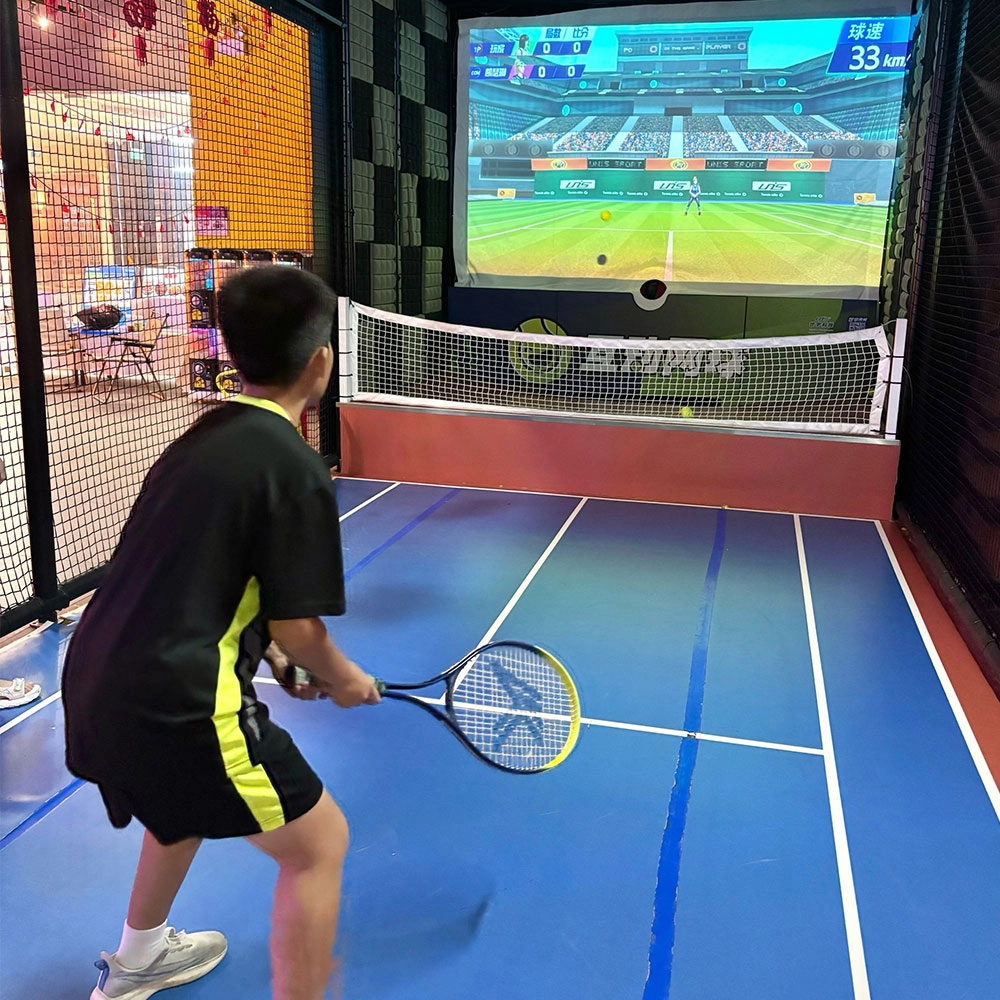
Indoor Tide Play Simulation Tennis Equipment
FUNTECH is full of fun and exciting playgrounds! With high-definition scene projection, force feedback racket, and intelligent scoring system, the simulated tennis equipment in the indoor arcade realizes immersive sports experiences and diversified interactive play, combining the advantages of safety and ease of use with high operational efficiency.
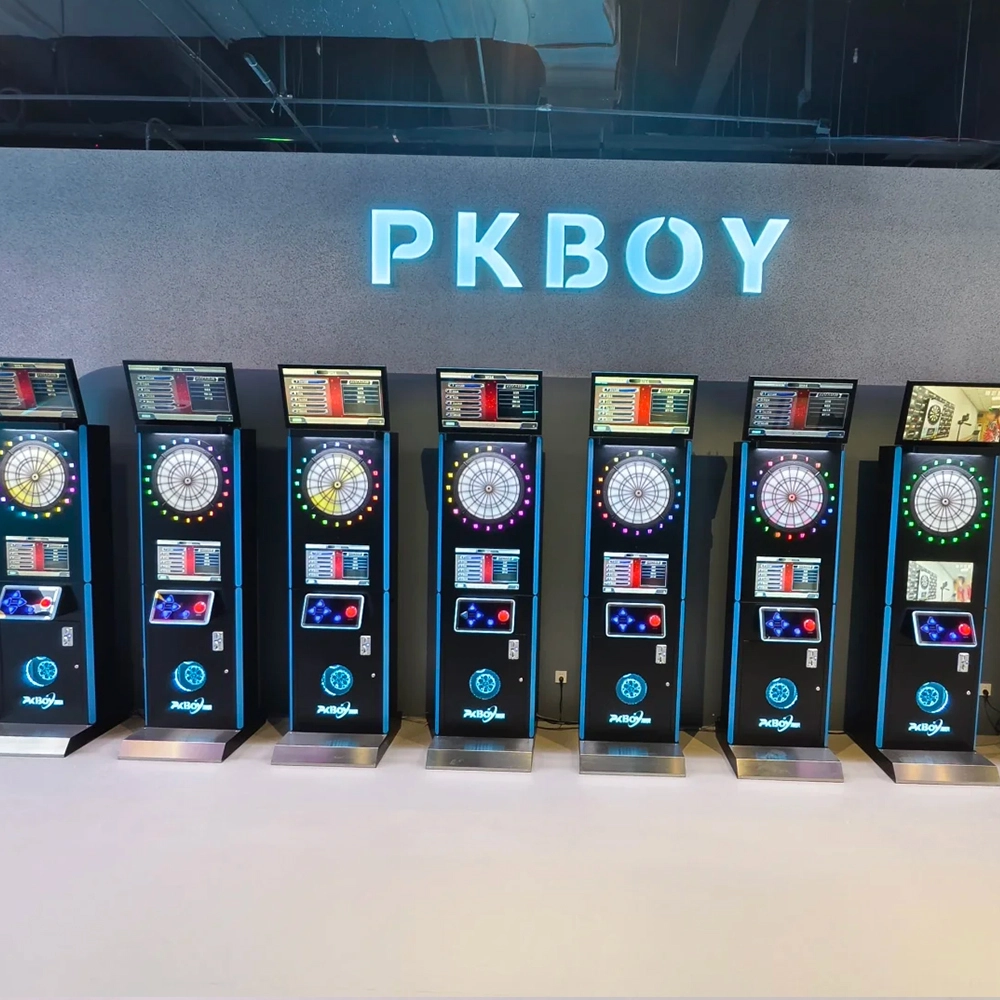
Dart Machines Bar Dart Machines
Joy Power is full of fun and excitement in the playground! The dart machine is suitable for all kinds of places, whether it is a bar, restaurant, KTV, or other entertainment venue, or a sports shop, club, or family leisure space, and can be perfectly adapted. In commercial venues, holding individual and team darts tournaments from time to time can attract more customers and increase the popularity and revenue of the venue, supplemented by various preferential activities, which can directly promote consumption and form a cycle of consumption of all the goods in the shop.
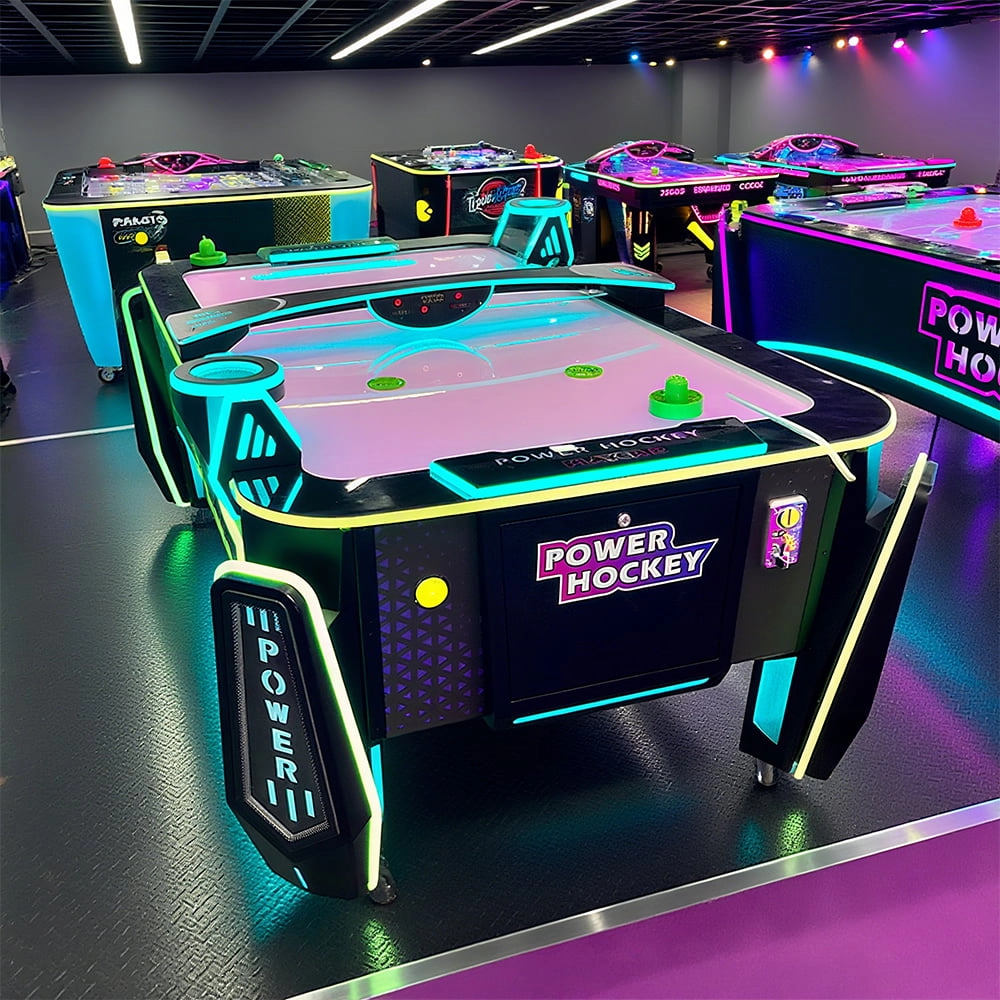
Arcade Hockey
FUNTECH is full of fun and exciting playgrounds! Air hockey, also known as air hockey, is a two-player competitive arcade game comprising a smooth, perforated playing surface, lightweight hockey sticks, a plastic puck, and an electronic scoreboard.
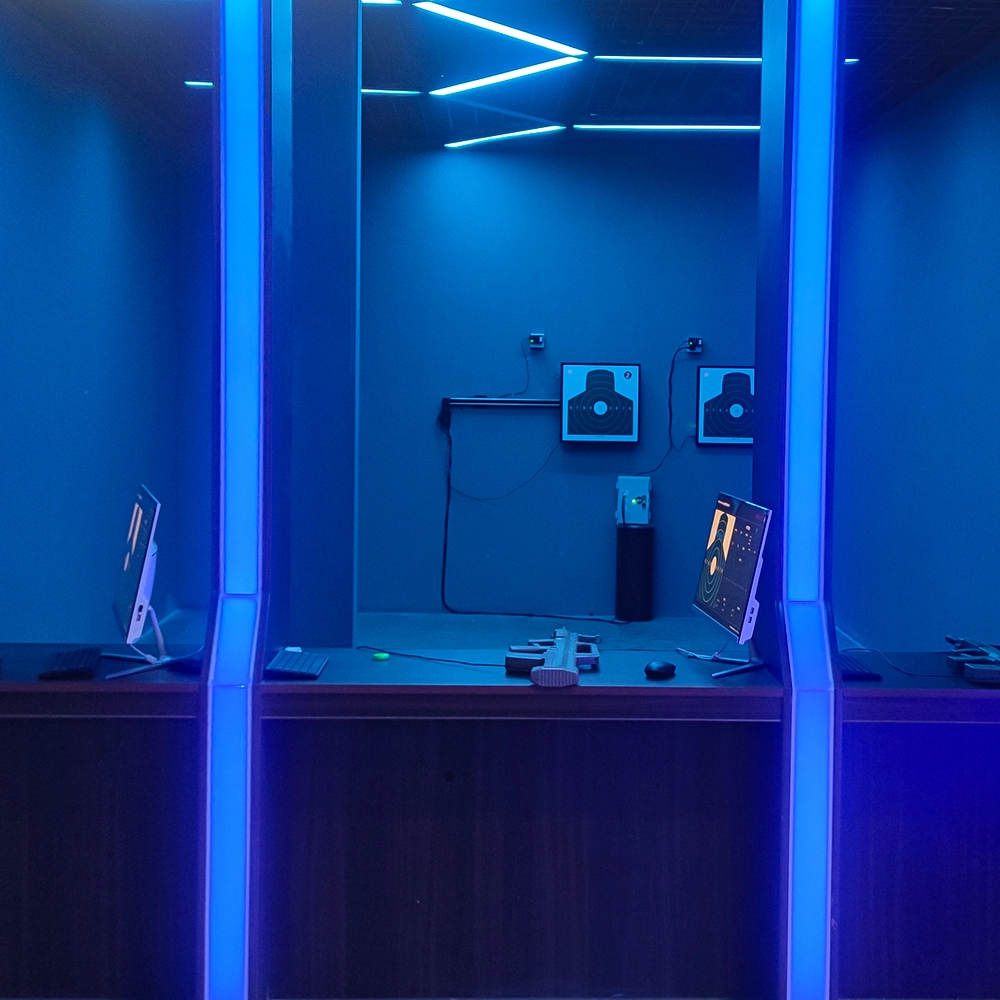
Infrared Shooting
Highly simulated simulation training analysis equipment, with advanced design concepts, fast system development, ease of operation and use, stable technical performance, less consumption of training, site dependence on a small group training is highly interesting, safe, and reliable, and other outstanding features. Product design to solve the basic skills of light weapons precision shooting as a starting point, to improve the safety of shooting training and training efficiency as the fundamental purpose, highlighting the simulation, information technology, and combat training requirements, can be in small indoor and outdoor venues and does not use live ammunition to complete the basic shooting training.
© 2025 FUNTECH ALL RIGHTS RESERVED

Weixia Lei
Fun_Tech-s
fun_tech20