
Top Golf Simulators: Space Requirements and Maintenance Tips
- Top Golf Simulators: Space Requirements and Maintenance Tips
- Why understanding space and care matters for top golf simulators
- Key parameters to plan before you buy a top golf simulator
- Room dimensions: minimum vs. recommended for top golf simulators
- Ceiling height specifics: what drives the recommendation for top golf simulators
- Projector and screen placement for best image and impact protection
- Product spotlight: Recreational Sports Products Indoor Simulated Golf
- Flooring, hitting mats, and ball containment for top golf simulators
- Recommended accessories and layout tips
- Maintenance schedule: keep your top golf simulators performing
- Cleaning and handling best practices
- Common maintenance pitfalls with top golf simulators and how to avoid them
- Upgrades and when to replace parts for top golf simulators
- When to call professional service
- Integrating Recreational Sports Products Indoor Simulated Golf: brand advantages and buying tips
- Cost of ownership: balancing upfront cost and maintenance for top golf simulators
- Quick comparison: Home vs Commercial ownership costs (typical)
- FAQ — Top questions about top golf simulators, space, and maintenance
- How much ceiling height do I need for a driver?
- Can I use a simulator in a garage?
- How often should I calibrate sensors or cameras?
- What kind of balls should I use?
- How do I clean the impact screen without damaging it?
- Contact, support, and view product
- Sources and further reading

Top Golf Simulators: Space Requirements and Maintenance Tips
Why understanding space and care matters for top golf simulators
Top golf simulators deliver realistic practice and entertainment only when the physical space and ongoing maintenance are well planned. Whether you're installing a single home bay or a commercial installation, mistakes in space planning or neglecting maintenance can reduce accuracy, damage components, and shorten equipment life. This article draws on industry best practices and practical experience to help buyers, installers, and owners get the most from their simulator investment — including Recreational Sports Products Indoor Simulated Golf.
Key parameters to plan before you buy a top golf simulator
Before purchasing one of the top golf simulators, measure and review these core parameters: ceiling height, room width, room depth, usable floor area, projector placement, screen type, and ventilation/electrical access. keywords such as 'buy top golf simulators' or 'purchase simulator' imply decision-ready users; this section helps you confirm site suitability so you can confidently purchase.
Room dimensions: minimum vs. recommended for top golf simulators
Room size is the single most important factor. Below are commonly accepted minimum and recommended dimensions for different use cases (residential, dedicated home bay, and commercial bay). These recommendations reflect swing clearance, ball flight, projector geometry, and safety margin.
| Use case | Minimum ceiling height | Recommended ceiling height | Minimum width | Recommended depth (from screen to tee) |
|---|---|---|---|---|
| Home (compact, short-swing) | 8.5 ft (2.6 m) | 9.5 ft (2.9 m) | 10 ft (3.0 m) | 12 ft (3.7 m) |
| Home (full swing, driver) | 9.5 ft (2.9 m) | 10.5–11 ft (3.2–3.4 m) | 12 ft (3.7 m) | 13–15 ft (4.0–4.6 m) |
| Commercial bay | 10–12 ft (3.0–3.7 m) | 12 ft+ (3.7 m+) | 12–15 ft (3.7–4.6 m) | 15–18 ft (4.6–5.5 m) |
Sources: industry installation guides from leading simulator manufacturers and projector best practices (see sources below). If your space is at the low end, consider protective padding, a soft landing surface, and consult the simulator vendor.
Ceiling height specifics: what drives the recommendation for top golf simulators
Ceiling height affects swing clearance and ball trajectory measurement. For drivers, golfers often extend the wrist and shoulder plane higher; a recommended 10–11 ft ceiling ensures safety and allows accurate ball-lift detection by overhead sensors or cameras. Some optical launch monitors require a clear line of sight which may be impeded in low ceilings. If you have under 9.5 ft, you may be limited to partial swings or require a low-launch monitor configuration. Always confirm with the simulator model's installation manual.
Projector and screen placement for best image and impact protection
Projector throw distance and lens type determine where the projector sits. Short-throw projectors reduce the need for long distances and help avoid shadows but can be more expensive. Ensure the projector is protected from stray balls — ceiling mounts behind protective cages are standard in bays. Screens should be impact-rated; many top golf simulators use woven impact screens designed to be compatible with HD projectors and to minimize image distortion.
Product spotlight: Recreational Sports Products Indoor Simulated Golf
This product offers a high-quality screen designed for a lifelike simulation experience. Below is the provided product description:
FUNTECH in a playground full of fun and excitement! The screen’s smooth texture offers superior image clarity, compatible with any HD projector for a lifelike golf simulation. Enjoy crystal-clear visuals that bring the fairway right into your home.
Recreational Sports Products Indoor Simulated Golf is representative of the type of screen used with top golf simulators: designed for clarity and impact tolerance. When pairing the screen with a simulator platform, ensure the screen material, tensioning frame, and projector resolution match to preserve image fidelity.
Flooring, hitting mats, and ball containment for top golf simulators
Select a hitting mat that provides shock absorption, realistic turf feel, and low ball roll. Mats with replaceable inserts extend life and allow you to repair the strike surface. For floors, rubber or interlocking tiles protect the subfloor and isolate vibration. Ball containment nets or perimeter padding reduce risk and keep balls from ricocheting into projector mounts or walls.
Recommended accessories and layout tips
- Hitting mat size: 4'x6' minimum for realistic stance and step-through.
- Impact screen: tensioned frame with reinforced seams and stitched pockets for durability.
- Projector: short or ultra-short throw to minimize shadow and distance; choose 1080p or 4K depending on budget.
- Enclosure: ceiling/side padding and ball nets for safety.
Maintenance schedule: keep your top golf simulators performing
Routine maintenance preserves sensor accuracy, image clarity, and user safety. Below is a practical schedule you can follow for most simulator setups.
| Task | Frequency | Why it matters |
|---|---|---|
| Screen cleaning (soft brush or air) | Monthly (or more if heavy use) | Removes dust/smudges that reduce image clarity and may affect impact |
| Projector lens cleaning and filter check | Every 3–6 months | Prevents overheating and maintains image brightness |
| Mat surface inspection | Monthly | Identify wear or hard spots to avoid poor turf feel and wrist injuries |
| Sensor/camera calibration and software updates | Monthly or per manufacturer recommendation | Maintains launch accuracy and compatibility with simulation software |
| Frame and mount safety check | Every 6 months | Ensure bolts, tensioning, and protective cages are secure |
Cleaning and handling best practices
Use soft, lint-free cloths and mild, non-abrasive cleaners for screens. Avoid ammonia-based cleaners which can damage coatings. For projectors, follow the manufacturer’s instructions: power down and unplug before cleaning, use canned air sparingly for vents, and replace lamps when brightness drops below usable levels. When moving mats or screens, lift rather than drag to prevent seam stress.
Common maintenance pitfalls with top golf simulators and how to avoid them
Many owners underestimate the impact of environmental factors. Excess humidity can warp frame components; dust can obstruct optical sensors; and improper ball selection (using hard range balls vs. soft practice balls) can damage screens. To avoid these pitfalls:
- Control humidity with a dehumidifier if your region is humid.
- Use foam or softer practice balls if the installation manual suggests them.
- Implement a daily quick-check routine during heavy use to spot loose mounts, visible wear, or software warnings.
Upgrades and when to replace parts for top golf simulators
Replace mats when compression prevents realistic feedback or when splits appear. Screens have varying lifespans depending on impact volume; high-usage commercial installations may need screen replacement every 2–5 years. Projector bulbs typically last between 2,000 and 6,000 hours depending on lamp type — many systems now use LED/laser light engines with longer life (10,000+ hours). Keep a maintenance log to track hours and part replacement dates.
When to call professional service
Contact a certified technician if you notice consistent tracking errors after re-calibration, glaring optical artifacts, or mechanical failures such as warped frames or damaged mounts. For systems under warranty, follow vendor guidance to avoid voiding coverage.
Integrating Recreational Sports Products Indoor Simulated Golf: brand advantages and buying tips
Recreational Sports Products Indoor Simulated Golf provides a screen option designed to balance image quality and impact durability. When evaluating brands for top golf simulators, consider these advantages:
- Specialized screen materials that preserve HD clarity under impact.
- Compatibility with common HD projectors and mainstream simulator platforms.
- Design focus on user experience — easy tensioning and frame installation.
- After-sale support and documented installation guidelines to meet E-E-A-T principles.
Buying tip: verify that your simulator provider or reseller can provide installation diagrams tailored to your room dimensions and can validate that the Recreational Sports Products solution meets your projector and sensor configuration.
Cost of ownership: balancing upfront cost and maintenance for top golf simulators
Initial purchase is only part of the cost. Consider these recurring items:
- Replacement mats and screen parts (every 2–5 years depending on use)
- Projector lamp replacement or LED maintenance
- Software subscriptions and periodic recalibration services
- Electricity and climate control costs if your bay requires dehumidifying or heating
Quick comparison: Home vs Commercial ownership costs (typical)
| Cost area | Home (annual avg) | Commercial (annual avg) |
|---|---|---|
| Consumables (mats, balls) | $50–$300 | $500–$2,500 |
| Projector maintenance | $0–$300 | $200–$1,200 |
| Software / calibration | $0–$200 | $500–$2,000 |
Estimates reflect common ranges; actual costs depend on usage and service contracts. Source references are listed below.
FAQ — Top questions about top golf simulators, space, and maintenance
How much ceiling height do I need for a driver?
We recommend at least 10 ft (3.0 m) for comfortable driver swings. For taller players or high-arcing swings, 11 ft is preferable.
Can I use a simulator in a garage?
Yes — many owners convert garages. Ensure the garage door area won’t interfere, control dust, and add padding. Insulate or climate-control if humidity is high.
How often should I calibrate sensors or cameras?
Monthly calibration is a good baseline for heavy users. For light home use, calibration every 3 months is often sufficient. Always follow the manufacturer’s recommended procedures.
What kind of balls should I use?
Use range-grade or soft practice balls if recommended by your screen vendor. Harder range balls may be fine if the screen and frame are rated for heavy use but can increase wear.
How do I clean the impact screen without damaging it?
Use a soft brush or microfiber cloth and mild soap with water. Avoid strong solvents, and never scrub stitched seams aggressively.
Contact, support, and view product
If you are ready to evaluate or buy top golf simulators, or to see Recreational Sports Products Indoor Simulated Golf in action, contact our sales and support team for a site assessment, product demo, or custom installation quote. Email: support@example.com | Phone: 1-800-555-0123. View product specifications and installation guides by requesting a product packet from our team.After ensuring your simulator is properly set up with enough space and well-maintained, return to explore the key features of top golf simulators that improve your game. These factors will help you get the most out of your investment.
Sources and further reading
- TrackMan installation guidelines and launch monitor ceiling recommendations — TrackMan user manuals and installation notes.
- Golf Digest: Home golf simulator space and setup articles on ceiling height and room considerations.
- Projector manufacturers (Epson, BenQ) — projector throw distance and lens specifications.
- Simulator manufacturers’ installation manuals (SkyTrak, FlightScope) — sensor placement and calibration intervals.
Where to Buy ace tennis simulator
Where to Buy golf simulator launch monitor in US
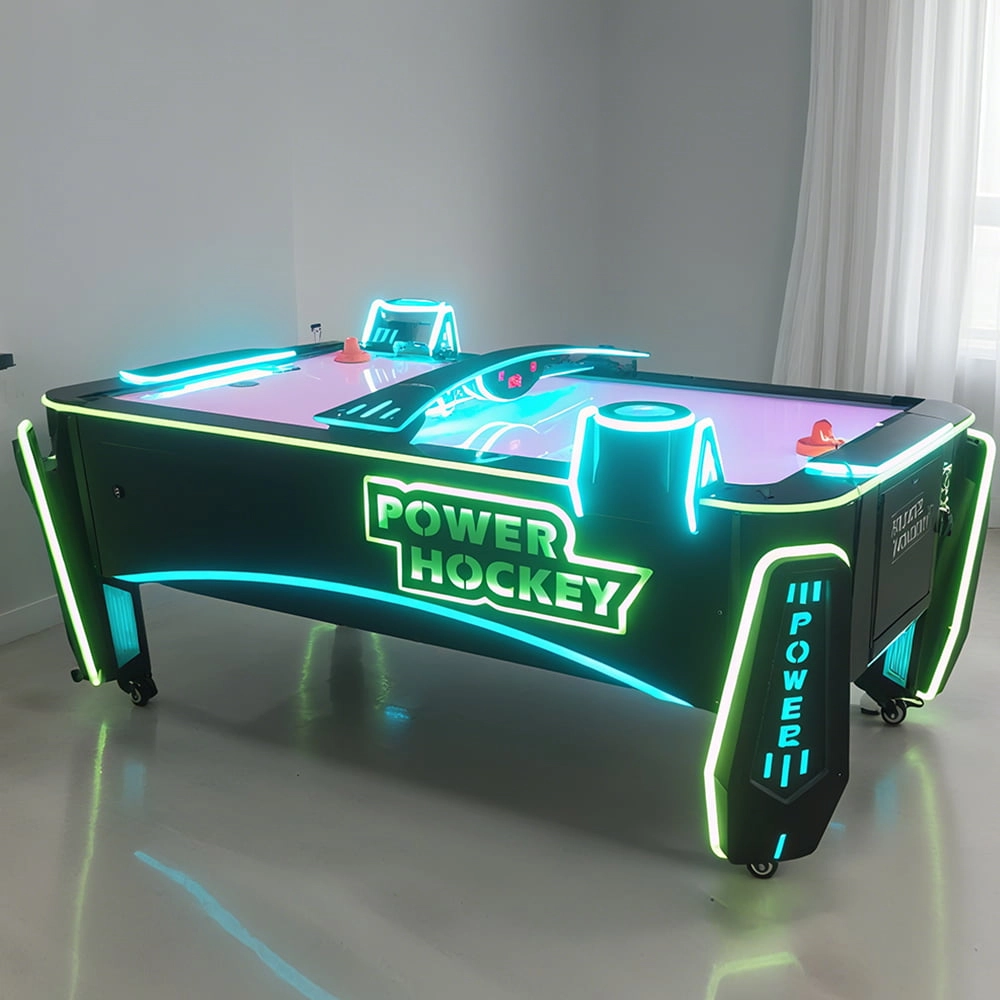
Ice Hockey Arcade Machine: Procurement Guide for Venue Buyers
What are the different types of buy dance dance revolution arcade machine?
Products
What are the after-sales services after purchasing the equipment?
Generally, a 1-year warranty is provided. During the warranty period, parts damaged due to quality problems, such as motor failure, display problems, etc., will be repaired or replaced free of charge. There will also be technical support, including equipment installation and debugging guidance, operation training, to ensure the smooth use of the user, after-sales response time is usually within 24 - 48 hours.
What is the most reasonable pricing for a mobile target archery program in a commercial setting?
If it is in shopping malls, scenic spots, and other places with high traffic flow, you can refer to the prices of similar entertainment programs in the surrounding area and combine them with your own costs, charging from $30 - $80 for a single session for a single person. If it is in a professional sports arena, for members or long-term training customers, packages can be introduced, such as monthly card 300 - 500 yuan, seasonal card 800 - 1200 yuan, according to different length and service content reasonable pricing.
Infrared Shooting
How often does the equipment require maintenance?
For daily use, simple monthly maintenance, such as simple cosmetic cleaning and function checking after use, is sufficient. A more comprehensive quarterly maintenance is sufficient.
Why are sports arcades a hot spot for investment?
The traditional entertainment market (e.g., arcade, KTV) has become less attractive to generations, while digital hip playgrounds integrating technology, sports, and socialization are more in line with young people's needs, and the market size has exceeded 50 billion in 2023, with an annual growth rate of more than 30%.
Dart Machines Bar Dart Machines
Why are sports arcades a hot spot for investment?
The traditional entertainment market (e.g., arcade, KTV) has become less attractive to generations, while digital hip playgrounds integrating technology, sports, and socialization are more in line with young people's needs, and the market size has exceeded 50 billion in 2023, with an annual growth rate of more than 30%.
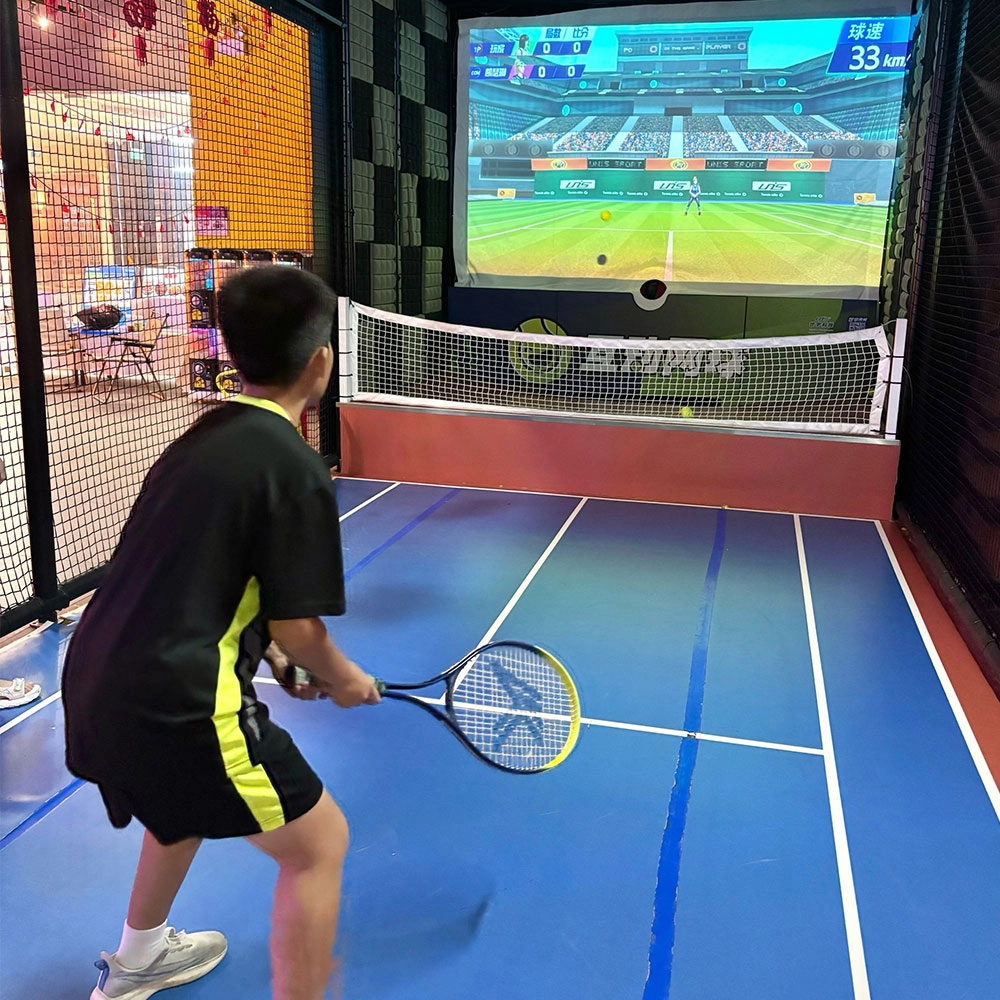
Indoor Tide Play Simulation Tennis Equipment
FUNTECH is full of fun and exciting playgrounds! With high-definition scene projection, force feedback racket, and intelligent scoring system, the simulated tennis equipment in the indoor arcade realizes immersive sports experiences and diversified interactive play, combining the advantages of safety and ease of use with high operational efficiency.
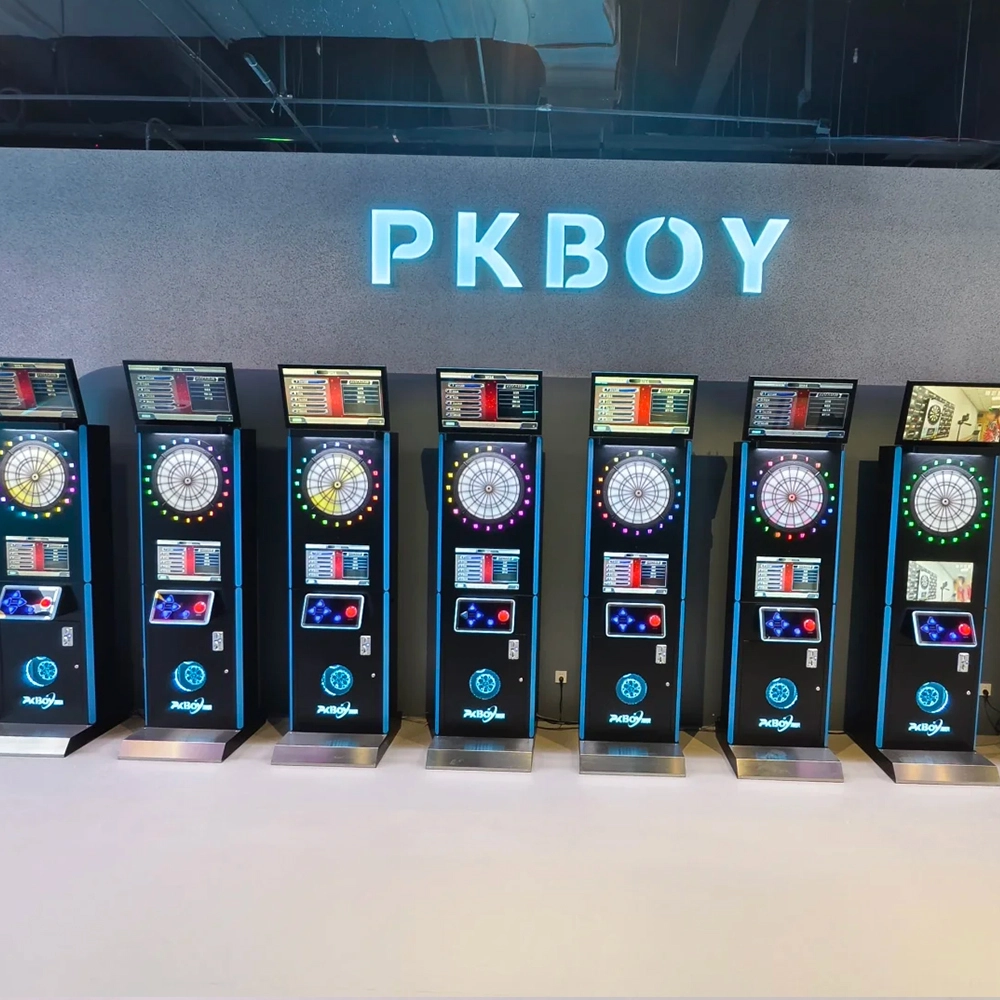
Dart Machines Bar Dart Machines
Joy Power is full of fun and excitement in the playground! The dart machine is suitable for all kinds of places, whether it is a bar, restaurant, KTV, or other entertainment venue, or a sports shop, club, or family leisure space, and can be perfectly adapted. In commercial venues, holding individual and team darts tournaments from time to time can attract more customers and increase the popularity and revenue of the venue, supplemented by various preferential activities, which can directly promote consumption and form a cycle of consumption of all the goods in the shop.
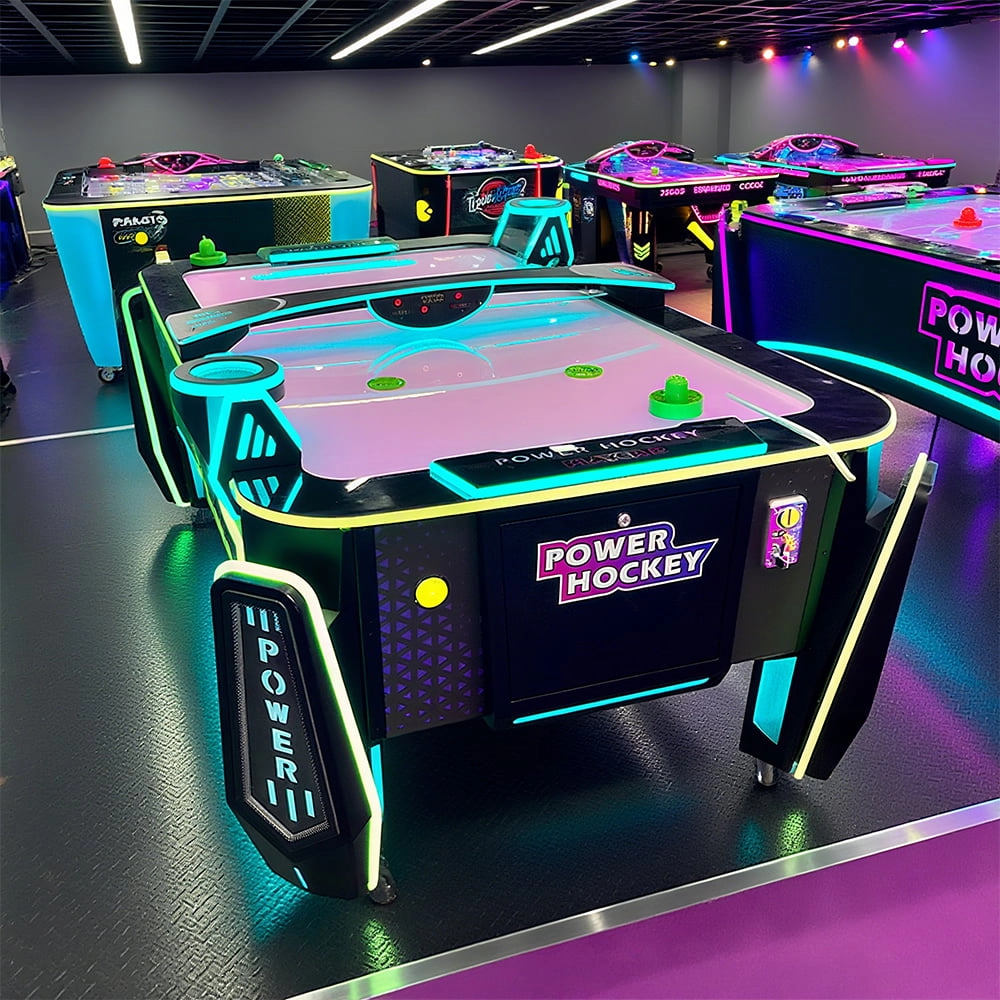
Arcade Hockey
FUNTECH is full of fun and exciting playgrounds! Air hockey, also known as air hockey, is a two-player competitive arcade game comprising a smooth, perforated playing surface, lightweight hockey sticks, a plastic puck, and an electronic scoreboard.
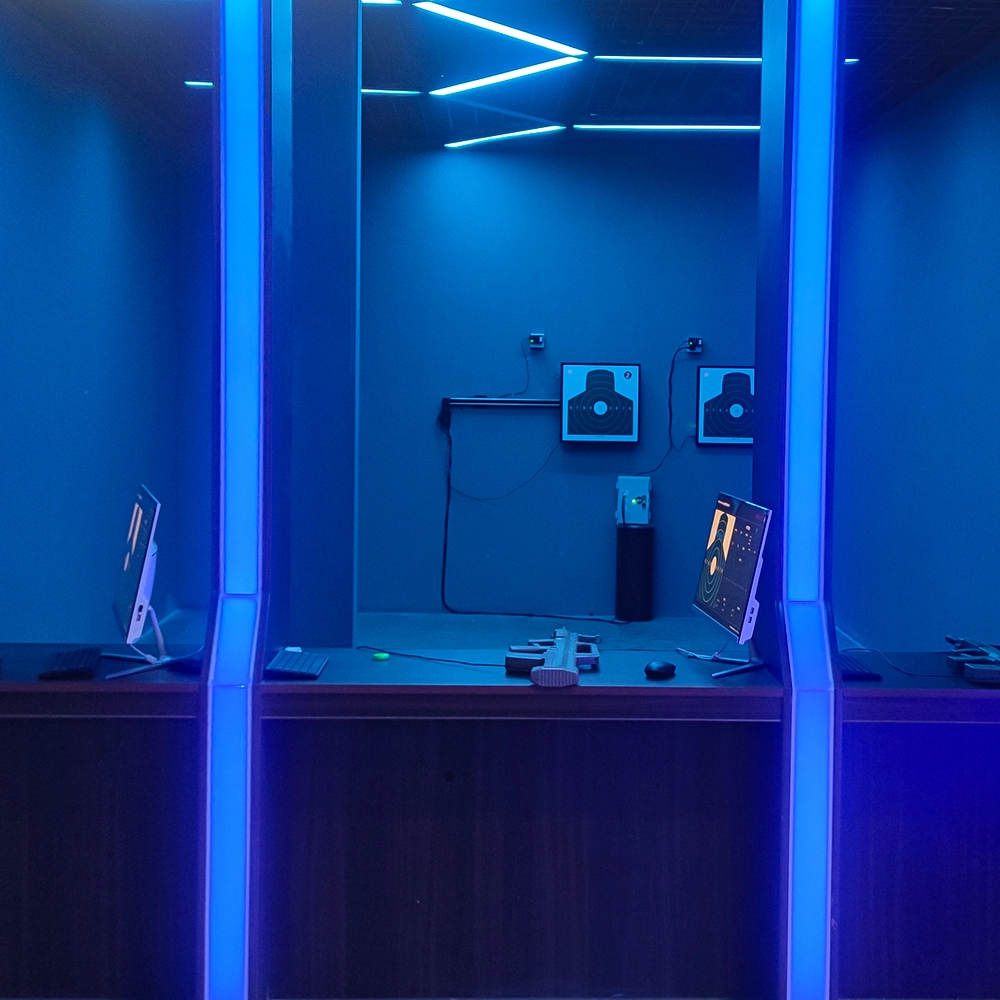
Infrared Shooting
Highly simulated simulation training analysis equipment, with advanced design concepts, fast system development, ease of operation and use, stable technical performance, less consumption of training, site dependence on a small group training is highly interesting, safe, and reliable, and other outstanding features. Product design to solve the basic skills of light weapons precision shooting as a starting point, to improve the safety of shooting training and training efficiency as the fundamental purpose, highlighting the simulation, information technology, and combat training requirements, can be in small indoor and outdoor venues and does not use live ammunition to complete the basic shooting training.
© 2025 FUNTECH ALL RIGHTS RESERVED

Weixia Lei
Fun_Tech-s
fun_tech20