
Top Golf Simulators: Comparing Features That Improve Your Game
- Top Golf Simulators: How the Right Features Improve Your Game
- Why choosing one of the top golf simulators matters for real improvement
- Tracking technology: radar vs photometric vs hybrid for accurate shot data (top golf simulators)
- Key shot metrics that influence improvement (: top golf simulators)
- Visual realism and impact: screens, projectors, and ball flight (top golf simulators)
- Simulator software: practice modes, course libraries, and analytics (top golf simulators)
- Space, installation and hitting surface considerations (: top golf simulators)
- Cost and return on investment: what you get at each price level (top golf simulators)
- Feature comparison: top golf simulators at a glance
- How to match your goals with the right simulator setup (top golf simulators)
- Why Recreational Sports Products Indoor Simulated Golf (FUNTECH) is an important part of your simulator ecosystem
- Installation tips to get accurate data and protect your investment (: top golf simulators)
- Real practice plan using a home simulator (top golf simulators)
- FAQs — Top Golf Simulators and Recreational Sports Products Indoor Simulated Golf
- Q: Do I need a TrackMan or GCQuad to improve my game?
- Q: What role does the FUNTECH screen play in accuracy and practice?
- Q: How much space do I need for a home simulator?
- Q: Can I use any projector with the FUNTECH screen?
- Q: Which metrics should I prioritize to reduce my handicap?
- Contact / View Product
- References
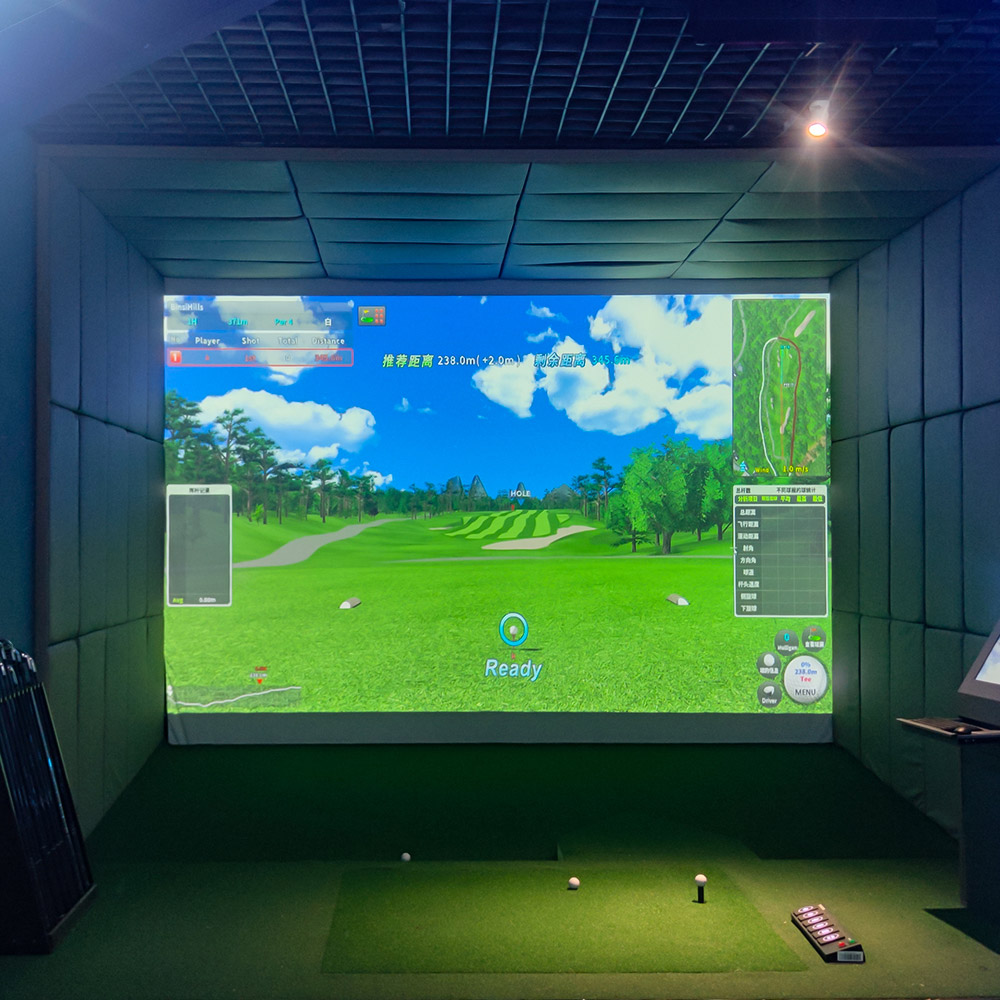
Top Golf Simulators: How the Right Features Improve Your Game
Why choosing one of the top golf simulators matters for real improvement
Choosing among the top golf simulators isn’t just about graphics or cost — it’s about which features give you meaningful feedback to practice better and reduce strokes. Serious golfers and coaches look for consistent tracking, reliable shot data (ball speed, launch angle, spin, club path), repeatability of results, and software that supports practice modes and on-course play. If you want to lower your handicap, spend practice time productively, or teach others, these core features will make the biggest difference.
Tracking technology: radar vs photometric vs hybrid for accurate shot data (top golf simulators)
Tracking technology determines what you can measure. The three mainstream approaches are:
- Radar (Doppler/radar-based) — Measures ball and club flight in real time and works well outdoors or in larger indoor spaces. Radar systems (used by some of the pro-level devices) excel at longer shots and full-flight tracking.
- Photometric / camera-based — Captures high-speed images of ball/club at impact to derive metrics. These systems are space-efficient and widely used by consumer launch monitors.
- Hybrid — Combines radar and camera sensors to improve data across all shot types.
For practice that focuses on short game and consistency, photometric systems paired with a high-quality simulator screen are often sufficient. For professional fitting, teaching, or accurate long-iron data, radar or hybrid systems can offer advantages. Embedding “top golf simulators” into your search while evaluating tracking tech helps you find devices that match how you practice.
Key shot metrics that influence improvement (: top golf simulators)
Not all metrics are equally useful for all players. Prioritize these when comparing simulators:
- Ball speed — Primary predictor of distance.
- Launch angle — Determines trajectory and carry.
- Spin rate (backspin/sidespin) — Critical for stopping power and shot-shaping.
- Clubhead speed and attack angle — Useful for swing changes and club fitting.
- Smash factor — Indicates quality of contact (ball speed/club speed).
The best consumer and professional simulators present these metrics clearly and allow session logging to track improvement over time.
Visual realism and impact: screens, projectors, and ball flight (top golf simulators)
Visual immersion affects practice engagement and feel. Screen quality (material, texture, resolution compatibility) and a proper HD projector determine how lifelike the on-screen course feels. The Recreational Sports Products Indoor Simulated Golf screen (FUNTECH) features a smooth texture designed for superior image clarity and compatibility with any HD projector, delivering crystal-clear visuals that bring the fairway into your home. A good screen reduces glare, prevents image distortion on impact, and protects equipment.
Projector selection matters: brighter rooms need higher-lumen projectors, while dedicated simulator rooms can use mid-lumen, high-contrast units. For most home sim rooms a 3,000–4,000 lumen projector with short throw can provide sharp, bright images (source: ProjectorCentral projector guides).
Simulator software: practice modes, course libraries, and analytics (top golf simulators)
Software is the bridge between raw sensor data and usable practice. Look for simulators offering:
- Structured practice drills (driving, approach, short game, putting)
- On-course play with selectable tee boxes and wind variations
- Session playback and shot comparison tools
- Club fitting modules or exportable data for fitters
Top golf simulators should provide both play and practice. Software ecosystems with active updates and community content extend long-term value.
Space, installation and hitting surface considerations (: top golf simulators)
Before purchasing, measure height, width and depth of your intended space. Typical minimum clearances for comfortable full swings are:
- Height: 9–10 feet for full swings with a driver
- Depth: 10–12 feet from screen to hitting area for compact setups
- Width: 10+ feet to allow comfortable stance and enclosure
Hitting mats and turf affect feel and club bounce. High Quality mats simulate turf interaction and reduce stress on joints. Enclosure/netting protects walls and electronics. If space is limited, prioritize compact launch monitors with photometric sensors and use a smaller screen (but ensure adequate height).
Cost and return on investment: what you get at each price level (top golf simulators)
Simulator offerings range from entry-level consumer devices to full pro installations. Typical categories:
- Entry/consumer — Affordable launch monitors and software packages aimed at practice (good for casual players and beginners).
- Mid-range — Better tracking consistency, larger course libraries and more advanced practice tools (suitable for serious amateurs).
- Pro-level — High-end radars and camera systems used by fitters and coaches (for commercial/competitive environments).
Decide based on goals: if improving consistency and lowering handicap are your targets, a mid-range photometric unit plus a quality screen (like the FUNTECH) and good software often yield the best cost-to-benefit ratio.
Feature comparison: top golf simulators at a glance
| Model / Component | Tracking Technology | Key Metrics | Typical Use | Price Range |
|---|---|---|---|---|
| TrackMan (pro-level) | Radar | Full-flight metrics, club & ball | Professional fitting / coaching | High ($$–$$$) |
| Foresight GCQuad | Photometric / camera | High-accuracy ball & club metrics | Fitting, indoor simulator that’s pro-capable | High ($$–$$$) |
| SkyTrak | Photometric | Ball speed, launch, spin (consumer-focused) | Home practice and play | Mid–Low ($) |
| Rapsodo Mobile Launch Monitor | Camera + sensor | Ball speed, launch, shot footprint; video | Portable practice, short-game analysis | Mid ($) |
| Recreational Sports Products Indoor Simulated Golf (FUNTECH screen) | Screen / impact surface (pair with monitor) | Visual immersion (HD compatible), durable surface | Screen for home simulator — pairs with any launch monitor | Low–Mid (screen only) |
Sources for the above model guidance include manufacturer specifications and industry buying guides (see references).
How to match your goals with the right simulator setup (top golf simulators)
Follow a simple decision matrix:
- If you want the best data for club fitting or pro coaching: consider radar or high-end photometric + pro software.
- If your goal is consistent weekly practice, short-game improvement, and fun course play at home: a mid-range photometric launch monitor plus a high-quality screen (e.g., FUNTECH) and solid software is usually the best value.
- If you need portability for lessons or outdoor practice: choose portable camera-based monitors and a foldable mat.
Always factor integration: a great screen improves visual feedback while a reliable launch monitor provides the data — both are required for a high-quality practice session.
Why Recreational Sports Products Indoor Simulated Golf (FUNTECH) is an important part of your simulator ecosystem
The FUNTECH screen from Recreational Sports Products is optimized for clarity and image fidelity. While it’s not a launch monitor itself, pairing the FUNTECH screen with a suitable launch monitor (SkyTrak, GCQuad, TrackMan, or Rapsodo) combines high-quality visuals with accurate shot data. Benefits of choosing a dedicated simulator screen like FUNTECH include:
- Superior image clarity for immersive on-course play.
- Durable impact surface designed for repeated ball strikes.
- Compatibility with HD projectors to maximize visual fidelity.
- Professional appearance and protection for your room and equipment.
For most home users, investing in a reliable screen plus a mid-range launch monitor provides repeatable practice sessions that translate into measurable improvement on the course.
Installation tips to get accurate data and protect your investment (: top golf simulators)
Follow these practical steps for reliable results:
- Calibrate your launch monitor per manufacturer instructions and re-check periodically.
- Mount your projector to avoid shadows; ensure screen is taut to prevent ripples.
- Use an appropriate hitting mat and maintain consistent ball placement for repeatable readings.
- Control lighting — dim ambient lights to improve projected image contrast.
These steps improve data quality and prolong system life.
Real practice plan using a home simulator (top golf simulators)
A practical 6-week plan to see measurable improvement:
- Week 1: Baseline testing — record 30 shots with each club and log ball speed, launch, carry.
- Weeks 2–3: Focus drills — dedicate sessions to short game (chip and pitch) and approach shots; use simulator drills.
- Weeks 4–5: Swing adjustments — work on attack angle and face control using feedback from smash factor and club path metrics.
- Week 6: Re-test — repeat baseline and compare. Adjust practice plan based on trends.
Top golf simulators that allow session logging and shot comparison make this plan actionable and easy to track.
FAQs — Top Golf Simulators and Recreational Sports Products Indoor Simulated Golf
Q: Do I need a TrackMan or GCQuad to improve my game?
A: No. While pro-level devices provide the most detailed data, mid-range photometric monitors (like SkyTrak) paired with structured drills and a quality screen yield measurable improvement for most recreational and serious amateur golfers.
Q: What role does the FUNTECH screen play in accuracy and practice?
A: The FUNTECH screen optimizes visual fidelity and protects your room. It doesn’t measure shots — it displays them crisply when paired with a launch monitor and projector, improving immersion and feedback.
Q: How much space do I need for a home simulator?
A: Aim for at least 9–10 ft of ceiling height and 10–12 ft of depth. Compact setups are possible with shorter clubs or partial swings but full-driver practice requires taller clearance.
Q: Can I use any projector with the FUNTECH screen?
A: FUNTECH is compatible with HD projectors. Choose lumens and throw ratio based on room brightness and desired screen size; 3,000–4,000 lumens is suitable for many home sims in dim rooms (ProjectorCentral guidance).
Q: Which metrics should I prioritize to reduce my handicap?
A: Prioritize consistency metrics: clubhead speed, ball speed, smash factor, and dispersion (left/right/shot-to-shot). Also track spin and launch to optimize carry and stopping power.
Contact / View Product
If you’re ready to build a simulator focused on improvement, contact our sales team to learn how Recreational Sports Products Indoor Simulated Golf (FUNTECH screen) pairs with the best launch monitors for your goals. Email sales@recsports.example or visit our product page to view specifications and compatible packages.After discovering the key features of top golf simulators that can improve your game, let’s dive into how these simulators are designed specifically for skill training, offering accuracy and data metrics to help track your performance.
References
- Golf Digest — Home Golf Simulators and Buying Guides (industry reviews and comparisons)
- TrackMan — Product and technology descriptions (radar-based launch monitor details)
- Foresight Sports — GCQuad and photometric technology details
- SkyTrak (SkyTrak / SkyHawk) — Consumer photometric launch monitor specifications
- ProjectorCentral — Projector brightness and throw ratio guidance for home theaters and simulators
Using top golf simulators is about matching features to goals: pick the tracking and software that deliver the metrics you need, and pair that data with a high-quality display surface such as Recreational Sports Products Indoor Simulated Golf (FUNTECH) to create an immersive, repeatable practice environment that improves your game.
How to Choose the table tennis robot machine manufacturer and supplier ?
Where to Buy coin operated dart machine for sale in Asia
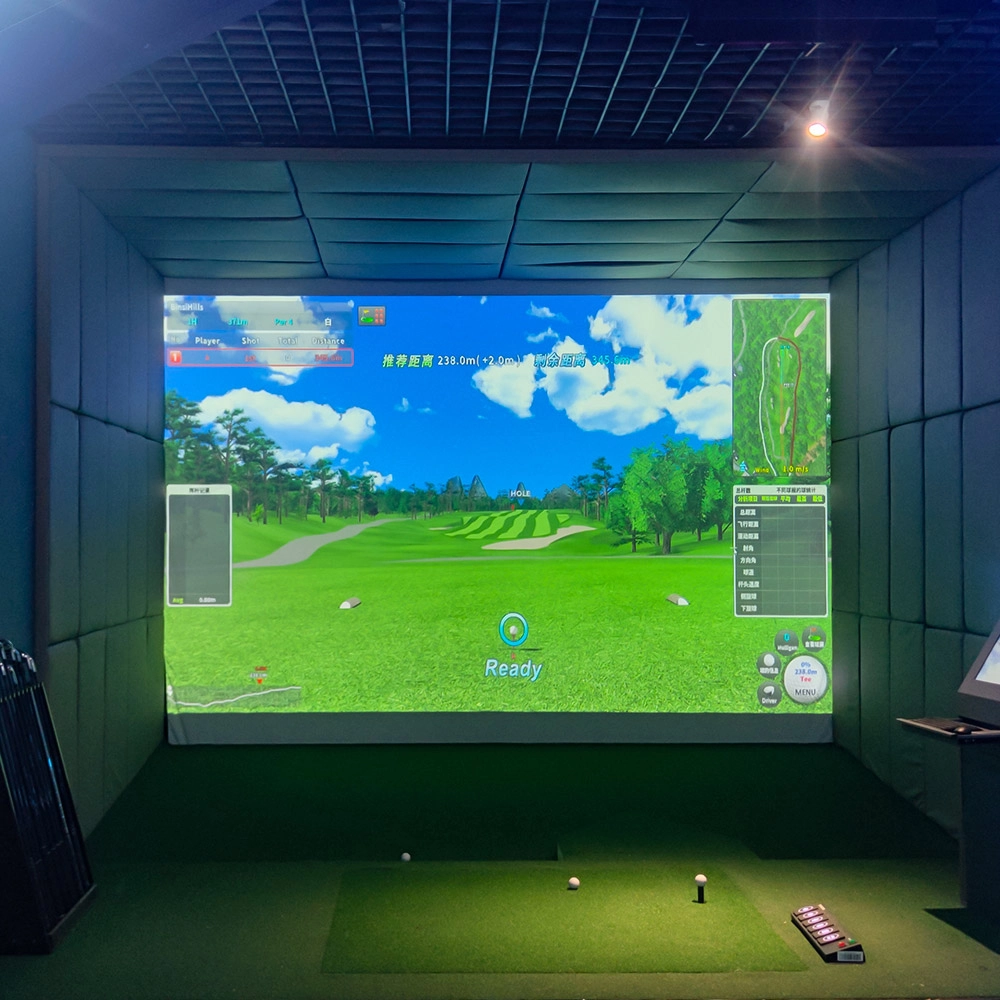
Measuring Customer Engagement with Indoor Golf Simulator Analytics
Where to Buy interactive led floor tiles
Golf Simulator
How to attract customers when operating the program in shopping malls?
Create a cool venue decoration style, incorporating trendy elements, such as fluorescent light strips and anime-themed murals. o Launch diversified marketing models such as parent-child packages and couple packages, combined with time-limited promotional activities, such as half-price experience in the first three days of opening, to attract families, couples and other groups to stop and participate in the program. o How to reduce operating costs?
Football Simulator
Are there a lot of game modes in soccer simulation?
Very rich! There is a league mode which is exciting and can compete with players from all over the world, and there is also a leisure and fun game which is suitable for parents and children to share fun time, so as to satisfy the needs of different players.
Dart Machines Bar Dart Machines
What are the after-sales services after purchasing the equipment?
Generally, a 1-year warranty is provided. During the warranty period, parts damaged due to quality problems, such as motor failure, display problems, etc., will be repaired or replaced free of charge. There will also be technical support, including equipment installation and debugging guidance, operation training, to ensure the smooth use of the user, after-sales response time is usually within 24 - 48 hours.
Infrared Shooting
How to attract customers when operating the program in shopping malls?
Create a cool venue decoration style and incorporate trendy elements, such as fluorescent light strips and anime-themed murals. o Launch diversified marketing models such as parent-child packages and couple packages, combined with time-limited promotional activities, such as half-price experience in the first three days of opening, to attract different groups of people such as families and couples to stop by and participate.
Holographic Light and Shadow Restaurant
What is the difference between holographic projection and ordinary projection?
Ordinary projection is the process of projecting a two-dimensional image onto a flat screen, where the viewer sees a flat image. Holographic projection can present real three-dimensional images, allowing viewers to observe different faces of objects from different angles, with a strong sense of three dimensionality and realism. In addition, ordinary projection usually only requires simple equipment such as projectors and screens, while holographic projection requires more complex optical systems and technologies to achieve.
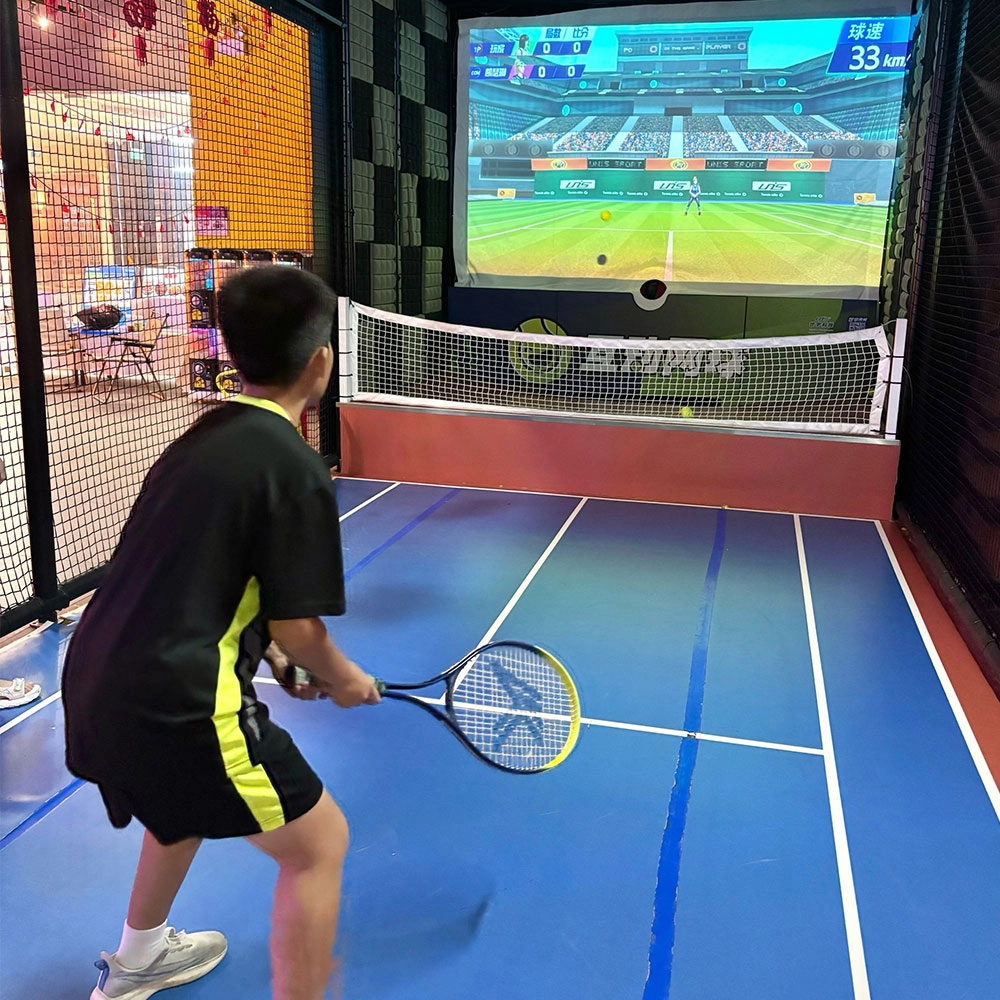
Indoor Tide Play Simulation Tennis Equipment
FUNTECH is full of fun and exciting playgrounds! With high-definition scene projection, force feedback racket, and intelligent scoring system, the simulated tennis equipment in the indoor arcade realizes immersive sports experiences and diversified interactive play, combining the advantages of safety and ease of use with high operational efficiency.
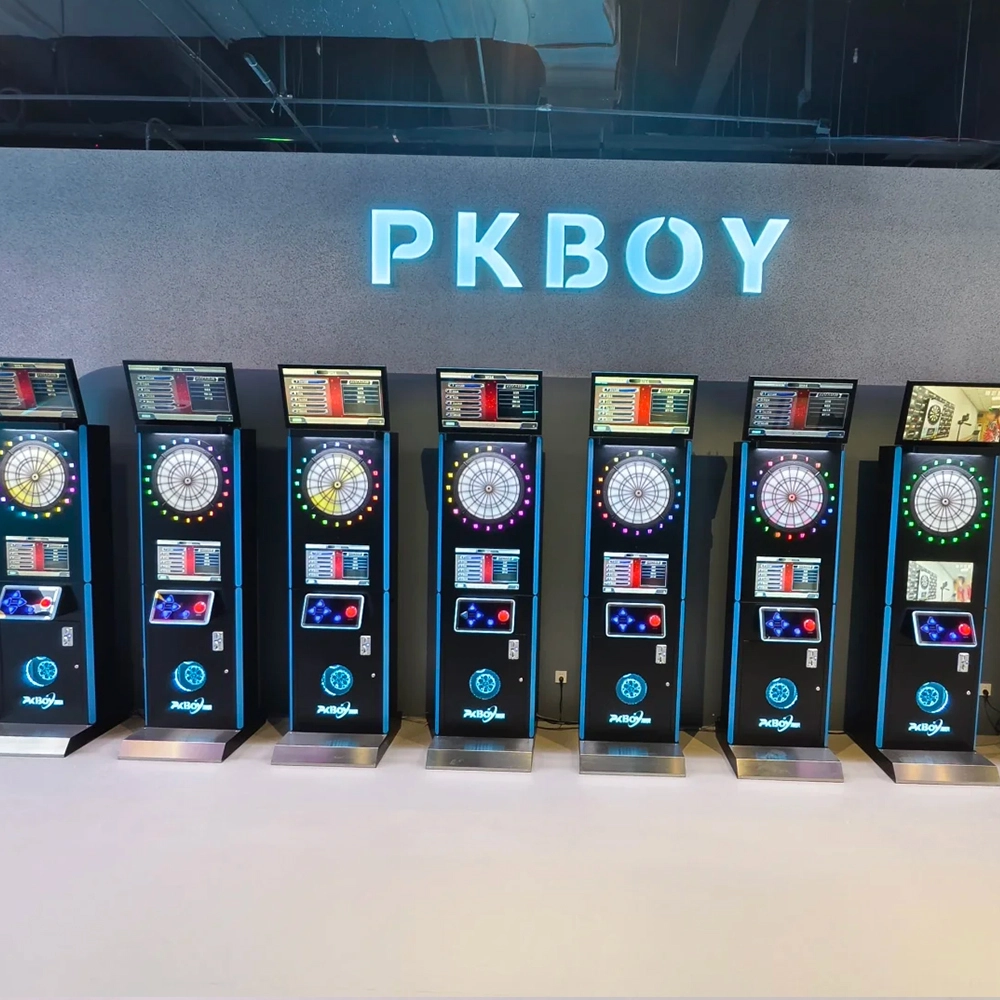
Dart Machines Bar Dart Machines
Joy Power is full of fun and excitement in the playground! The dart machine is suitable for all kinds of places, whether it is a bar, restaurant, KTV, or other entertainment venue, or a sports shop, club, or family leisure space, and can be perfectly adapted. In commercial venues, holding individual and team darts tournaments from time to time can attract more customers and increase the popularity and revenue of the venue, supplemented by various preferential activities, which can directly promote consumption and form a cycle of consumption of all the goods in the shop.
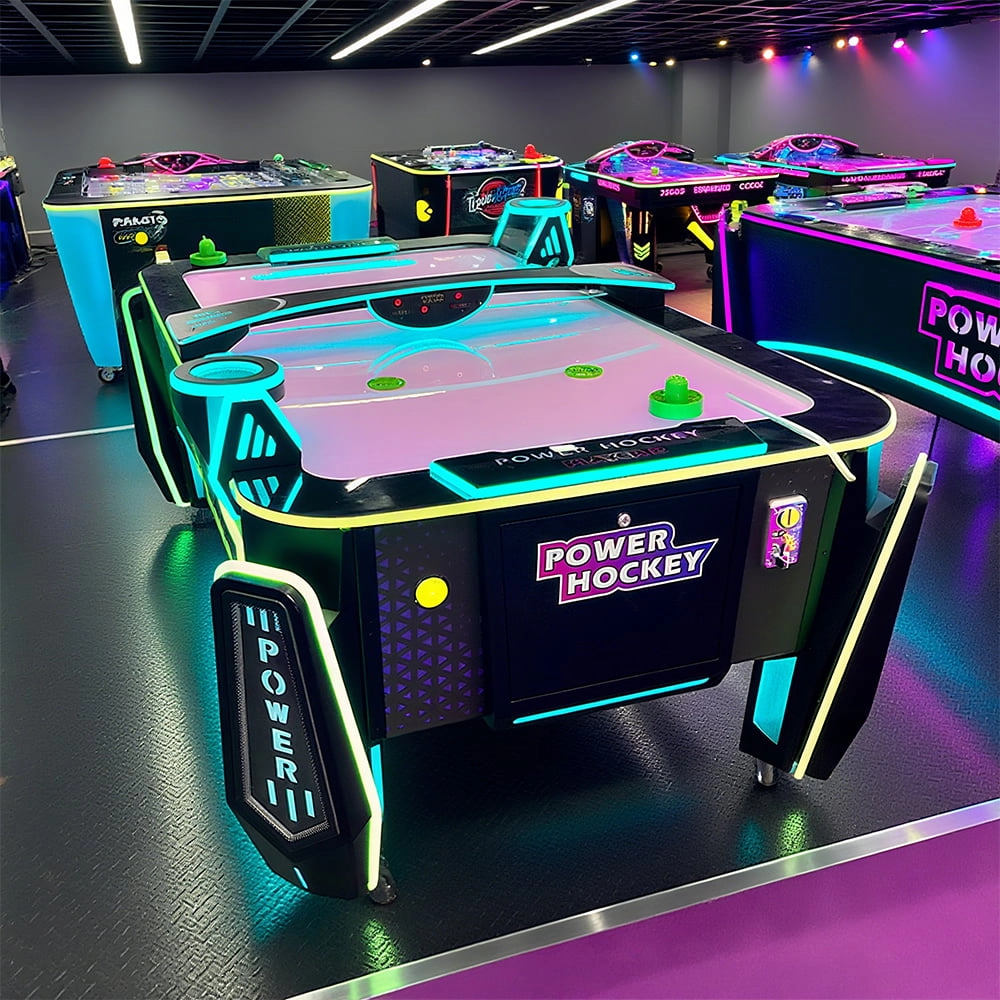
Arcade Hockey
FUNTECH is full of fun and exciting playgrounds! Air hockey, also known as air hockey, is a two-player competitive arcade game comprising a smooth, perforated playing surface, lightweight hockey sticks, a plastic puck, and an electronic scoreboard.
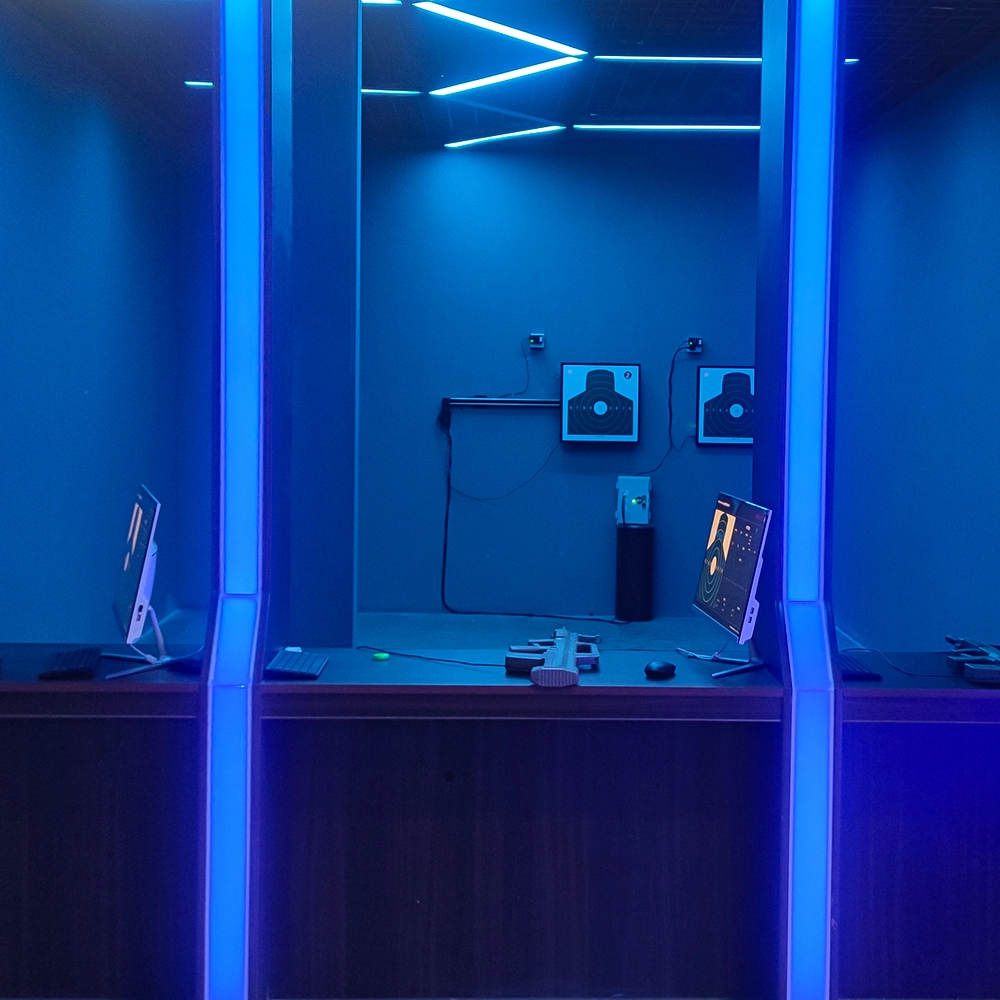
Infrared Shooting
Highly simulated simulation training analysis equipment, with advanced design concepts, fast system development, ease of operation and use, stable technical performance, less consumption of training, site dependence on a small group training is highly interesting, safe, and reliable, and other outstanding features. Product design to solve the basic skills of light weapons precision shooting as a starting point, to improve the safety of shooting training and training efficiency as the fundamental purpose, highlighting the simulation, information technology, and combat training requirements, can be in small indoor and outdoor venues and does not use live ammunition to complete the basic shooting training.
© 2025 FUNTECH ALL RIGHTS RESERVED

Weixia Lei
Fun_Tech-s
fun_tech20