
Designing Multiuse Spaces Around Indoor Simulated Golf
- Designing Multiuse Spaces Around Indoor Simulated Golf: How to Build Flexible, High-Performance Rooms
- Understanding what makes the best indoor golf simulator for your multiuse space
- Key user needs and space requirements
- Introducing Recreational Sports Products Indoor Simulated Golf
- Choosing a simulator system that fits multiple uses
- Technical features to prioritize
- Why screen and projector compatibility matters
- Layout strategies for multiuse rooms
- Flexible furniture and modular layouts
- Zoning: separating active and passive areas
- Flooring, safety, and protective measures
- Protection and durability for high-traffic multiuse rooms
- Safety standards and best practices
- Lighting, acoustics and AV integration for multi-functionality
- Designing adaptable lighting
- Sound considerations and multifunction audio setups
- Installation, maintenance, and lifetime costs
- Planning installation and long-term upkeep
- Cost ranges and ROI considerations
- Practical layout examples for different use cases
- Home garage conversion
- Living-room hybrid
- Commercial entertainment center
- Comparative feature table: What to look for in the best indoor golf simulator
- Brand advantages: Why Recreational Sports Products Indoor Simulated Golf is a strong choice
- Balanced performance and multiuse readiness
- Practical benefits for operators and homeowners
- FAQ — Frequently Asked Questions about multiuse simulator spaces and the best indoor golf simulator
- Q: What minimum ceiling height do I need for a full-swing simulator setup?
- Q: Can a golf simulator double as a home theater or presentation screen?
- Q: How durable are impact screens and what maintenance do they need?
- Q: What’s the typical cost to convert a garage into a multiuse golf simulator room?
- Q: Is it worth investing in a simulator for occasional use?
- Next steps and contact
- See the product or request a consultation
- Authoritative references and further reading
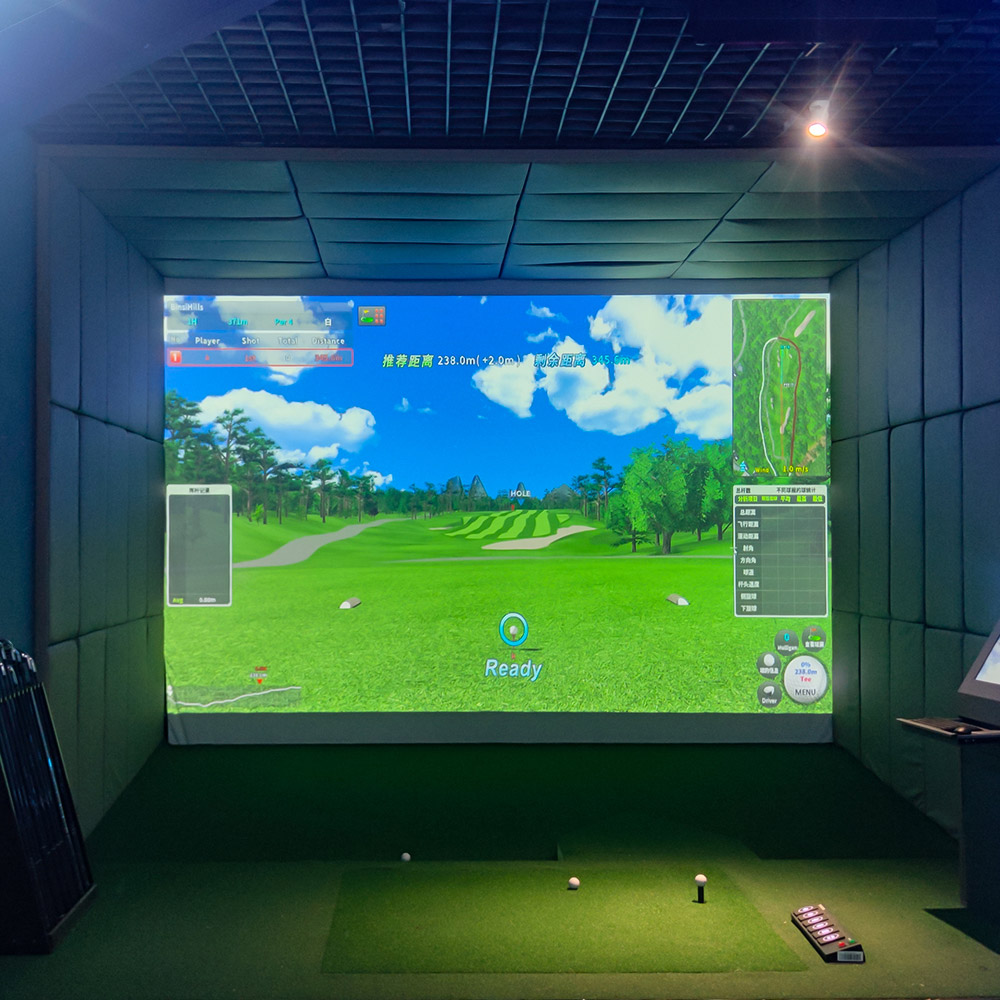
Designing Multiuse Spaces Around Indoor Simulated Golf: How to Build Flexible, High-Performance Rooms
Understanding what makes the best indoor golf simulator for your multiuse space
Creating a multiuse space around an indoor golf simulator starts with choosing the right system. When people search for the best indoor golf simulator, they’re looking for a balance of accuracy, visual quality, durability, and the ability to integrate into a room that serves multiple functions—home theater, game room, training area, or corporate recreation. A system that offers realistic ball flight data, responsive software, and a high-quality screen gives you flexibility: it supports focused practice sessions, social play, and entertainment events.
Key user needs and space requirements
To serve diverse functions reliably, begin by defining primary and secondary uses. Primary use examples: full-swing practice, short-game practice, or entertainment and party hosting. Secondary uses might include movie nights, fitness classes, meeting space, or other sports simulators. Typical space requirements (industry recommendations): ceiling height of at least 10 feet for full swings (9–10 ft is a practical minimum but higher is better), depth of 10–15 feet depending on the simulator’s tracking system, and width of 12–16 feet for comfortable play and spectator seating. Planning around these dimensions ensures the room supports real golf shots while also leaving room for seating, AV equipment, and storage.
Introducing Recreational Sports Products Indoor Simulated Golf
Recreational Sports Products Indoor Simulated Golf delivers FUNTECH in a playground full of fun and excitement! The screen’s smooth texture offers superior image clarity, compatible with any HD projector for a lifelike golf simulation. Enjoy crystal-clear visuals that bring the fairway right into your home.
Choosing a simulator system that fits multiple uses
Technical features to prioritize
When evaluating options with multiuse flexibility in mind, prioritize these technical features: accurate launch monitor data (ball speed, launch angle, spin), low-latency graphics, wide selection of courses and practice modes, projector compatibility, multiplayer/networking capability, and modular hardware that can be moved or reconfigured. The best indoor golf simulator for a multiuse space is one that integrates smoothly with AV gear, is easy to set up and pack away, and uses a screen and projector that double as a high-quality display for movies and presentations.
Why screen and projector compatibility matters
A High Quality impact screen and projector combination transforms the simulator into a multipurpose display. The Recreational Sports Products Indoor Simulated Golf screen highlights this advantage—the screen’s smooth texture offers superior image clarity and is compatible with any HD projector, so the same visual surface that handles golf simulation also supports movies, presentations, and other digital content without extra screens.
Layout strategies for multiuse rooms
Flexible furniture and modular layouts
Design a layout that converts quickly between golf mode and other activities: use fold-down seating, mobile storage carts for mats and clubs, and retractable or removable hitting mats. Consider mounting the hitting bay on a slide or hinge system so it can be stowed against a wall during movie nights or fitness classes. Built-in cabinetry with hidden storage for clubs, balls, laptops, remotes, and AV gear helps the room feel organized and multifunctional.
Zoning: separating active and passive areas
Divide the room into functional zones—hitting/playing zone, spectator/relaxation zone, and equipment/storage zone. Use rugs, different flooring materials, or subtle elevation changes to visually separate these zones without permanent walls. This zoning allows the space to host dinner parties, training sessions, or meetings without exposing golf gear or interfering with non-sport activities.
Flooring, safety, and protective measures
Protection and durability for high-traffic multiuse rooms
Choose flooring that withstands dropped clubs and golf shoes while remaining comfortable for general use. Commercial-grade turf tiles, interlocking rubber, or high-density gym flooring work well in the hitting zone. Surround the screen and impact zone with appropriate padding and netting to protect walls and equipment. Always include clear walkways and secure any loose cables to reduce trip hazards during events.
Safety standards and best practices
Install permanent or removable safety nets when people are standing near the hitting area. Ensure lighting is designed so the hitter has no glare in their eyes, while spectators still have comfortable visibility. For commercial installations, follow local building and liability regulations and consider signage and rules to reduce risk during multi-group use.
Lighting, acoustics and AV integration for multi-functionality
Designing adaptable lighting
Install layered lighting: dimmable overhead fixtures in the hitting zone, accent lighting in seating areas, and blackout-capable window treatments for projector use. Smart lighting systems allow quick presets—“Golf Mode” (dim background, focused tee light) and “Movie Mode” (darkened room, projector-optimized). Proper lighting prevents glare on the projection surface while keeping the room comfortable for other activities.
Sound considerations and multifunction audio setups
Acoustics matter for coaching and for entertainment. Use absorptive panels near the hitting area to tame echo from ball contact and to protect the clarity of in-system audio cues. A multi-zone sound system allows golf simulation audio in the hitting bay while separate background music plays for spectators or during non-golf events.
Installation, maintenance, and lifetime costs
Planning installation and long-term upkeep
Consider professional installation for projector alignment, net and screen mounting, and launch monitor calibration. Regular maintenance includes keeping the screen clean, ensuring projectors are dust-free and calibrated, and firmware/software updates for the simulator and launch systems. Budget for bulb or laser light source replacement on projectors and occasional screen or mat replacement in high-usage environments.
Cost ranges and ROI considerations
Costs vary significantly by component and intended use. Typical ranges:
| Tier | Typical Cost Range (USD) | What You Get |
|---|---|---|
| Entry | $2,000 - $6,000 | Basic launch monitor or camera-based sensor, impact screen, basic projector, simple software |
| Mid-range | $6,000 - $20,000 | Higher-accuracy launch monitor, quality screen (like Recreational Sports Products Indoor Simulated Golf), better projector, richer software library, improved enclosure |
| High-end | $20,000+ | Tour-level accuracy systems, custom-built enclosures, commercial projectors, full AV integration, multi-sport capability |
Return on investment (ROI) depends on usage: home users gain year-round practice and entertainment value; commercial operators (FECs, clubs, corporate centers) can monetize hourly, host events, and expand offerings. Multiuse flexibility increases ROI by enabling more rent-out opportunities, events, and cross-activity utilization.
Practical layout examples for different use cases
Home garage conversion
Space: ~12' x 20' (or larger). Retain garage doors if you want to open the space for large events. Place the simulator at one short end, with the hitting bay buffered by portable protective panels. Use fold-away seating and a wall-mounted TV for secondary viewing. Install built-in cabinetry for clubs and AV gear.
Living-room hybrid
Space: ~14' x 18'. Use a recessed or ceiling-mounted projector and a pull-down or retractable impact screen. Choose furniture on casters for quick reconfiguration. Add acoustic panels and dimmable lighting to maintain a comfortable media room atmosphere when not in use for golf.
Commercial entertainment center
Space: 20' x 30' bays or larger. Design multiple lanes with individual sound zoning and separate storage for equipment. Incorporate LED signage and flexible seating arrangements for parties, tournaments, and corporate bookings. Opt for more durable flooring and heavy-duty screens and projectors for high throughput.
Comparative feature table: What to look for in the best indoor golf simulator
| Feature | Why it matters | How it supports multiuse spaces |
|---|---|---|
| Screen quality | Sharper image, durable impact surface | Dual use as movie/display surface; withstands frequent activity |
| Projector compatibility | Better graphics, brighter images | Enables high-quality movie and presentation use |
| Launch monitor accuracy | Reliable practice and coaching data | Keeps serious users satisfied while supporting casual play |
| Software library | Variety of courses and game modes | Increases entertainment value and repeat bookings |
| Modular hardware | Ease of reconfiguration and upgrades | Speeds transitions between uses and extends lifespan |
Brand advantages: Why Recreational Sports Products Indoor Simulated Golf is a strong choice
Balanced performance and multiuse readiness
Recreational Sports Products Indoor Simulated Golf emphasizes a high-quality impact surface that doubles as an HD projection screen. That versatility, combined with ease of projector compatibility, means the system is not only capable of delivering realistic simulated golf play but is also ideal for movie nights, presentations, and other multimedia uses. For homeowners and commercial operators seeking the best indoor golf simulator that supports multifunctional room design, this product reduces the compromise often required when balancing sport and entertainment needs.
Practical benefits for operators and homeowners
Key benefits include straightforward integration into existing AV setups, durable screen material for repeated impacts, and a visual clarity that enhances immersion. These factors lower long-term costs associated with replacement screens and projector adjustments while maximizing the room’s usability across many activities.
FAQ — Frequently Asked Questions about multiuse simulator spaces and the best indoor golf simulator
Q: What minimum ceiling height do I need for a full-swing simulator setup?
A: Aim for at least 10 feet of ceiling height for comfortable full swings, with 11–12 feet preferred if possible. Short-game-only setups can function in lower ceilings, but this limits full-swing practice.
Q: Can a golf simulator double as a home theater or presentation screen?
A: Yes. High-quality impact screens (such as the one used with Recreational Sports Products Indoor Simulated Golf) are compatible with HD projectors and provide excellent visuals for movies and presentations when the room lighting is controlled.
Q: How durable are impact screens and what maintenance do they need?
A: Most commercial-grade impact screens are built to handle thousands of shots. Maintenance is simple: wipe with a soft cloth, avoid abrasive cleaners, and periodically inspect for wear. Store replacement mats and balls appropriately to reduce unnecessary wear.
Q: What’s the typical cost to convert a garage into a multiuse golf simulator room?
A: Conversion costs vary by finish level. Basic conversions with mid-range simulators might start around $6,000–$12,000, while fully finished, High Quality AV-integrated conversions can exceed $20,000.
Q: Is it worth investing in a simulator for occasional use?
A: If you value year-round practice opportunities, social entertainment, and the ability to repurpose a room for multiple activities, even occasional users find strong value—especially if the system enhances other uses like home theater or corporate events.
Next steps and contact
See the product or request a consultation
Multiuse layouts unlock new revenue streams, which can be tracked by measuring customer engagement with indoor golf simulator analytics.If you’re designing a multiuse space and want a solution that balances performance and versatility, view Recreational Sports Products Indoor Simulated Golf or request a consultation to discuss layout, installation, and configuration options. For product details and demos, contact our sales team or visit our product page to explore specifications and accessories.
Contact / View Product CTA: To learn how Recreational Sports Products Indoor Simulated Golf can fit your space, contact our sales team or request a demo today — transform your room into a year-round sports and entertainment hub.
Authoritative references and further reading
- Golf simulator — Wikipedia: https://en.wikipedia.org/wiki/Golf_simulator
- Golf Digest — Best golf simulators buying guide: https://www.golfdigest.com/story/golf-simulators-buying-guide
- Golf.com — How to choose a golf simulator: https://golf.com/gear/best-golf-simulator/
- Forbes — Home golf simulators overview (insights into ownership and ROI): https://www.forbes.com/sites/
Note: For local building codes, manufacturer installation guides, and specific safety regulations, consult authoritative local agencies and the product manual for Recreational Sports Products Indoor Simulated Golf.
How to Choose the golf simulator brands manufacturer and supplier in UK?
Custom baseball batting simulator Manufacturers and Suppliers
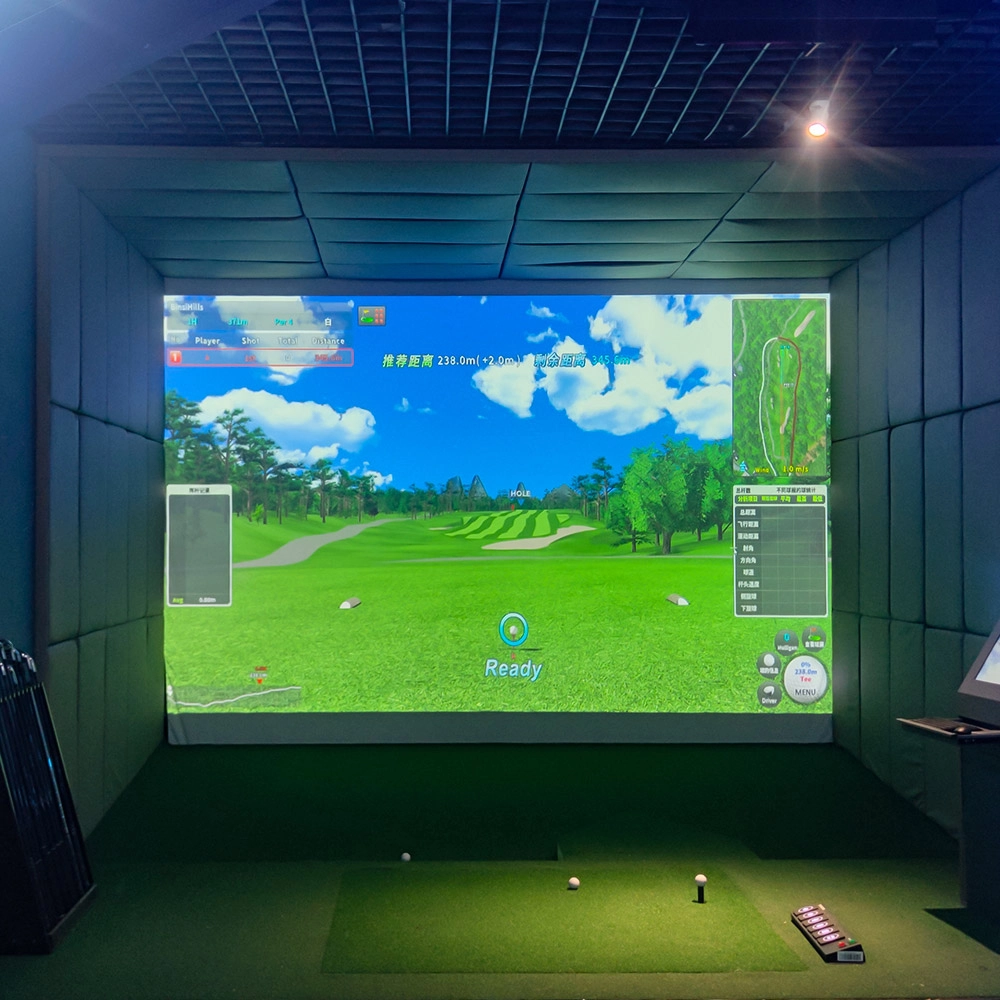
Measuring Customer Engagement with Indoor Golf Simulator Analytics
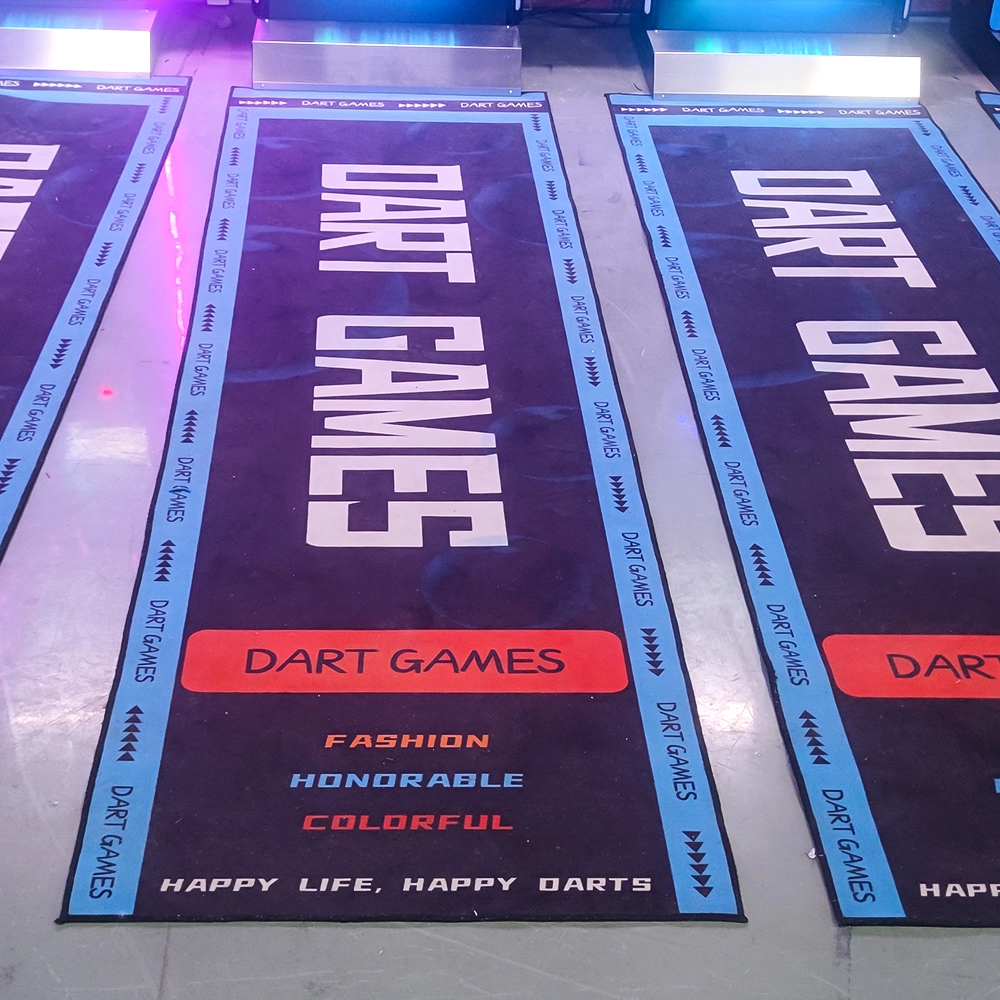
How to Promote Dart Nights with Dart Machines Bar Dart Machines
Products
How to reduce operating costs?
Starting with equipment procurement, choose cost-effective, durable and easy-to-maintain products, which can save money for subsequent maintenance. o Starting with equipment procurement, choose cost-effective, durable and easy-to-maintain products, which can save money for subsequent maintenance. Reasonable arrangement of staff, reduce the number of staff on duty during non-peak hours, train staff to have multi-skills, such as being able to operate the equipment as well as guiding customers on the side, to improve the efficiency of manpower and reduce manpower costs.
Dart Machines Bar Dart Machines
Why are sports arcades a hot spot for investment?
The traditional entertainment market (e.g., arcade, KTV) has become less attractive to generations, while digital hip playgrounds integrating technology, sports, and socialization are more in line with young people's needs, and the market size has exceeded 50 billion in 2023, with an annual growth rate of more than 30%.
How often does the equipment require maintenance?
For daily use, simple monthly maintenance, such as simple cosmetic cleaning and function checking after use, is sufficient. A more comprehensive quarterly maintenance is sufficient.
Infrared Shooting
Why are sports arcades a hot spot for investment?
The traditional entertainment market (e.g., arcade, KTV) has become less attractive to generations, while digital hip playgrounds integrating technology, sports, and socialization are more in line with young people's needs, and the market size has exceeded 50 billion in 2023, with an annual growth rate of more than 30%.
What are the after-sales services after purchasing the equipment?
Generally, a 1-year warranty is provided. During the warranty period, parts damaged due to quality problems, such as motor failure, display problems, etc., will be repaired or replaced free of charge. There will also be technical support, including equipment installation and debugging guidance, operation training, to ensure the smooth use of the user, after-sales response time is usually within 24 - 48 hours.
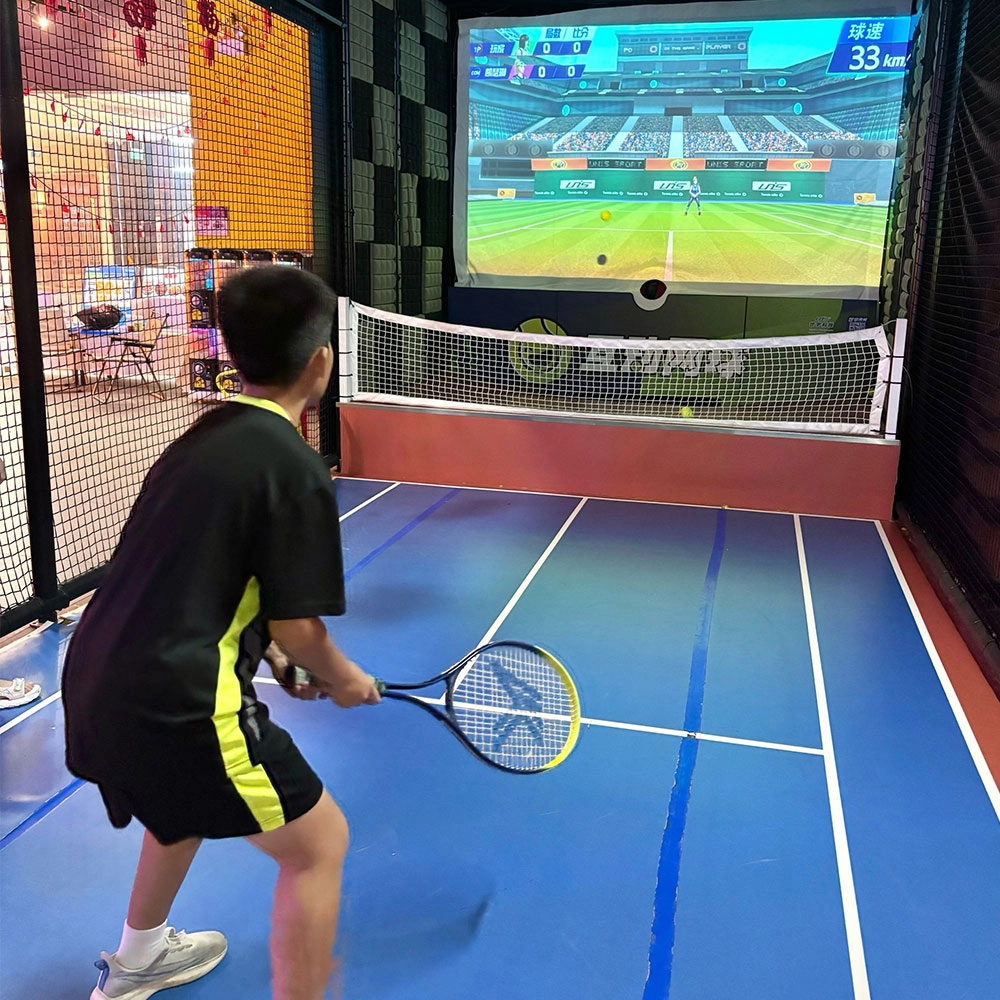
Indoor Tide Play Simulation Tennis Equipment
FUNTECH is full of fun and exciting playgrounds! With high-definition scene projection, force feedback racket, and intelligent scoring system, the simulated tennis equipment in the indoor arcade realizes immersive sports experiences and diversified interactive play, combining the advantages of safety and ease of use with high operational efficiency.
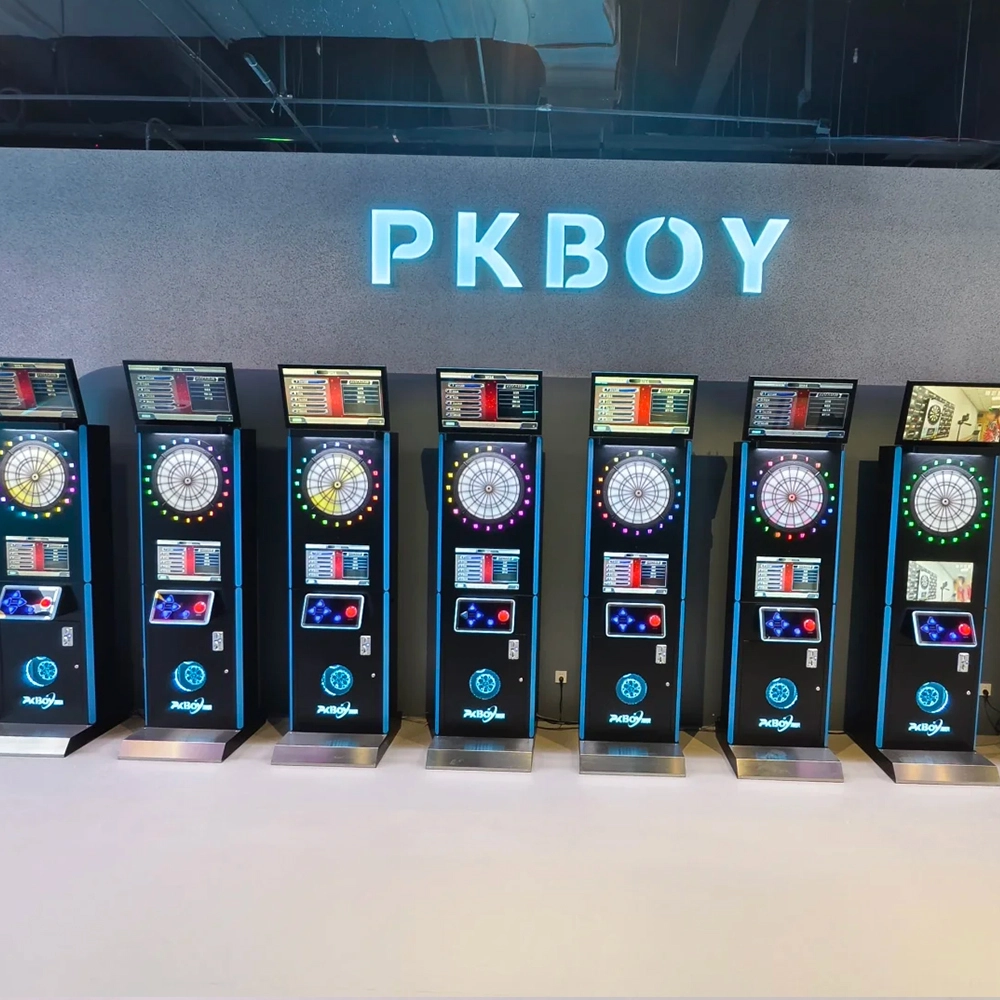
Dart Machines Bar Dart Machines
Joy Power is full of fun and excitement in the playground! The dart machine is suitable for all kinds of places, whether it is a bar, restaurant, KTV, or other entertainment venue, or a sports shop, club, or family leisure space, and can be perfectly adapted. In commercial venues, holding individual and team darts tournaments from time to time can attract more customers and increase the popularity and revenue of the venue, supplemented by various preferential activities, which can directly promote consumption and form a cycle of consumption of all the goods in the shop.
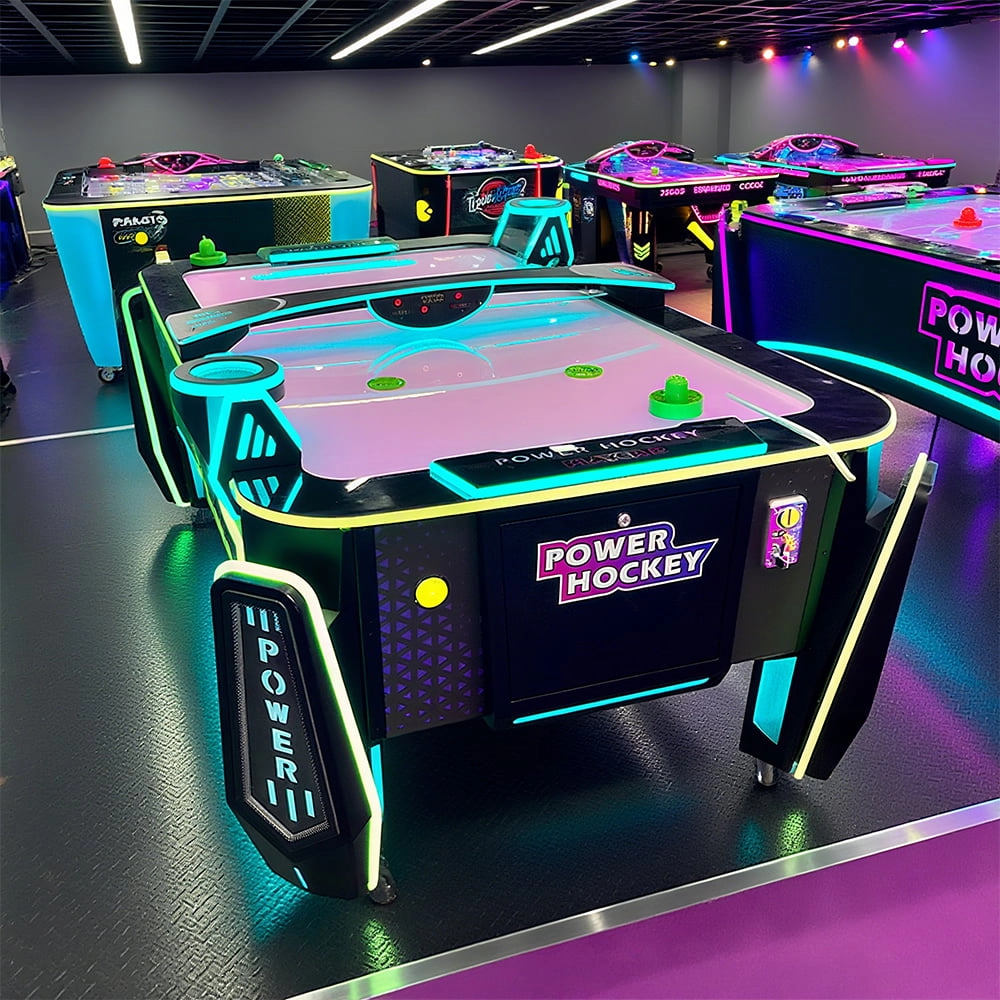
Arcade Hockey
FUNTECH is full of fun and exciting playgrounds! Air hockey, also known as air hockey, is a two-player competitive arcade game comprising a smooth, perforated playing surface, lightweight hockey sticks, a plastic puck, and an electronic scoreboard.
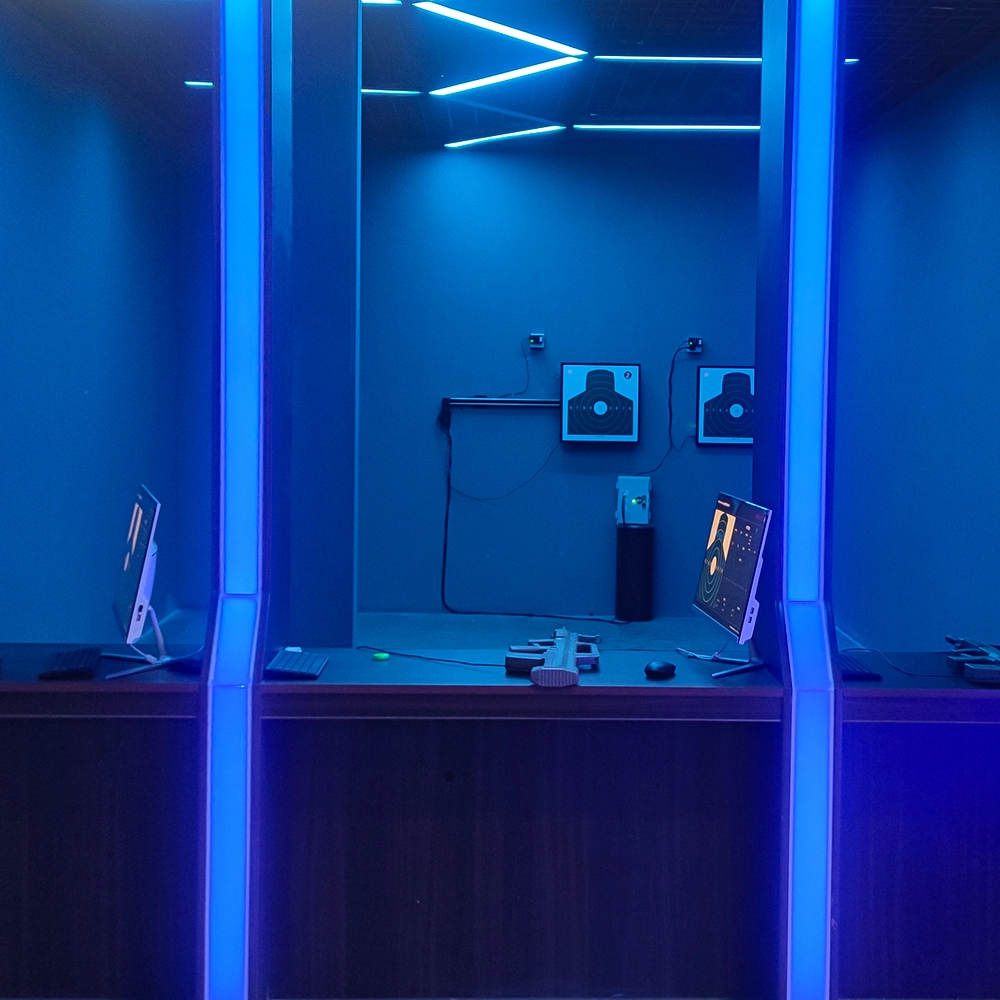
Infrared Shooting
Highly simulated simulation training analysis equipment, with advanced design concepts, fast system development, ease of operation and use, stable technical performance, less consumption of training, site dependence on a small group training is highly interesting, safe, and reliable, and other outstanding features. Product design to solve the basic skills of light weapons precision shooting as a starting point, to improve the safety of shooting training and training efficiency as the fundamental purpose, highlighting the simulation, information technology, and combat training requirements, can be in small indoor and outdoor venues and does not use live ammunition to complete the basic shooting training.
© 2025 FUNTECH ALL RIGHTS RESERVED

Weixia Lei
Fun_Tech-s
fun_tech20