
Maintenance Checklist for Indoor Soccer Simulation Equipment
- Core Maintenance Procedures for Soccer Simulation Hardware
- Daily and Pre-Opening Checks
- Weekly Hardware Cleaning and Inspection
- Software, Network, and Calibration Best Practices
- Regular Software Updates and Patch Management
- Calibration and Sensor Tuning
- Preventive Replacement, Spare Parts, and Environmental Controls
- Scheduled Replacement and Spare Parts Inventory
- Environmental and HVAC Considerations
- Safety, Compliance, and Guest Experience
- User Safety Checks and Accessibility
- Guest Experience Optimization
- Maintenance Schedule and Checklist Table
- Troubleshooting Common Issues in Indoor Soccer Simulation Systems
- Display or Projection Problems
- Input Lag or Unresponsive Controllers
- Compliance, Documentation, and Staff Training
- Regulatory and Standards References
- Maintenance Records and Staff Certification
- Brand Integration: FUNTECH Indoor Soccer Simulation Advantages
- FAQ — Frequently Asked Questions
- How often should I calibrate the motion-sensing components?
- What is the expected lifetime of key components?
- Can I use the simulation outdoors or in unconditioned spaces?
- What should I include in a maintenance log?
- Contact and Product Access
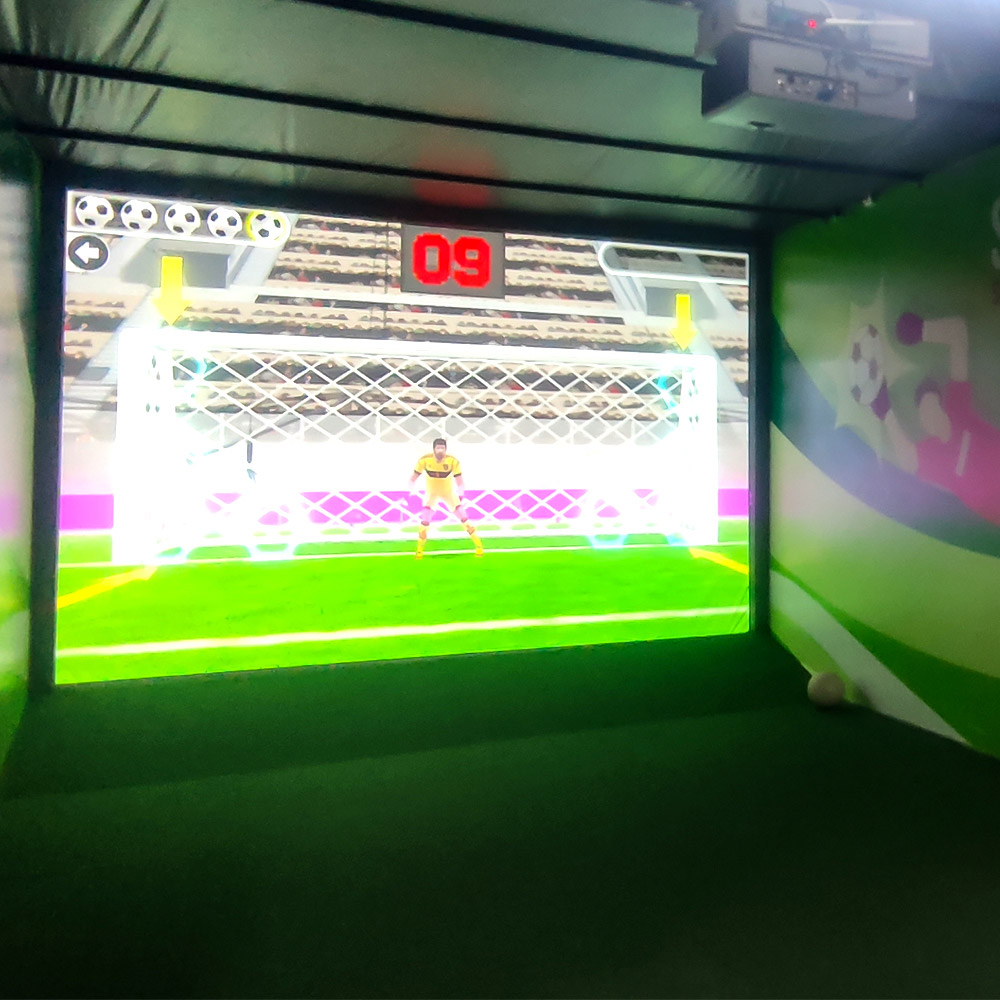
Keeping an indoor soccer simulation system running smoothly requires a structured maintenance program that covers hardware, software, environmental control, and user safety. This checklist addresses the full lifecycle of maintenance for soccer simulation interactive entertainment equipment — including regular cleaning, sensor calibration, network and software updates, component inspections, and preventive replacement strategies — so operators can maximize uptime, enhance guest experience, reduce repair costs, and comply with safety standards.
Core Maintenance Procedures for Soccer Simulation Hardware
Daily and Pre-Opening Checks
Before opening to guests, perform a short routine to confirm the system is operational and safe. Key checks include:
- Power and indicator lights: Ensure all power supplies, LEDs, and UPS indicators show normal status.
- Display and projector health: Verify the screen/projector shows a crisp image. Check lens and surface for smudges or dust.
- Input devices: Test one joystick, somatosensory controllers, or mobile-control pairing to confirm responsiveness and latency.
- Safety inspection: Walk the area to remove tripping hazards, ensure cables are secured, and barriers/railings are intact.
Weekly Hardware Cleaning and Inspection
Weekly maintenance reduces wear and prevents common failures:
- Clean touch surfaces and joysticks with appropriate disinfectant wipes that won’t erode plastics or capacitive sensors.
- Vacuum cooling vents and fans on PCs and consoles to prevent overheating. Compressed air can be used carefully for grills and radiators.
- Inspect sensor alignment and mounting brackets for any loosening from gameplay vibration.
- Check cabling and connectors for signs of damage, fraying, or loose RJ45/HDMI plugs.
Software, Network, and Calibration Best Practices
Regular Software Updates and Patch Management
Soccer simulation platforms rely on stable software. Implement a software maintenance plan:
- Set a scheduled maintenance window (e.g., weekly off-hours) to install game engine updates, security patches, and firmware upgrades.
- Create a rollback plan and backup images of the system before applying major updates to avoid service interruptions.
- Document version numbers and update history in a change log for auditing and troubleshooting.
Refer to software lifecycle guidance like the principles outlined by industry groups such as the IAAPA for attractions and interactive exhibits.
Calibration and Sensor Tuning
Regularly calibrate motion-sensing and tracking components to maintain accuracy of the virtual soccer field. Calibration tasks include:
- Recalibrating somatosensory and camera-based tracking systems weekly or after any physical movement of equipment. Use built-in calibration tools or manufacturer-supplied utilities.
- Testing latency and synchronization between input devices (joysticks, mobile controls) and the display to ensure real-time responsiveness.
- Performing a full-field alignment check monthly to ensure the on-screen turf, goal positions, and collision zones match the physical play area.
Preventive Replacement, Spare Parts, and Environmental Controls
Scheduled Replacement and Spare Parts Inventory
To reduce downtime and repair lead times, maintain an organized spare parts strategy:
- Identify critical components (power supplies, joysticks, sensors, LED strips, network switches) and stock at least one spare per critical item.
- Record Mean Time Between Failures (MTBF) for high-failure-rate parts and set replacement intervals before end-of-life.
- Keep consumables (filters, fuses, bulbs if projectors are used) on hand and track usage with a simple spreadsheet or CMMS (computerized maintenance management system).
Environmental and HVAC Considerations
Indoor soccer simulation equipment performs best in controlled environments:
- Maintain ambient temperature and humidity within manufacturer recommendations to protect electronics and displays (typically 18–25°C, 30–60% RH).
- Ensure adequate ventilation around CPU cabinets and projector housings. Overheating is a major cause of sudden failures.
- Install air filters in dusty venues and replace them on a scheduled basis to prevent dust buildup on optics and PCBs.
Safety, Compliance, and Guest Experience
User Safety Checks and Accessibility
Safety inspections protect guests and the operator from liability and support inclusive experiences:
- Check guardrails, entry gates, and soft padding every day; repair or replace damaged safety mats immediately.
- Verify that emergency stop buttons are visible, accessible, and functional. Test E-stop circuits monthly.
- Ensure controls and instructions are available in multiple languages and that mobile-control apps are accessible for guests with different abilities.
Guest Experience Optimization
Maintenance directly influences guest satisfaction in soccer simulation attractions:
- Monitor and tune audio levels and speaker placement for immersion without causing discomfort.
- Calibrate visuals to maintain realistic turf texture, player animations, and lighting balance so users experience the intended realism of the soccer simulation.
- Collect guest feedback after sessions to detect recurring issues like controller stickiness or lag and treat them as maintenance tickets.
Maintenance Schedule and Checklist Table
The table below provides a practical maintenance schedule covering daily, weekly, monthly, and annual tasks. Use it as a template to build your facility-specific checklist.
| Interval | Tasks | Responsible |
|---|---|---|
| Daily (Pre-opening) | Power check, display test, joystick/controller test, area safety sweep | Floor staff / operator |
| Weekly | Clean surfaces, vacuum vents, quick sensor alignment, backup logs | Technician |
| Monthly | Full sensor recalibration, software patching in maintenance window, HVAC filter check | Maintenance lead |
| Quarterly | Inspect cabling, test E-stop, replace consumables, update CMMS records | Engineer / Facility manager |
| Annually | Major service: projector lamp replacement (if applicable), full system audit, firmware lifecycle review | Authorized service partner |
Troubleshooting Common Issues in Indoor Soccer Simulation Systems
Display or Projection Problems
Symptom: Flickering, washed image, or no image.
Steps:
- Check signal cables (HDMI/DP) and connectors; reseat or replace if needed.
- Confirm source PC or console boots correctly and outputs at expected resolution and refresh rate.
- If using a projector, inspect lamp hours and cooling. Replace lamp or clean optics per manufacturer guidance.
Input Lag or Unresponsive Controllers
Symptom: Joystick, somatosensory devices, or mobile control shows lag or erratic behavior.
Steps:
- Run latency diagnostics available in the game's settings or vendor-supplied tools.
- Check network switch load and Wi-Fi congestion if mobile devices are used for control. Use wired connections where possible for lower latency.
- Recalibrate controllers and replace worn thumbsticks or sensors.
Compliance, Documentation, and Staff Training
Regulatory and Standards References
Adopt and reference relevant safety and operational standards. For example, general information about sports simulations and interactive attractions can be found on Wikipedia's pages such as Simulation video game and industry guidance from organizations like IAAPA.
Maintenance Records and Staff Certification
Keep detailed maintenance logs and certify staff for key tasks:
- Use a CMMS or spreadsheet to log date, technician, task performed, parts used, and system performance metrics.
- Train staff on emergency procedures, daily checks, and safe cleaning practices; maintain training records for compliance and quality assurance.
Brand Integration: FUNTECH Indoor Soccer Simulation Advantages
FUNTECH is a playground full of fun and excitement! Soccer simulation is an innovative entertainment project that digitally presents the real soccer game. With the help of advanced technology, the green field is accurately reproduced on the screen, from the delicate turf texture to realistic player movements, all lifelike. Players can direct the team's offense and defense by controlling a joystick, somatosensory device, or cell phone. The game features a variety of modes, including an intense and exciting league where you can compete with players from all over the world, as well as a casual and fun game, which is suitable for parents and children to share the fun. No need to be restricted by the venue and weather; you can enjoy the charm of soccer and feel the passion of the game anytime and anywhere.
Why FUNTECH stands out for operators:
- Turnkey indoor soccer simulation interactive entertainment equipment designed for high-throughput venues and easy on-site maintenance.
- Robust hardware architecture that separates key systems (display, compute, input) to simplify repairs and limit single points of failure.
- Remote diagnostics and software update support from the vendor reduces onsite troubleshooting time.
- Comprehensive operator training and spare parts kits tailored to the system components most likely to experience wear in high-use settings.
FAQ — Frequently Asked Questions
How often should I calibrate the motion-sensing components?
Calibrate motion-sensing hardware at least weekly and after any physical movement of the sensors or mounts. More frequent calibration may be necessary in high-use venues or if the system reports degraded tracking performance.
What is the expected lifetime of key components?
Expected lifetimes vary: joysticks and input devices may need replacement every 12–36 months depending on usage; projectors or high-intensity LEDs follow manufacturer lamp/LED lifespan guidelines (typically 2,000–20,000 hours depending on technology); power supplies and fans may last 3–7 years. Track actual usage and maintain spare parts accordingly.
Can I use the simulation outdoors or in unconditioned spaces?
Indoor soccer simulation equipment is optimized for controlled indoor environments. Operating in outdoor or unconditioned spaces risks damage from humidity, dust, and temperature extremes. If outdoor use is required, consult FUNTECH for weatherproofing options and modified maintenance plans.
What should I include in a maintenance log?
Include date/time, asset ID, technician name, task performed, parts replaced (with serial numbers), software/firmware versions, observed symptoms, and follow-up actions. This helps in warranty claims and identifying recurring faults.
Contact and Product Access
Reliable operation enables seamless expansion, especially when integrating soccer simulation into family entertainment centers or multi-attraction venues.For expert setup, preventive maintenance packages, or to learn more about the Indoor soccer simulation Interactive entertainment equipment from FUNTECH, contact our support team or view the product page:
Implementing this maintenance checklist will extend the life of your soccer simulation assets, improve guest satisfaction, and lower total cost of ownership. Regular inspections, documented procedures, and a stocked spare parts inventory are the backbone of a reliable attraction.
What are the different types of best golf simulator for the money?
Custom golf simulator sale Manufacturers and Suppliers in France
Best Compact Shooting Arcade Machines for Small Venues
Feature Guide: What to Look for in a Shooting Arcade Machine
Products
What are the after-sales services after purchasing the equipment?
Generally, a 1-year warranty is provided. During the warranty period, parts damaged due to quality problems, such as motor failure, display problems, etc., will be repaired or replaced free of charge. There will also be technical support, including equipment installation and debugging guidance, operation training, to ensure the smooth use of the user, after-sales response time is usually within 24 - 48 hours.
Holographic Light and Shadow Restaurant
What is holographic projection?
Holographic projection is a technique that utilizes the principles of interference and diffraction to record and reproduce the true three-dimensional image of an object. It records the light information of an object on a hologram, and then uses a specific light source to illuminate the hologram, so that the three-dimensional image of the object can be presented in the air, and the audience can see the realistic stereoscopic image without wearing special glasses.
Infrared Shooting
How often does the equipment require maintenance?
For daily use, simple monthly maintenance, such as simple cosmetic cleaning and function checking after use, is sufficient. A more comprehensive quarterly maintenance is sufficient.
Golf Simulator
How often does simulated golf equipment require maintenance?
For daily use, simple monthly maintenance is sufficient, such as a simple cosmetic cleaning and function check after use. Quarterly maintenance can be more comprehensive.
Football Simulator
What is the biggest difference between simulation soccer and traditional soccer?
Simulation soccer through digital technology on the screen to present soccer, not subject to site, weather restrictions, players can participate at any time and anywhere, but also with the handle, somatosensory equipment and other controls, experience a variety of modes. Traditional soccer requires real venues and multiple participants, and is greatly affected by environmental factors.
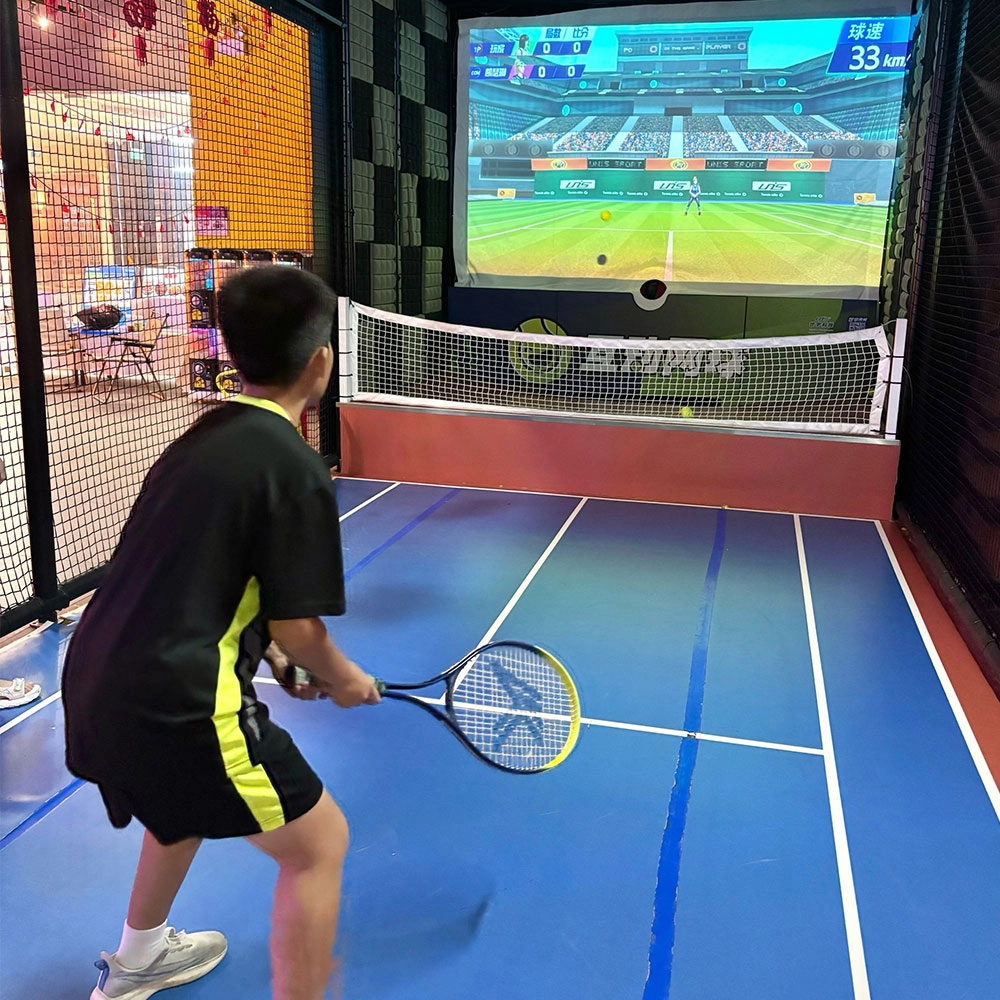
Indoor Tide Play Simulation Tennis Equipment
FUNTECH is full of fun and exciting playgrounds! With high-definition scene projection, force feedback racket, and intelligent scoring system, the simulated tennis equipment in the indoor arcade realizes immersive sports experiences and diversified interactive play, combining the advantages of safety and ease of use with high operational efficiency.
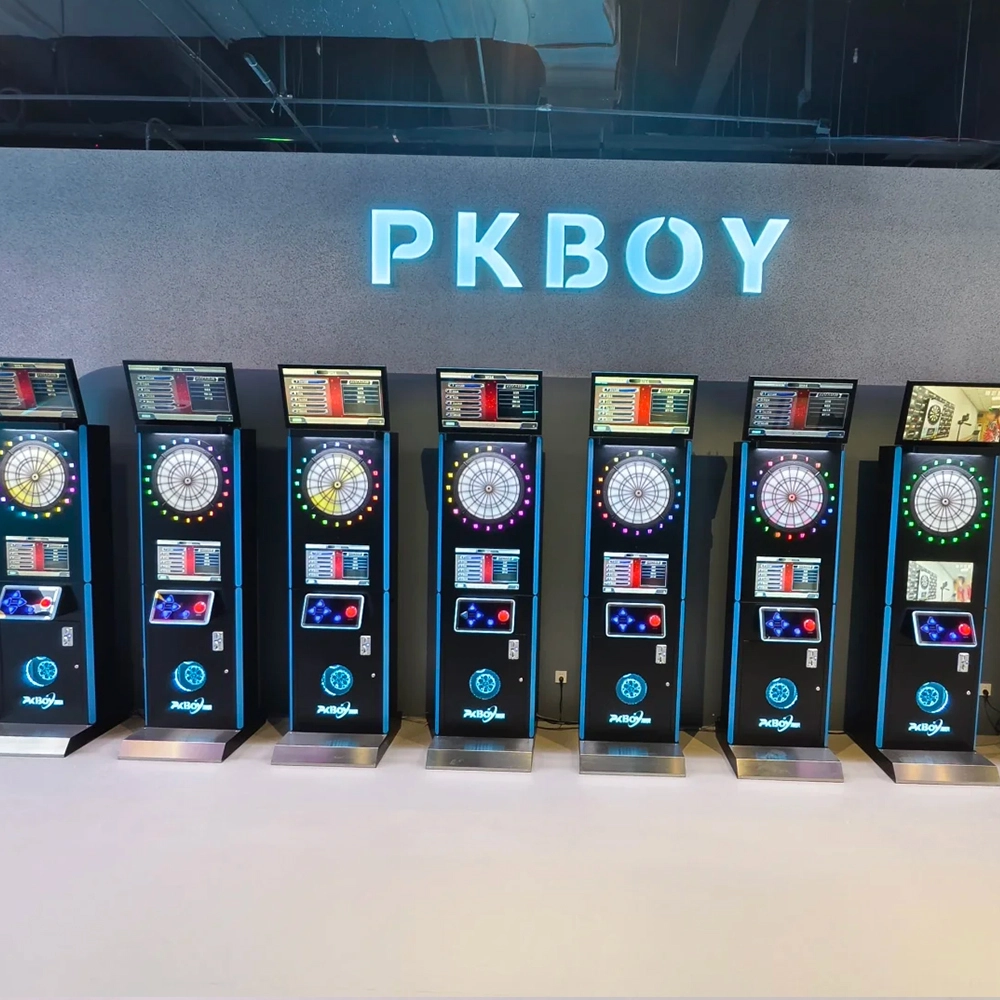
Dart Machines Bar Dart Machines
Joy Power is full of fun and excitement in the playground! The dart machine is suitable for all kinds of places, whether it is a bar, restaurant, KTV, or other entertainment venue, or a sports shop, club, or family leisure space, and can be perfectly adapted. In commercial venues, holding individual and team darts tournaments from time to time can attract more customers and increase the popularity and revenue of the venue, supplemented by various preferential activities, which can directly promote consumption and form a cycle of consumption of all the goods in the shop.
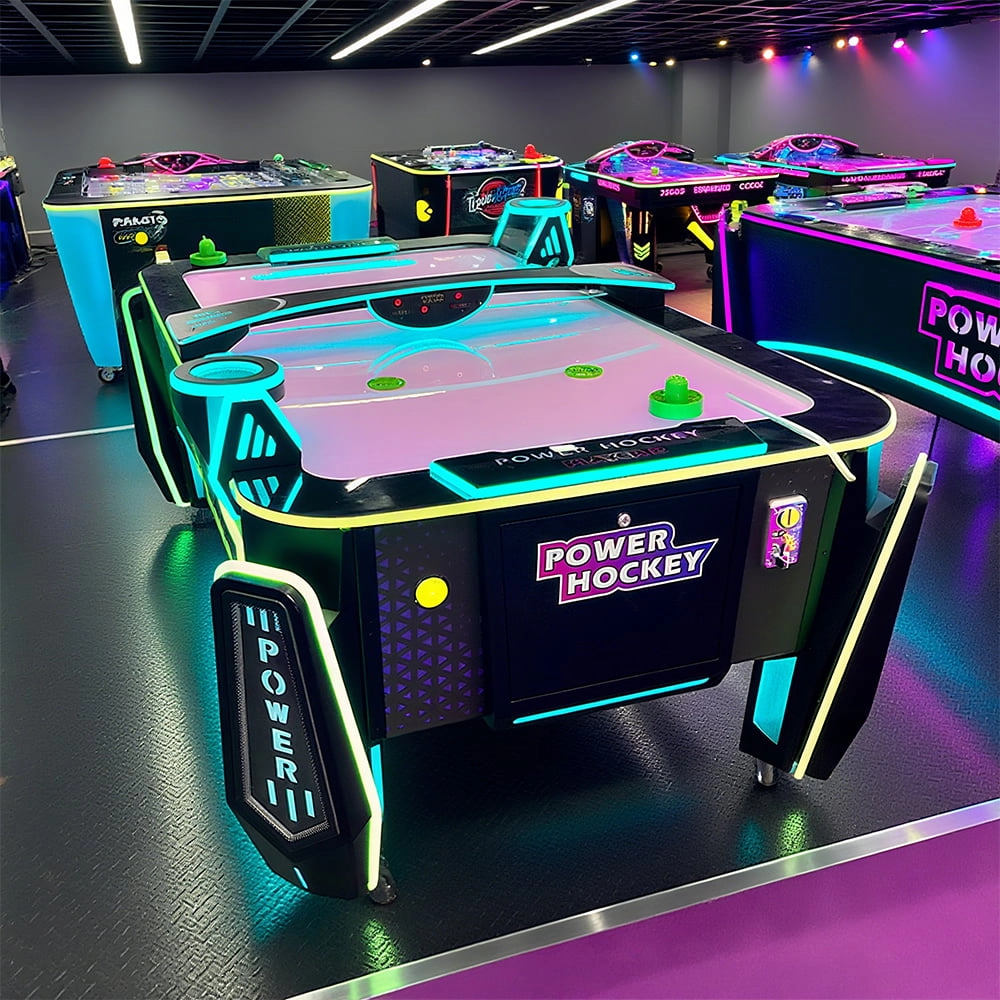
Arcade Hockey
FUNTECH is full of fun and exciting playgrounds! Air hockey, also known as air hockey, is a two-player competitive arcade game comprising a smooth, perforated playing surface, lightweight hockey sticks, a plastic puck, and an electronic scoreboard.
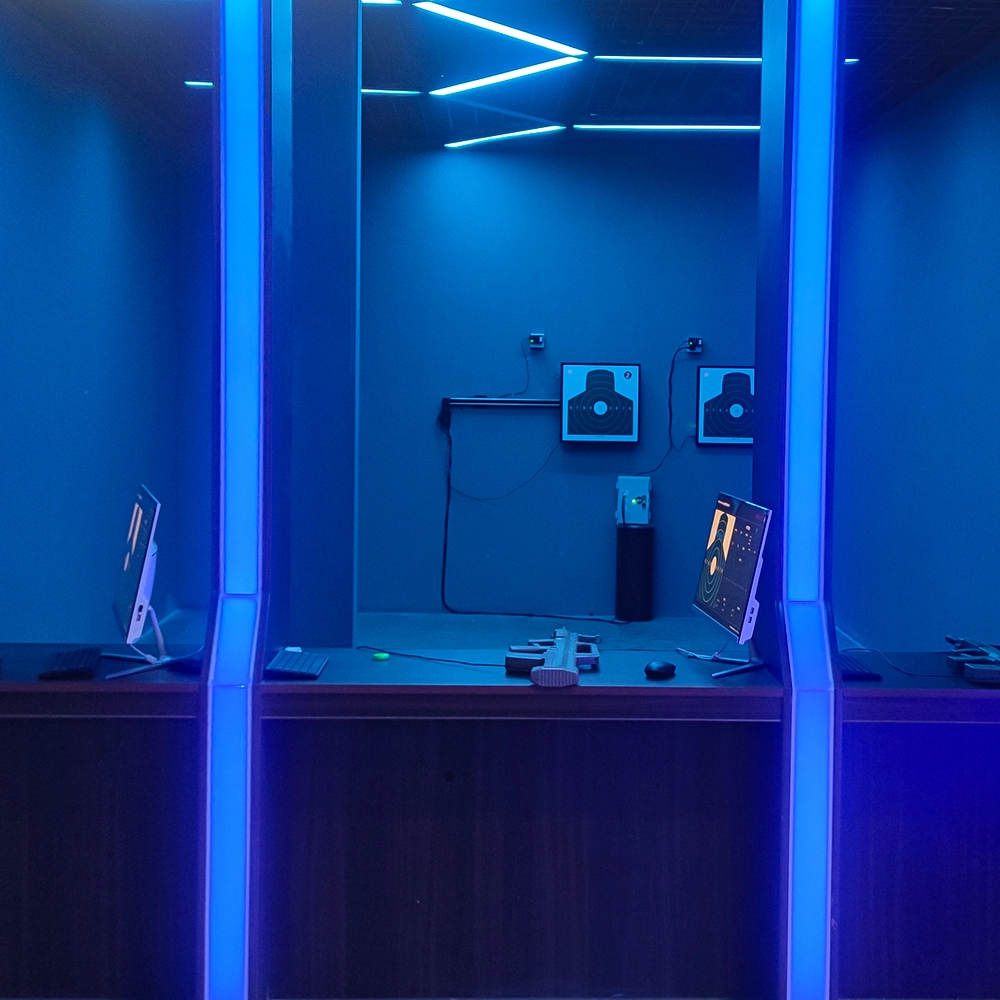
Infrared Shooting
Highly simulated simulation training analysis equipment, with advanced design concepts, fast system development, ease of operation and use, stable technical performance, less consumption of training, site dependence on a small group training is highly interesting, safe, and reliable, and other outstanding features. Product design to solve the basic skills of light weapons precision shooting as a starting point, to improve the safety of shooting training and training efficiency as the fundamental purpose, highlighting the simulation, information technology, and combat training requirements, can be in small indoor and outdoor venues and does not use live ammunition to complete the basic shooting training.
© 2025 FUNTECH ALL RIGHTS RESERVED

Weixia Lei
Fun_Tech-s
fun_tech20