
Safety and Compliance Considerations for Indoor Golf Simulators
- Safety and Compliance Considerations for the Best Indoor Golf Simulator
- Understanding the safety risks associated with the best indoor golf simulator
- Regulatory framework and standards relevant to indoor golf simulators (choose the best indoor golf simulator with compliance in mind)
- Space planning and structural safety for the best indoor golf simulator
- Comparison table: common simulator setups and safety implications
- Electrical safety, lighting, and equipment certification for the best indoor golf simulator
- Fire safety, materials selection, and ventilation
- Operational safety: rules, supervision, and user training when running the best indoor golf simulator
- Data privacy and software compliance for the best indoor golf simulator
- Maintenance, inspection, and documentation (key to long-term compliance)
- Choosing the best indoor golf simulator: Recreational Sports Products Indoor Simulated Golf
- Brand advantages and how Recreational Sports Products Indoor Simulated Golf meets user needs
- Cost considerations for safety and compliance
- Practical checklist: pre-installation and ongoing compliance (use for the best indoor golf simulator selection)
- FAQ — Safety and Compliance for Indoor Golf Simulators
- Q: What ceiling height do I need for the best indoor golf simulator?
- Q: Are simulator screens fire-rated?
- Q: Do I need a dedicated electrical circuit for my simulator?
- Q: How often should I inspect my simulator equipment?
- Q: What policies should a commercial venue have for simulator use?
- Q: Is Recreational Sports Products Indoor Simulated Golf suitable for home and commercial use?
- Contact us / View Product
- Authoritative references and further reading

Safety and Compliance Considerations for the Best Indoor Golf Simulator
Understanding the safety risks associated with the best indoor golf simulator
Indoor golf simulators bring realistic playability into homes, clubs, and entertainment venues but introduce distinct safety and compliance risks: flying golf balls, high-speed club swings, projector and electrical hazards, fire and ventilation issues, and software/data privacy concerns. Addressing these risks deliberately when planning, purchasing, and operating a simulator reduces liability, improves user confidence, and protects property.
Regulatory framework and standards relevant to indoor golf simulators (choose the best indoor golf simulator with compliance in mind)
There is no single global standard that covers all aspects of indoor golf simulators. Compliance is achieved by following a set of applicable regulations, industry best practices, and third-party safety certifications:
- Building and fire codes (local jurisdictions) — ensure structural, egress, and fire-safety compliance.
- National Electrical Code (NEC) and local electrical regulations — proper wiring, grounding, and circuit protection.
- UL (Underwriters Laboratories) and CE markings for electronic components (projectors, sensors, PCs).
- ADA or equivalent accessibility rules where the simulator is installed in a public/commercial venue.
- Data protection laws (GDPR, CCPA) when the system collects personal or tracking data.
Consult local authorities having jurisdiction (AHJ) early in the planning stage to ensure you meet permitting and inspection requirements for commercial installations.
Space planning and structural safety for the best indoor golf simulator
Proper space planning is the foundation of safe operations. Dimensions, clearances, and impact protection determine whether a simulator is appropriate for a space. Typical guidance:
- Ceiling height: For full-swing play, aim for 10–12 feet minimum; 12+ feet provides greater margin. Limited-swing setups can sometimes work with 9–10 feet but restrict club arcs.
- Width: Minimum 10–12 feet; 12–15 feet is recommended to allow natural swing and sidestep safety zones.
- Depth: 15–20 feet recommended from hitting position to screen, depending on simulator type and projector throw distance.
- Impact protection: Use rated impact screens, padded surrounds, and ceiling protection where balls might ricochet.
Space decisions influence structural needs. A commercial venue may require reinforcing framing or mounting plates for screens, netting, and equipment racks. Always verify load capacities and use certified fasteners for suspended screens and heavy projectors.
Comparison table: common simulator setups and safety implications
| Setup Type | Typical Space | Primary Safety Considerations | Recommended Use |
|---|---|---|---|
| Compact / Portable | 8–10 ft ceiling; 8–12 ft depth | Limited swing arc, close impact screens, higher ricochet risk | Casual home use, limited full-swing practice |
| Home Full-Swing | 10–12 ft ceiling; 12–18 ft depth | Proper impact screen, padding, projector mounting, ventilation | Serious home practice and entertainment |
| Commercial / Venue | 12+ ft ceiling; 15–25 ft depth | Heavy-duty screens, netting systems, ADA access, HVAC | High-traffic venues, teaching facilities, simulators for hire |
Electrical safety, lighting, and equipment certification for the best indoor golf simulator
Electrical and equipment safety are frequent sources of incidents. Observe these measures:
- Dedicated circuits for projectors, PCs, and impact-detection hardware to avoid overloads.
- Use GFCI protection where required and surge protection for sensitive electronics.
- Only use UL-listed or CE-marked components; verify manufacturer documentation and nameplate ratings.
- Ensure safe cable routing and avoid trip hazards; use conduit and cable trays in commercial installs.
- Plan lighting so users have safe approach and egress without interfering with projector images.
Fire safety, materials selection, and ventilation
Projectors and PCs generate heat; enclosed spaces can increase fire risk. Key actions:
- Choose flame-retardant and fire-rated materials for screens, curtains, padding, and wall surrounds.
- Confirm projector ventilation paths and allow manufacturer-recommended clearances.
- Install smoke detectors and, where required, sprinklers per local fire code.
- Provide adequate HVAC or mechanical ventilation to remove heat and ensure user comfort during extended sessions.
Operational safety: rules, supervision, and user training when running the best indoor golf simulator
Technology reduces risk but cannot replace clear operational protocols:
- Post visible safety rules: no running, one user swinging at a time, check surroundings before swinging, and no children unsupervised.
- Train staff or household users on safe teeing, ball retrieval, and emergency shutdown procedures.
- Use physical barriers or soft padding to separate non-playing patrons or family members from the swing area.
- For commercial venues, adopt minimum age and waiver policies; consider liability insurance that covers simulator operations.
Data privacy and software compliance for the best indoor golf simulator
Modern simulators often collect swing data, user profiles, payment information, and video. Treat this data as sensitive:
- Ensure software meets applicable privacy laws (GDPR, CCPA), provides clear consent mechanisms, and secures data at rest and in transit.
- Use strong authentication, role-based access, and keep software patched to reduce vulnerabilities.
- Retain logs and consent records to demonstrate compliance if audited.
Maintenance, inspection, and documentation (key to long-term compliance)
Routine maintenance prevents failures and supports safe operation. A recommended checklist:
- Daily visual checks: nets, screens, cables, and general housekeeping.
- Weekly equipment check: projector operation, sensor calibration, and software updates.
- Monthly tests: emergency stop functions, smoke detectors, and lighting.
- Annual professional inspection: structural mounts, electrical circuits, and HVAC performance.
Maintain a written inspection log and records of repairs, replacements, and staff training to demonstrate due diligence.
Choosing the best indoor golf simulator: Recreational Sports Products Indoor Simulated Golf
When selecting equipment, balance playability with safety and compliance. Consider Recreational Sports Products Indoor Simulated Golf for environments where lifelike visuals and reliable materials are needed. Product introduction:
FUNTECH in a playground full of fun and excitement! The screen’s smooth texture offers superior image clarity, compatible with any HD projector for a lifelike golf simulation. Enjoy crystal-clear visuals that bring the fairway right into your home.
Why this product supports safety and compliance:
- High-quality impact screen materials reduce ricochet risk and are compatible with rated mounting systems.
- Designed for HD projection with predictable throw distances and manufacturer guidance for safe clearances.
- Suitable for home and light commercial use when installed according to local codes and manufacturer instructions.
Brand advantages and how Recreational Sports Products Indoor Simulated Golf meets user needs
Key brand advantages that factor into both user experience and compliance:
- Image quality: Crisp visuals reduce the need for unsafe adjustments or leaning into the play area to see details.
- Material quality: Durable screens and recommended accessories (padding, netting) help manage impacts.
- Compatibility: Works with a wide range of certified projectors and simulation software, lowering integration risk.
- Support: Manufacturer documentation and recommended installation practices simplify permitting and inspections.
Cost considerations for safety and compliance
Budgeting realistically avoids cutting corners on safety. Typical cost components to consider:
| Item | Home Setup (USD) | Commercial Setup (USD) | Notes |
|---|---|---|---|
| Impact screen and frame | $500–$2,000 | $1,500–$6,000 | Higher-rated materials cost more but increase longevity |
| Projector & mount | $600–$2,500 | $1,500–$5,000 | Commercial venues may use higher-brightness projectors |
| Launch monitor/sensors | $500–$4,000 | $2,000–$15,000 | Accuracy and robustness drive price |
| Electrical/HVAC modifications | $200–$2,000 | $1,000–$10,000+ | Depends on complexity and local code requirements |
| Installation & permits | $300–$2,000 | $1,000–$10,000 | Professional installation recommended for compliance |
Practical checklist: pre-installation and ongoing compliance (use for the best indoor golf simulator selection)
- Confirm available space and obtain AHJ guidance on permits.
- Select UL/CE-listed components and request datasheets from vendors.
- Specify flame-retardant screens and padding where applicable.
- Plan electrical layout with a licensed electrician and obtain necessary permits.
- Define operational policies, signage, and staff/user training requirements.
- Set a maintenance schedule and keep a documented logbook with inspection records.
FAQ — Safety and Compliance for Indoor Golf Simulators
Q: What ceiling height do I need for the best indoor golf simulator?
A: For safe full-swing play, aim for at least 10–12 feet. Twelve feet or more provides a safer margin for full driver swings. Lower ceilings may restrict swings and increase the risk of club or ball contact with structural elements.
Q: Are simulator screens fire-rated?
A: Not all screens are fire-rated. When installing in a commercial or code-restricted space, choose screens and curtains with certified flame-retardant ratings and keep documentation for inspections.
Q: Do I need a dedicated electrical circuit for my simulator?
A: Yes. Projectors, PCs, and launch monitors draw power and can overload general-purpose circuits. Use dedicated circuits with surge protection and follow local code for circuit sizing.
Q: How often should I inspect my simulator equipment?
A: Perform daily visual checks, weekly functional checks, monthly safety tests, and an annual professional inspection. Log all inspections and repairs.
Q: What policies should a commercial venue have for simulator use?
A: Venues should require waivers, post safety rules, supervise players, provide staff training, restrict unsupervised minors, and maintain insurance that covers simulator operations.
Q: Is Recreational Sports Products Indoor Simulated Golf suitable for home and commercial use?
A: The Recreational Sports Products Indoor Simulated Golf system (FUNTECH screen) is designed to deliver clear HD visuals and durable screen performance. It is suitable for homes and light commercial venues when installed according to manufacturer guidance and local codes. Verify specific local regulatory requirements for commercial deployments.
Contact us / View Product
With compliance assured, venue owners can enhance utilization by designing multiuse spaces around indoor simulated golf.To learn more about Recreational Sports Products Indoor Simulated Golf, installation guidance, or to request a compliance checklist for your space, contact our team or visit the product page. Our technical specialists can provide site-specific recommendations and documentation to support permits and inspections.
Authoritative references and further reading
- National Fire Protection Association (NFPA)
- U.S. Consumer Product Safety Commission (CPSC)
- Underwriters Laboratories (UL)
- Americans with Disabilities Act (ADA) Guidelines
- Golf Digest — equipment and space recommendations
- International Organization for Standardization (ISO)
End of article.
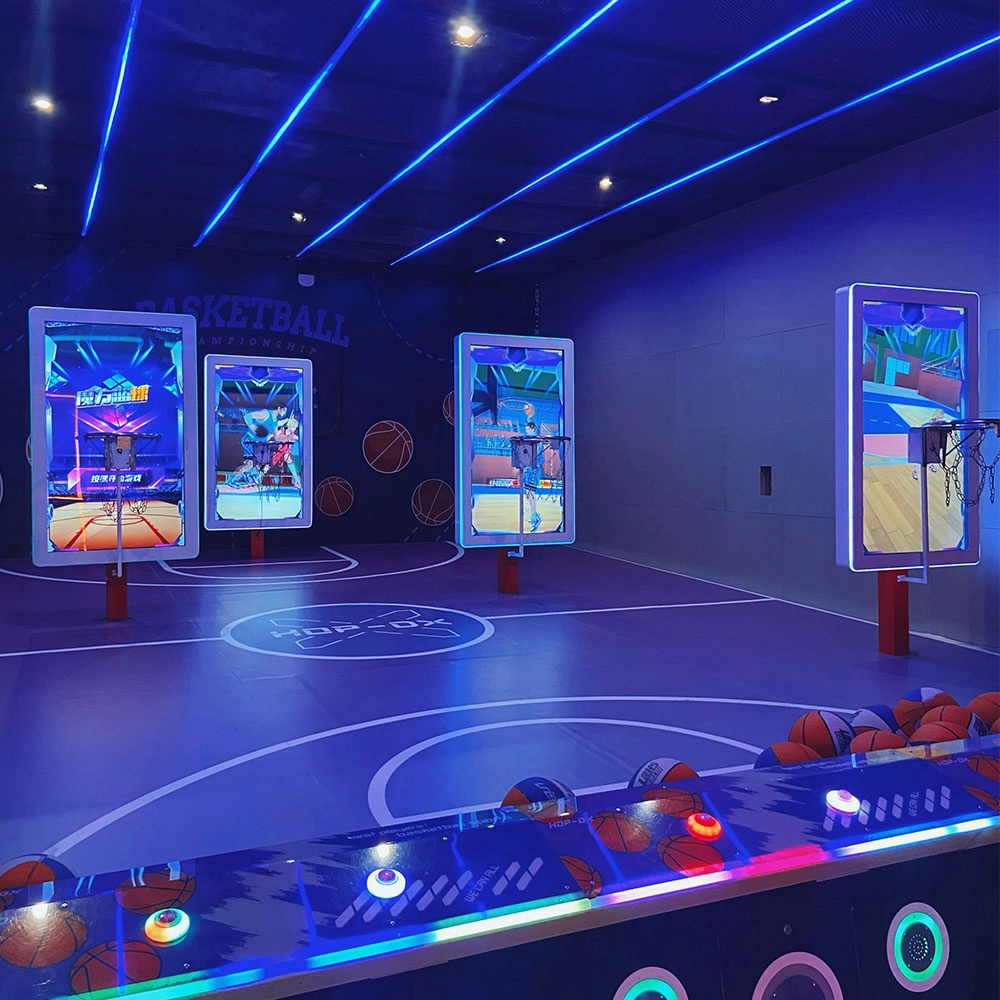
Buyer's Guide: How to Choose a Shooting Arcade Machine
Top 5 baseball batting cage simulator Company List and Products Compared in Asia
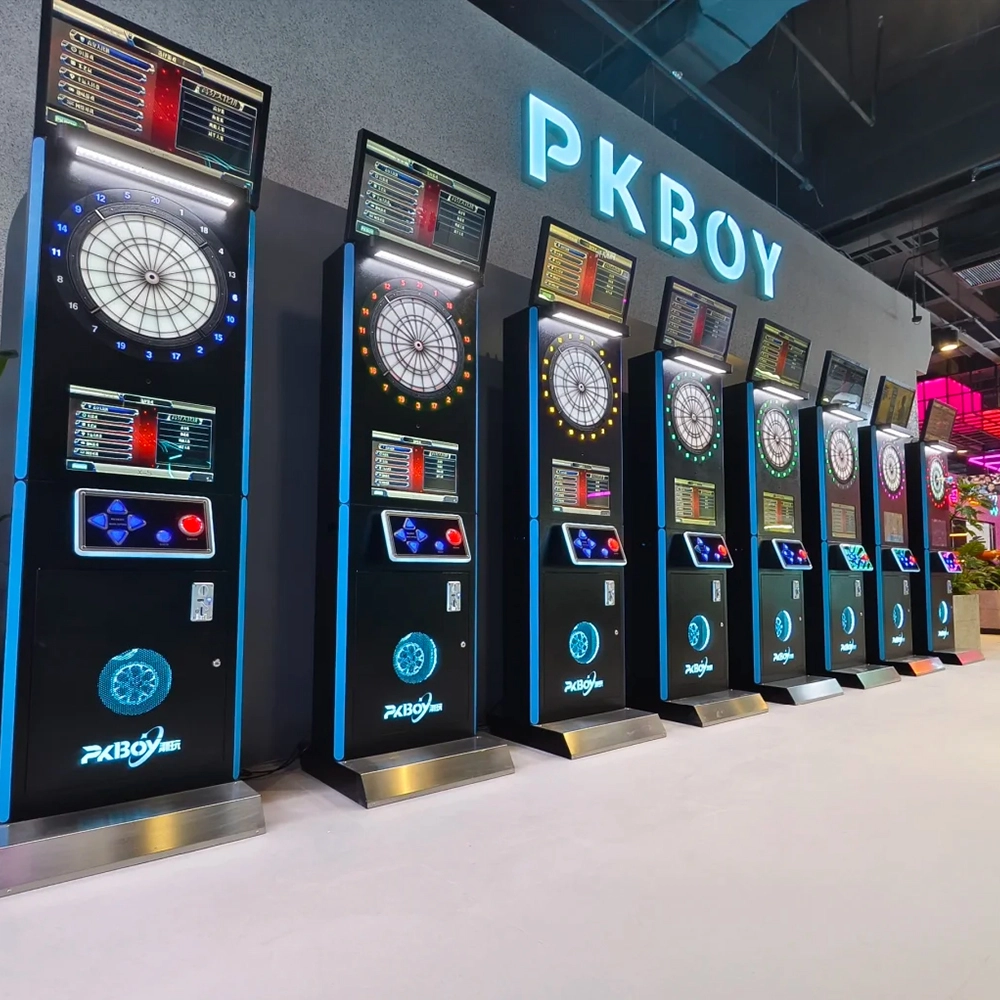
Top Bar Dart Machine Brands to Know in 2026
Wholesale dart making machine manufacturer and supplier in Saudi Arabia
Interactive Rollerball
How to attract customers when operating the program in shopping malls?
Create a cool venue decoration style and incorporate trendy elements, such as fluorescent light strips and anime-themed murals. o Launch diversified marketing models such as parent-child packages and couple packages, combined with time-limited promotional activities, such as half-price experience in the first three days of opening, to attract different groups of people such as families and couples to stop by and participate.
Why are sports arcades a hot spot for investment?
The traditional entertainment market (e.g., arcade, KTV) has become less attractive to generations, while digital hip playgrounds integrating technology, sports, and socialization are more in line with young people's needs, and the market size has exceeded 50 billion in 2023, with an annual growth rate of more than 30%.
Golf Simulator
What is the difference between purchasing equipment for commercial operations and personal training?
Commercial operations should consider the durability, ease of operation, and attractiveness of the equipment, and it is preferable to choose cool-looking equipment that can withstand high-frequency use.
Infrared Shooting
What are the after-sales services after purchasing the equipment?
Generally, a 1-year warranty is provided. During the warranty period, parts damaged due to quality problems, such as motor failure, display problems, etc., will be repaired or replaced free of charge. There will also be technical support, including equipment installation and debugging guidance, operation training, to ensure the smooth use of the user, after-sales response time is usually within 24 - 48 hours.
Football Simulator
Are there a lot of game modes in soccer simulation?
Very rich! There is a league mode which is exciting and can compete with players from all over the world, and there is also a leisure and fun game which is suitable for parents and children to share fun time, so as to satisfy the needs of different players.
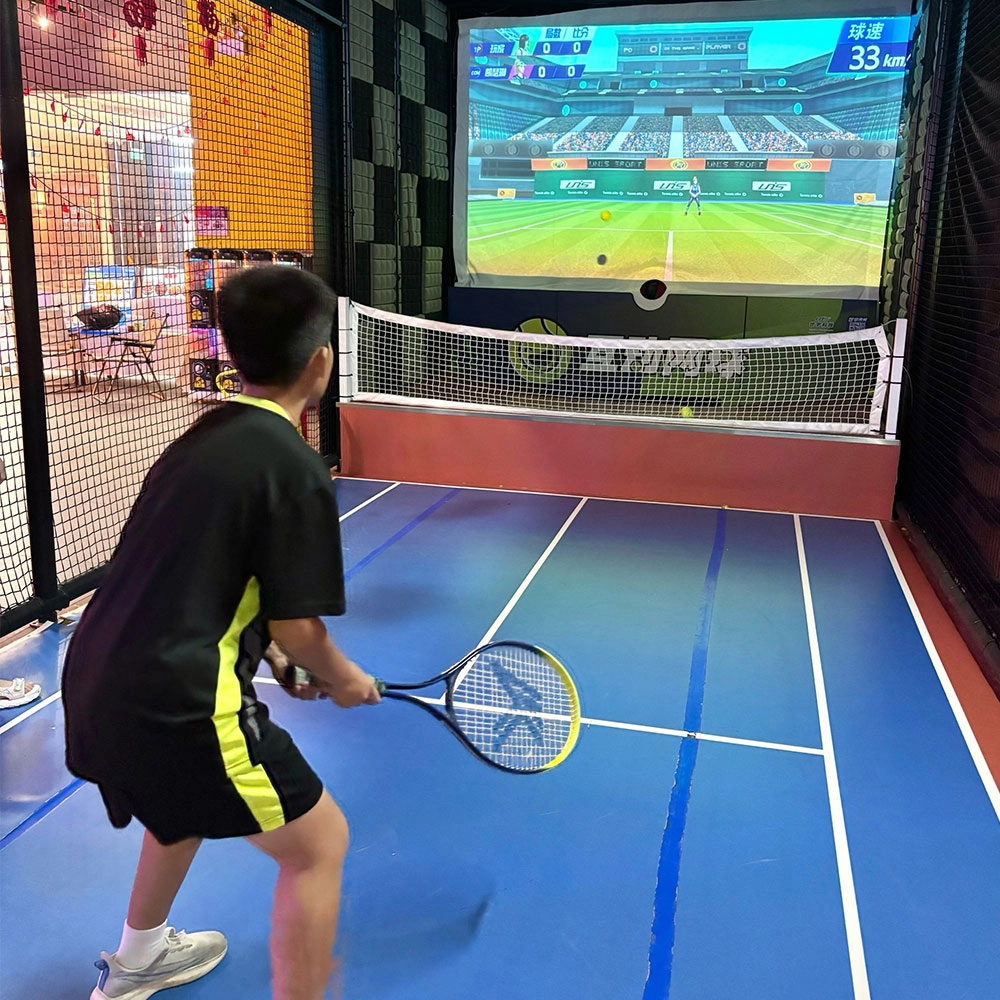
Indoor Tide Play Simulation Tennis Equipment
FUNTECH is full of fun and exciting playgrounds! With high-definition scene projection, force feedback racket, and intelligent scoring system, the simulated tennis equipment in the indoor arcade realizes immersive sports experiences and diversified interactive play, combining the advantages of safety and ease of use with high operational efficiency.
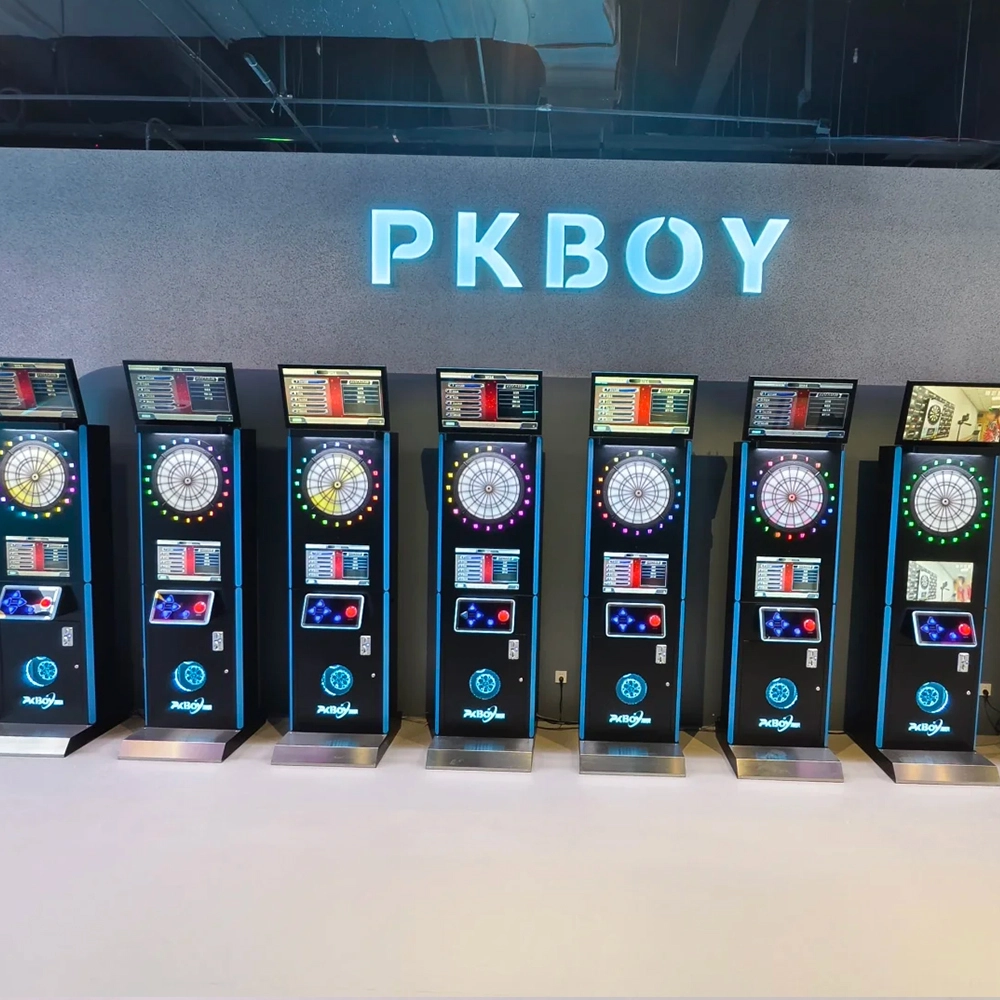
Dart Machines Bar Dart Machines
Joy Power is full of fun and excitement in the playground! The dart machine is suitable for all kinds of places, whether it is a bar, restaurant, KTV, or other entertainment venue, or a sports shop, club, or family leisure space, and can be perfectly adapted. In commercial venues, holding individual and team darts tournaments from time to time can attract more customers and increase the popularity and revenue of the venue, supplemented by various preferential activities, which can directly promote consumption and form a cycle of consumption of all the goods in the shop.
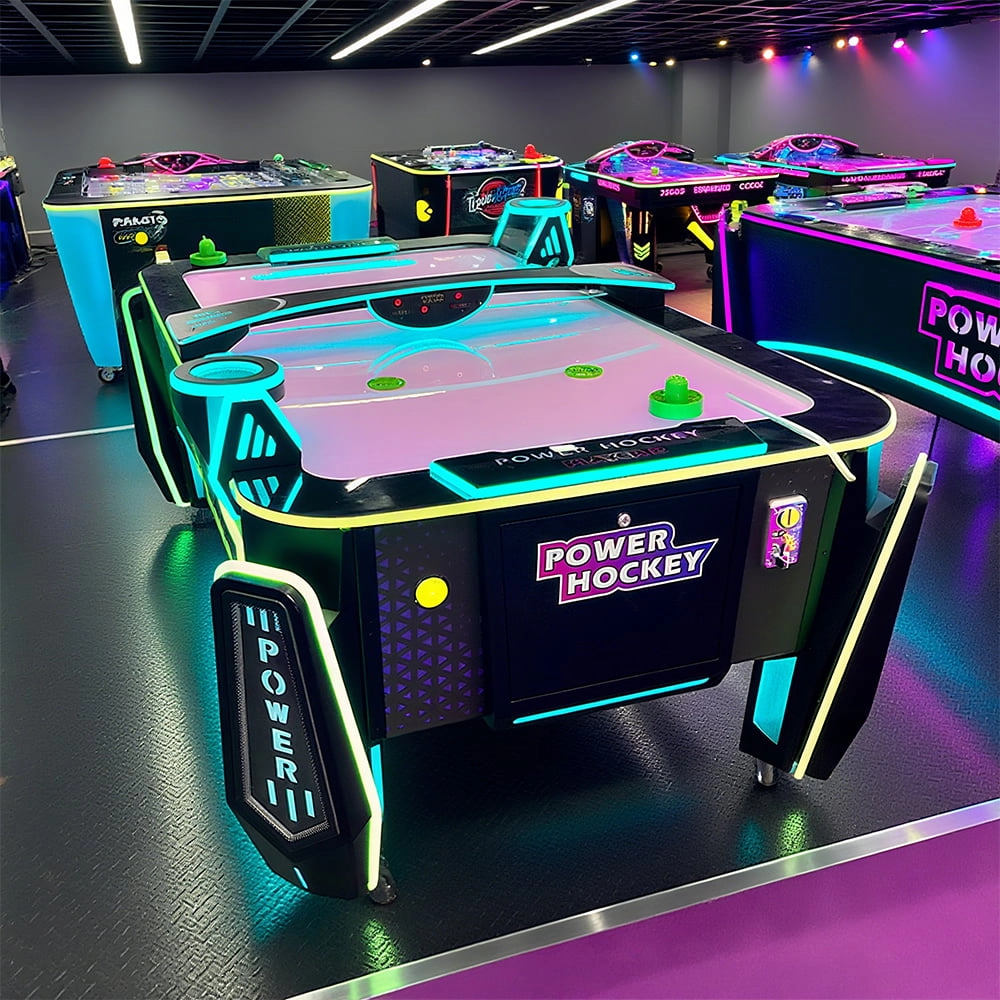
Arcade Hockey
FUNTECH is full of fun and exciting playgrounds! Air hockey, also known as air hockey, is a two-player competitive arcade game comprising a smooth, perforated playing surface, lightweight hockey sticks, a plastic puck, and an electronic scoreboard.
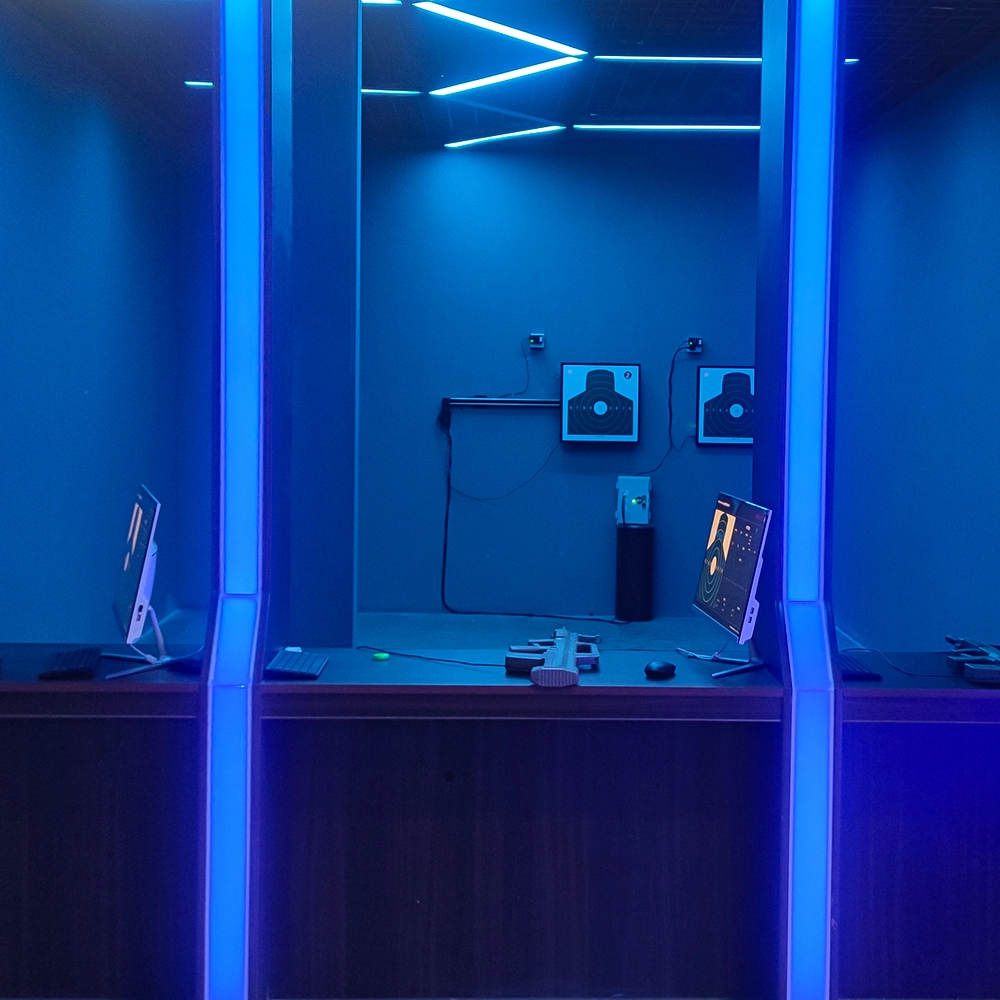
Infrared Shooting
Highly simulated simulation training analysis equipment, with advanced design concepts, fast system development, ease of operation and use, stable technical performance, less consumption of training, site dependence on a small group training is highly interesting, safe, and reliable, and other outstanding features. Product design to solve the basic skills of light weapons precision shooting as a starting point, to improve the safety of shooting training and training efficiency as the fundamental purpose, highlighting the simulation, information technology, and combat training requirements, can be in small indoor and outdoor venues and does not use live ammunition to complete the basic shooting training.
© 2025 FUNTECH ALL RIGHTS RESERVED

Weixia Lei
Fun_Tech-s
fun_tech20