
What maintenance is required for an arcade dart machine for sale?
- 1. How often should electronic sensors and optical targets be recalibrated on an arcade dart machine to prevent score drift in high-traffic venues?
- 2. What is the step-by-step procedure to replace a segmented LED target panel in an electronic dartboard without voiding warranty?
- 3. What preventive maintenance schedule minimizes downtime for multi-unit dart clusters in busy FECs?
- 4. How do I diagnose and fix intermittent coin/bill acceptor failures on an arcade dart machine after power surges?
- 5. Which cleaning agents and methods safely remove dart marks and residue from rubber surrounds and targets without damaging sensor circuits?
- 6. How can I reliably backup and update scoring software and player databases on networked arcade dart machines to protect data and avoid corruption?
- Concluding summary: Advantages of buying and maintaining the right arcade dart machine
As experienced Digital Sports Entertainment consultants and content specialists working with operators and buyers of arcade equipment, we know many novices searching for an arcade dart machine for sale find shallow or outdated maintenance advice. Below are six specific, action-focused questions beginners often ask — with step-by-step, field-tested answers focused on minimizing downtime, protecting warranties, and maximizing life of your electronic dartboard, LED target, and scoring system. Semantic terms used naturally below include electronic dartboard, dart game machine, LED target, automatic scoring, coin acceptor, FEC (family entertainment center), and scoring software.
1. How often should electronic sensors and optical targets be recalibrated on an arcade dart machine to prevent score drift in high-traffic venues?
Why this matters: Score drift from sensor or optical target misalignment is the most common invisible failure that erodes customer trust and causes disputes.
Recommended schedule and method:
- Daily quick-check: Front-line staff should do a 30-second visual test when opening — verify auto-test LED sequence and run a 1–2 player throw test in demo mode to confirm scoring accuracy.
- Weekly light calibration: Use the board’s built-in diagnostic/calibration mode (most networked dart machines and modern electronic dartboards include one). Run the auto-calibration routine to let the system re-zero sensor thresholds and confirm optical alignment.
- Monthly precision check: For busy FECs (200+ plays/week per machine) measure scoring variance using a standardized test dart pattern (3–5 repeat throws to each zone) and log any deviations. If variance exceeds manufacturer tolerance (commonly ±1 segment or predefined percentage in the manual), perform manual recalibration or sensor cleaning.
- Quarterly professional service: Schedule a technician to verify sensor mounts, check connectors, update firmware and run oscilloscope or diagnostic logs if available. This is essential for machines in leagues or tournaments.
- Power down and stabilize: Soft reboot the machine from the admin menu, then enter calibration/test mode per the manual.
- Use manufacturer tools: Follow the exact sensor calibration routine (often an on-screen guided process). For optical sensors, calibrate ambient light compensation if available.
- Test with known-good darts: Use the same dart type to avoid mechanical variance during calibration.
- Document results: Record pre/post calibration test outcomes and any error codes — this helps trend issues and preserve warranty claims.
- Review warranty paperwork and the manufacturer’s service manual. Many brands require factory-authorized parts or certified technicians for warranty coverage.
- Obtain the correct replacement part (exact model/part number) — don’t substitute generic panels unless explicitly supported.
- Power off and unplug the machine. Tag the unit as service in progress in busy venues.
- Discharge capacitors: wait 5–10 minutes after power off to ensure internal supplies stabilize. For added safety, disconnect internal power connectors if you are trained to do so.
- Remove bezel and outer surround: use the correct screwdriver/allen key to avoid stripping fasteners. Keep screws labeled by position.
- Note connector types: photograph wiring connections and ribbon cable orientations before disconnecting; ESD precautions help protect LEDs and driver ICs.
- Unfasten the LED panel: remove retaining clips or screws. Gently unplug ribbon cables or Molex connectors — use a spudger to avoid bent pins.
- Install new panel: align guide pins, reconnect ribbon cables, ensure no pin misalignment, and resecure fasteners evenly to avoid warping.
- Power on in service mode: run the board-level LED test to ensure all segments respond. Check firmware versions; some panels require a firmware handshake or driver matching step.
- Full functional test: run a multi-player test, inspect lighting uniformity and scoring accuracy, and log the part serial number for inventory/warranty records.
- Daily: Front-line inspection (power lights, coin/bill acceptor readiness, visible damage, and a quick scoring test). Wipe high-touch surfaces with a disinfectant safe for rubber surrounds.
- Weekly: Clean target face and surround per manufacturer instructions; check and restock darts; inspect and empty coin boxes/validate bill stacker condition.
- Monthly: Firmware and scoring software checks; back up settings and player databases; inspect network connectivity and latency logs; test coin/bill acceptors for errors and perform validator cleaning procedures.
- Quarterly: Replace wear items — dart tips/surrounds if pitted; check internal power supplies for heat/capacitor bulging; test Ethernet/wireless modules; verify LED lifetime indicators (LEDs commonly rated for ~50,000 hours).
- Annually: Full bench service for each machine: sensor recalibration, bearing/latch lubrication (if applicable), power supply health check, and full diagnostics by a factory-authorized technician.
- Maintain a spare-parts kit: include 1–2 replacement LED segments, power supply, fuses, extra darts, and a spare coin acceptor module if throughput is critical.
- Stagger maintenance: schedule machines for rotating deep maintenance outside peak hours to preserve capacity.
- Use remote monitoring: many modern dart arena systems provide cloud dashboards showing error codes — set alerts to fix issues before customer complaints.
- Check environmental and power protections: verify the machine is on a surge protector/UPS. Look for scorch marks or blown fuses.
- Capture error logs: use the machine’s admin menu to pull payment module error codes. Common error types include communication timeout, validation failure, or mechanical jam indicators.
- Run validator self-test: most acceptors have a service/test mode — run it and note pass/fail.
- Inspect physical connections: power, ground, and data connectors (RS232/USB/BDMI/Ethernet) should be tight and corrosion-free. Re-seat connectors.
- Power-cycle and isolate: disconnect the acceptor, power the machine, then reconnect to see if fault persists — this can clear some logic faults.
- Clean the acceptor: remove dust and debris; use approved validator cleaning cards for bill validators and compressed air for coin paths.
- Update firmware: some vendors release acceptor firmware fixes for post-surge stability. Backup configuration then apply updates.
- Replace fuses and transient suppression devices: if surge damaged the protection stage, swap to known-good modules. Always use OEM-recommended parts and sizes.
- Failover and repair plan: if the module remains intermittent, replace it and bench-test the failed unit with manufacturer diagnostics. Keep a spare acceptor on-site if coin/card sales are critical.
- Tools and agents to use: soft microfiber cloths, soft-bristled nylon brushes, isopropyl alcohol 70% (for stubborn grime but used sparingly), mild detergent (ph-neutral) mixed with water, compressed air, and lint-free swabs for tight spots.
- What to avoid: acetone, petroleum-based solvents, abrasive pads, high-pressure water, and soaking the electronic target face. Avoid harsh bleach on rubber surrounds — it causes embrittlement.
- Step-by-step:
- Power down the machine and tag as cleaning in progress.
- Dry dust removal: blow out dust with compressed air and brush around seams to prevent debris ingress to sensors.
- Surface cleaning: dampen a microfiber cloth with soapy water (not dripping) and wipe the surround and outer target. For the segment face, use a slightly damp cloth with gentle strokes; for residue, a 70% isopropyl wipe with minimal pressure is acceptable for most LED faces.
- Edge care: use cotton swabs dampened with alcohol to clean enclosure seams and dart catchers — avoid touching PCB components.
- Dry and test: allow parts to air dry completely before powering on; run diagnostic tests to confirm sensors and LEDs function.
- Establish a scheduled backup policy: nightly incremental backups and weekly full backups of scoring settings, machine configuration, and player database. Use cloud backups if the vendor supports encrypted cloud exports.
- Version control: keep a clear record of firmware and scoring software versions per machine. When updating, apply updates first to a single test machine and validate operation for 48–72 hours before rolling out to the cluster.
- Pre-update checklist: notify users of maintenance windows, back up all data, export player/league databases (CSV/JSON if supported), and confirm current configuration backups are restorable in a sandbox test.
- Secure backups: encrypt backups at rest and in transit. If you store player information, follow local privacy rules (e.g., GDPR) — retain only required personal data and maintain consent records when necessary.
- Rollback plan: always keep the previous stable image and clear rollback steps. If the new update corrupts configs, revert quickly to minimize service interruption.
- Use vendor tools: many dart machine vendors provide centralized management consoles that automate backups and staged updates. Use these rather than manual file copies where possible.
Practical steps to recalibrate (typical):
2. What is the step-by-step procedure to replace a segmented LED target panel in an electronic dartboard without voiding warranty?
Why this matters: LED segments and ring modules fail over time. Improper replacement can void warranty or damage the scoring electronics.
Pre-checks:
Replacement steps (general, for most modern LED segmented targets):
Notes to protect warranty: if the manual requires certified technicians, engage factory service or an authorized partner. Keep receipts and service logs.
3. What preventive maintenance schedule minimizes downtime for multi-unit dart clusters in busy FECs?
Why this matters: High utilization magnifies downtime costs — a single out-of-service dart machine can reduce party bookings and revenue.
Recommended preventive maintenance program for clusters (1–20+ machines):
Operational best practices:
4. How do I diagnose and fix intermittent coin/bill acceptor failures on an arcade dart machine after power surges?
Why this matters: Power events commonly manifest as intermittent acceptor faults and can cause sporadic loss of revenue if not addressed correctly.
Diagnosis checklist:
Fix steps:
Prevention: deploy monitored UPS units, install whole-venue surge suppression, and configure payment modules to use robust comms paths (redundant network routes where possible).
5. Which cleaning agents and methods safely remove dart marks and residue from rubber surrounds and targets without damaging sensor circuits?
Why this matters: Inappropriate solvents, abrasive tools, or moisture intrusion can ruin sensors and void warranties.
Safe cleaning protocol:
Additional tips: replace rubber surrounds when darts consistently cause deep pitting. Consider applying protective coatings only if recommended by the manufacturer.
6. How can I reliably backup and update scoring software and player databases on networked arcade dart machines to protect data and avoid corruption?
Why this matters: Networked dart game machines often hold player accounts, league stats and financial logs. Mishandled updates or failed backups can cause data loss and customer disputes.
Backup and update best practices:
Data integrity checks: after any update, run reconciliation between machine logs and central database for the prior 24–72 hours to detect missed transactions.
Concluding summary: Advantages of buying and maintaining the right arcade dart machine
Purchasing a quality arcade dart machine for sale and applying the maintenance practices above delivers several advantages: consistent scoring reliability that builds customer trust, lower long-term operating costs due to fewer emergency repairs, predictable uptime for party bookings and league play, and safer operation that preserves warranties. Preventive maintenance and proper software/data management preserve machine value and enable better revenue forecasting for FECs and bar-arcade operators.
If you need OEM parts, authorized service or a quote on reliable arcade dart machines and full maintenance packages, contact us at www.funtechgame.com or email vicky@funtechgame.com for a customized quote and service plan.
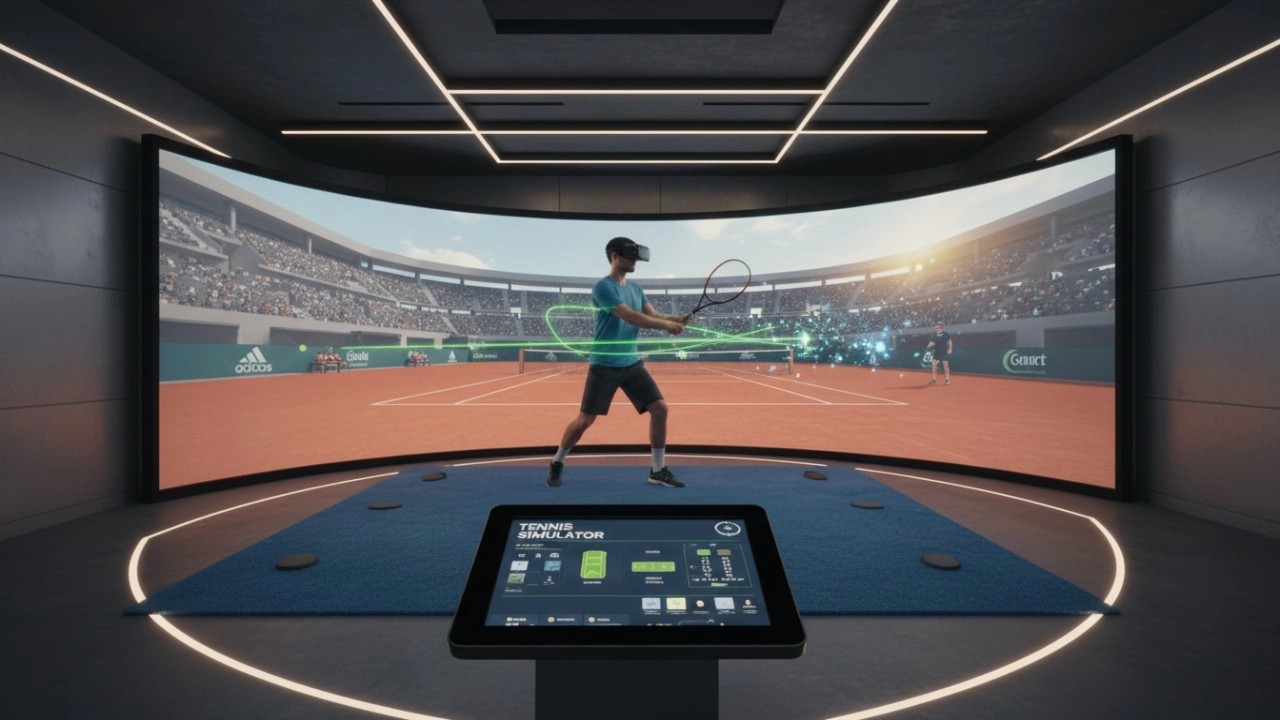
7 Reasons to Add a Tennis Simulator to Your Entertainment Venue Instead of Traditional Training Models (2026 Guide)
The 2026 Dart Machine Revenue Playbook: Boosting Mid-Week Sales by 30%-40% with Competitive Socializing
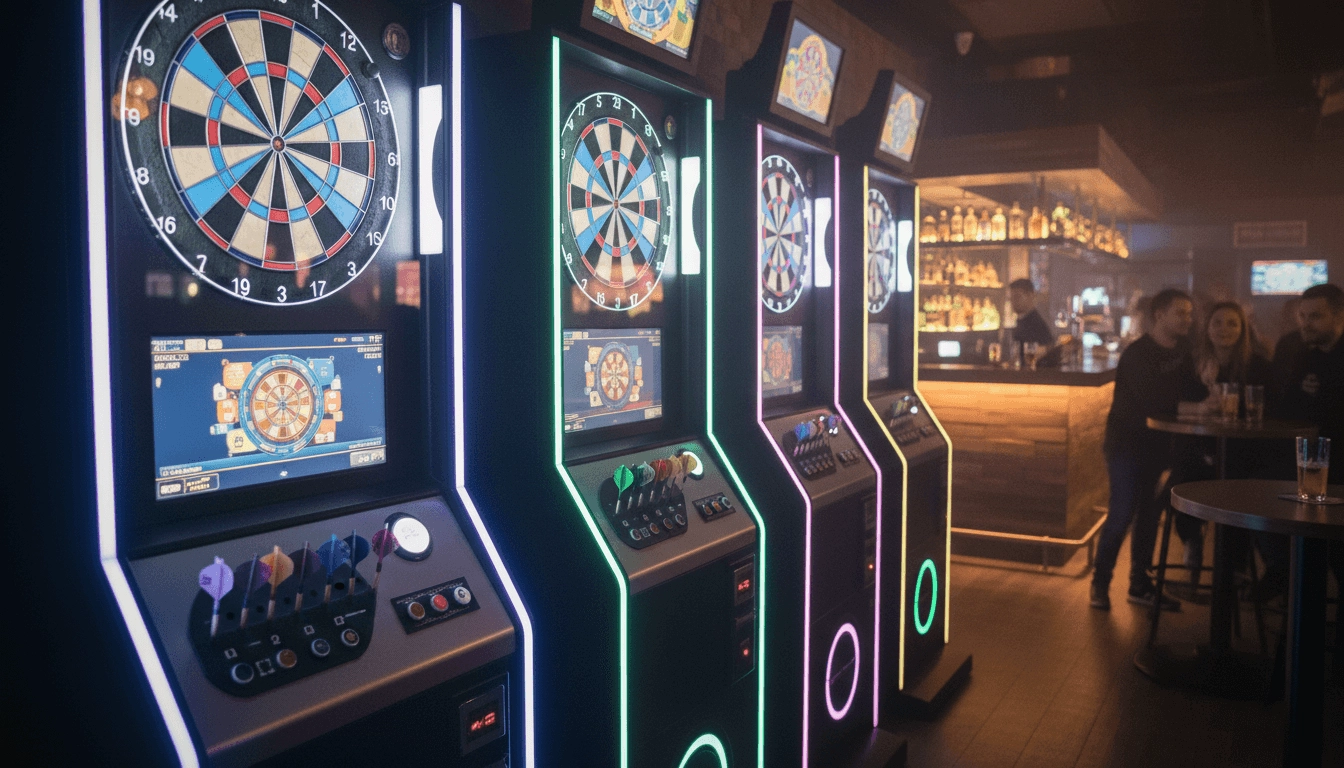
Redefining Competitive Socializing: Ultimate Guide to Selecting an Intelligent Dart Machine 2026
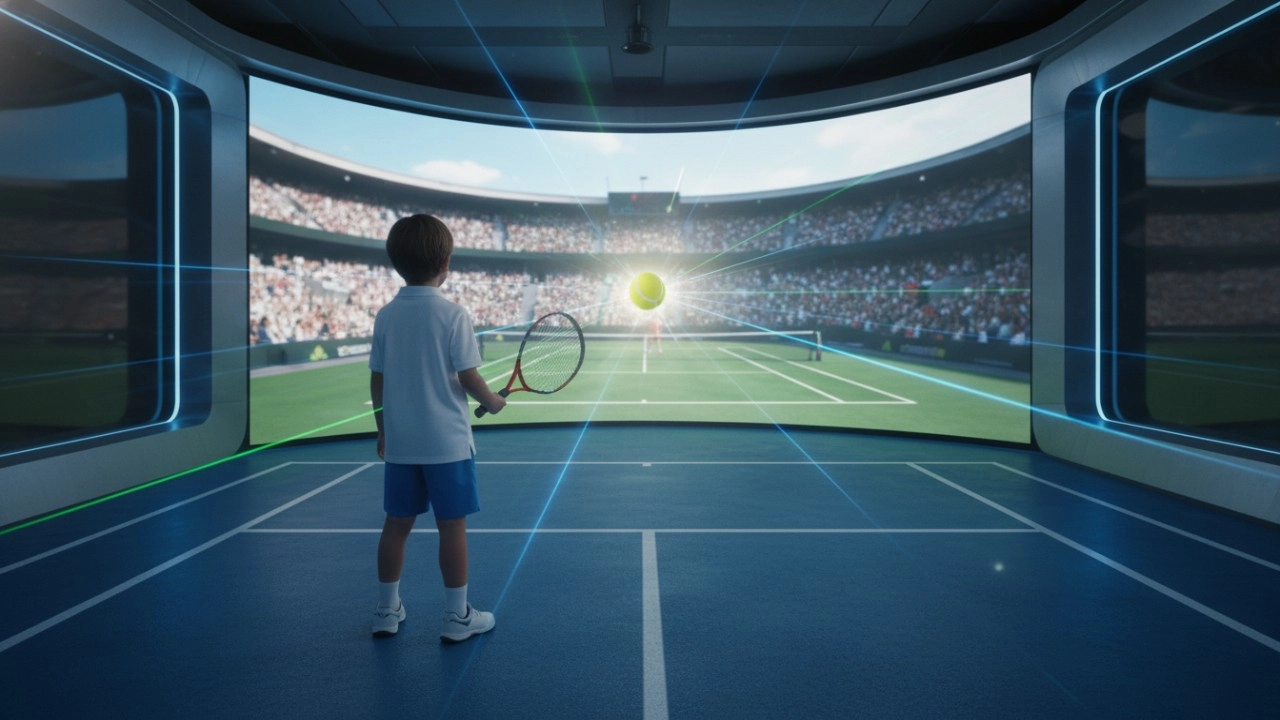
Tennis Simulators in 2026: The Ultimate Guide to Virtual Courts and Advanced Training

Top 15 Dart Machine Manufacturers in 2026
Interactive Rollerball
How to attract customers when operating the program in shopping malls?
Create a cool venue decoration style and incorporate trendy elements, such as fluorescent light strips and anime-themed murals. o Launch diversified marketing models such as parent-child packages and couple packages, combined with time-limited promotional activities, such as half-price experience in the first three days of opening, to attract different groups of people such as families and couples to stop by and participate.
Dart Machines Bar Dart Machines
What are the after-sales services after purchasing the equipment?
Generally, a 1-year warranty is provided. During the warranty period, parts damaged due to quality problems, such as motor failure, display problems, etc., will be repaired or replaced free of charge. There will also be technical support, including equipment installation and debugging guidance, operation training, to ensure the smooth use of the user, after-sales response time is usually within 24 - 48 hours.
Holographic Light and Shadow Restaurant
What are the application scenarios of holographic projection?
Holographic projection has a wide range of applications in multiple fields. In the commercial field, it can be used for product display, advertising promotion, stage performances, etc., such as three-dimensional product display in shopping malls and virtual singer performances at concerts. In the field of education, it can be used for teaching demonstrations to help students understand complex scientific knowledge more intuitively. In the field of exhibition display, it can create an immersive exhibition experience and attract the attention of the audience.
Products
What is the difference between purchasing equipment for commercial operations and personal training?
Commercial operations should consider the durability, ease of operation and attractiveness of the equipment, it is appropriate to choose cool appearance, can withstand high-frequency use, such as the target car running hundreds of times a day, high-intensity models, and easy to operate, easy for customers to get started. Personal training is more focused on cost-effective, according to their own training needs to choose the right tension of the bow, the right speed of movement of the target car.
What are the after-sales services after purchasing the equipment?
Generally, a 1-year warranty is provided. During the warranty period, parts damaged due to quality problems, such as motor failure, display problems, etc., will be repaired or replaced free of charge. There will also be technical support, including equipment installation and debugging guidance, operation training, to ensure the smooth use of the user, after-sales response time is usually within 24 - 48 hours.
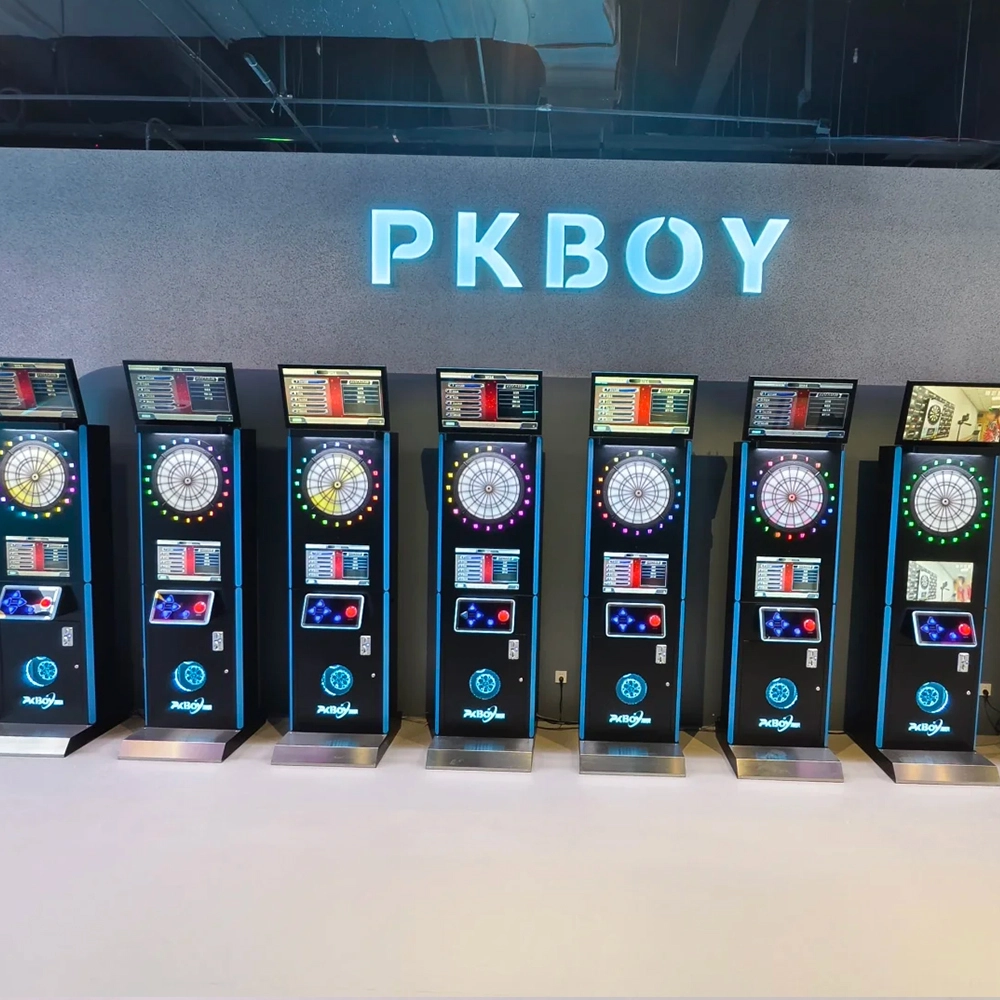
Dart Machines Bar Dart Machines
Joy Power is full of fun and excitement in the playground! The dart machine is suitable for all kinds of places, whether it is a bar, restaurant, KTV, or other entertainment venue, or a sports shop, club, or family leisure space, and can be perfectly adapted. In commercial venues, holding individual and team darts tournaments from time to time can attract more customers and increase the popularity and revenue of the venue, supplemented by various preferential activities, which can directly promote consumption and form a cycle of consumption of all the goods in the shop.
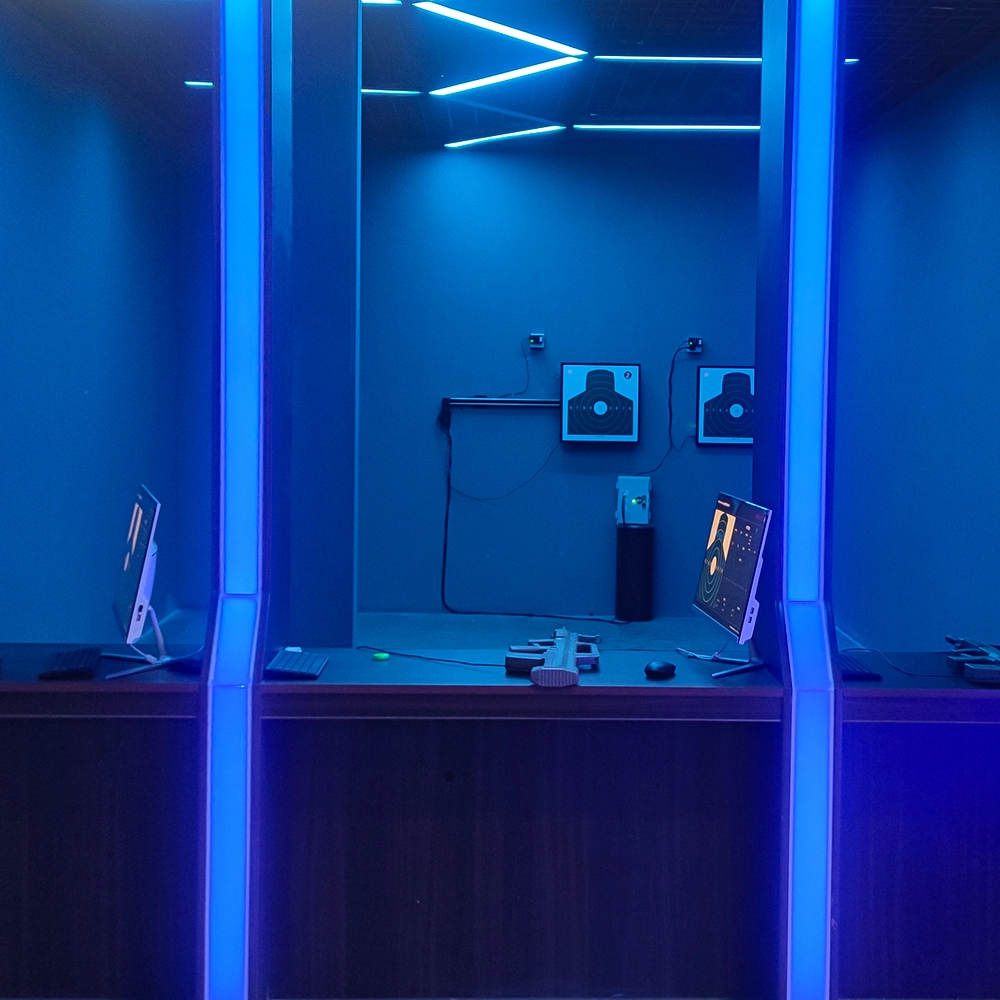
Infrared Shooting
Highly simulated simulation training analysis equipment, with advanced design concepts, fast system development, ease of operation and use, stable technical performance, less consumption of training, site dependence on a small group training is highly interesting, safe, and reliable, and other outstanding features. Product design to solve the basic skills of light weapons precision shooting as a starting point, to improve the safety of shooting training and training efficiency as the fundamental purpose, highlighting the simulation, information technology, and combat training requirements, can be in small indoor and outdoor venues and does not use live ammunition to complete the basic shooting training.
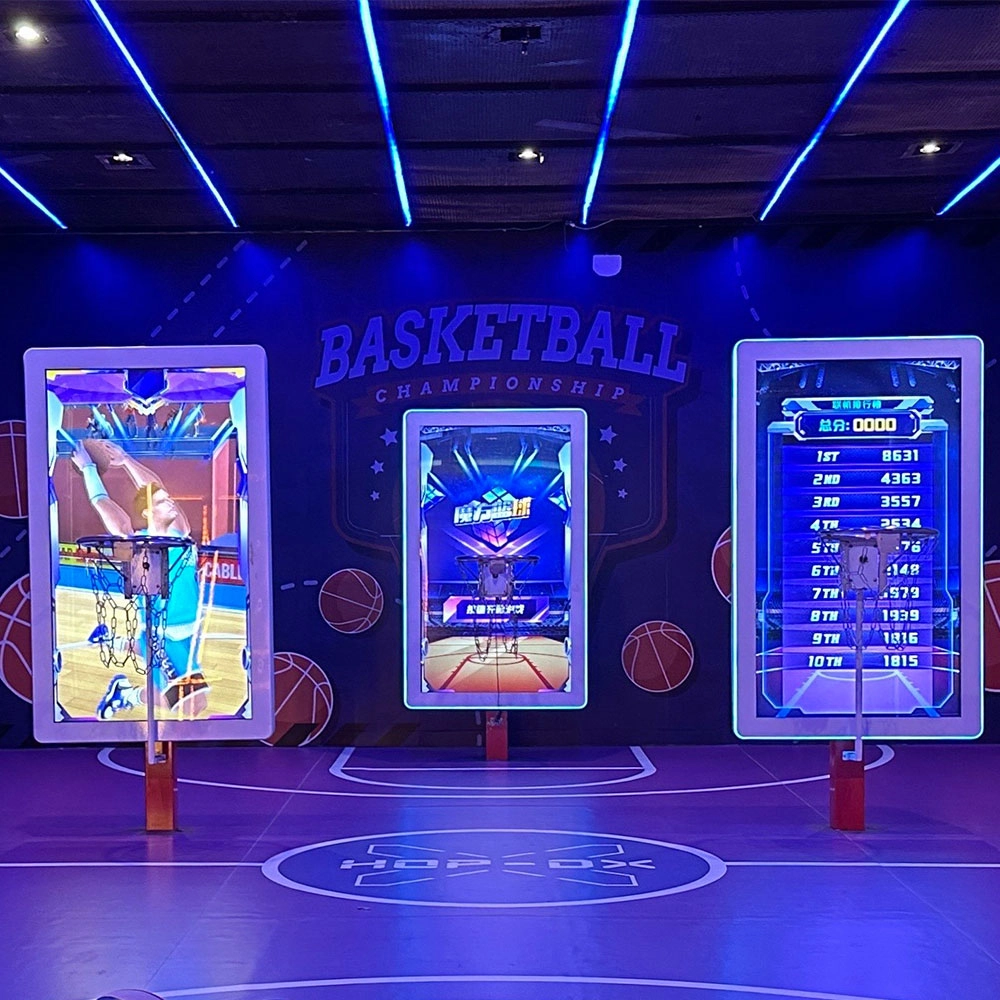
Multi-Player Interactive Shooting Machine
Joy Power is full of fun and exciting playgrounds! The basketball shooting machine is a classic amusement device integrating competition, entertainment, and interactivity. Based on the traditional basketball shooting sport, it integrates electronic scoring, sound and light effects, and challenge mechanisms to bring players an immersive game experience. The main body of the equipment is usually built with a metal frame, equipped with a standard-sized basket and a sturdy rim, with multiple sets of sensors to accurately capture the trajectory of the shot; when the player shoots the ball, the machine's built-in sensors count the score in real time and present the score, remaining time, and challenge goals through the LED display or LCD screen, with exciting sound effects and colorful lights to create a tense and exciting gaming atmosphere.
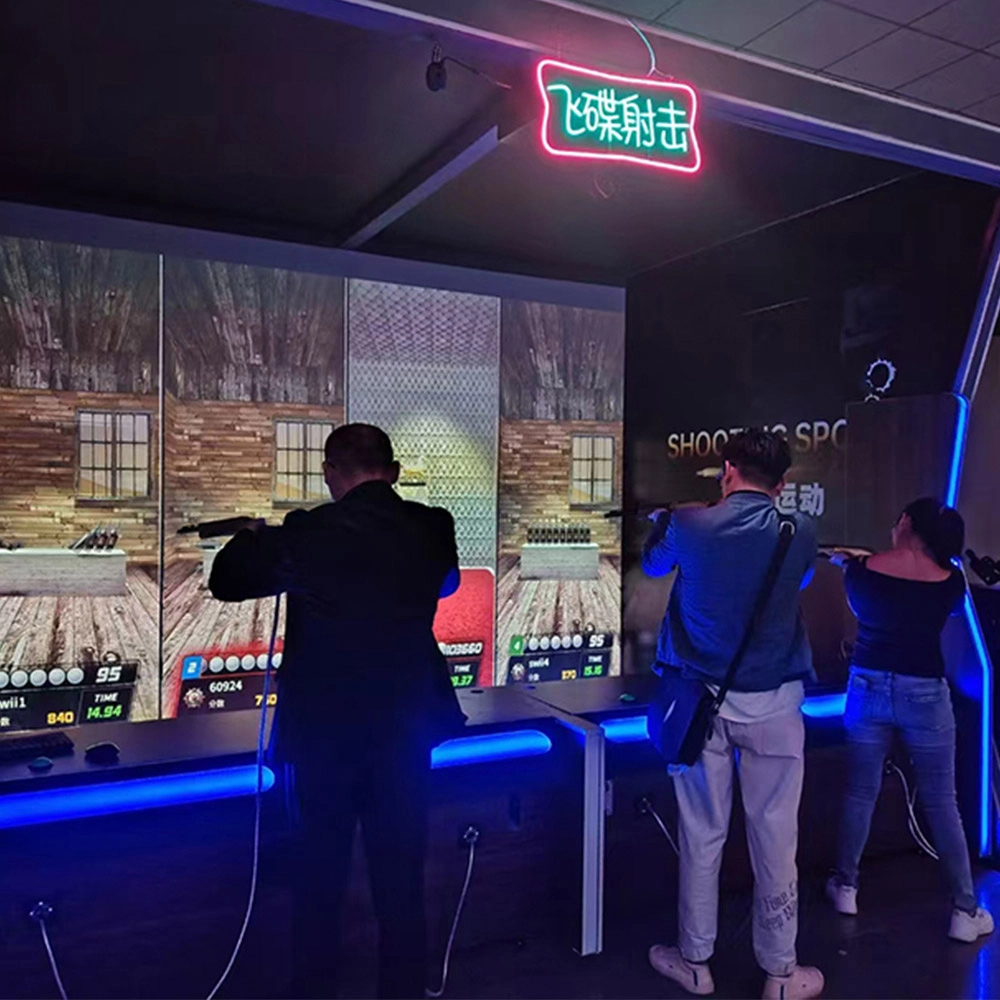
Indoor Wave Play Disc Shooting Equipment
Joy Power is full of fun and exciting playgrounds! The saucer shooting equipment in the indoor hip play hall is an immersive entertainment device integrating high-definition projection scenes, simulated air rifles, and multi-mode interactive gameplay, which allows players to experience the excitement of virtual shooting and the fun of social competition through laser-sensing scoring and multi-sensory feedback.
Ready to take your venue to the next level?
Leave us a message here, and our team will get back to you promptly.
Whether you're interested in custom orders, technical specifications, or partnership opportunities, we're here to assist you.
© 2025 FUNTECH ALL RIGHTS RESERVED

Weixia Lei
Fun_Tech-s
fun_tech20